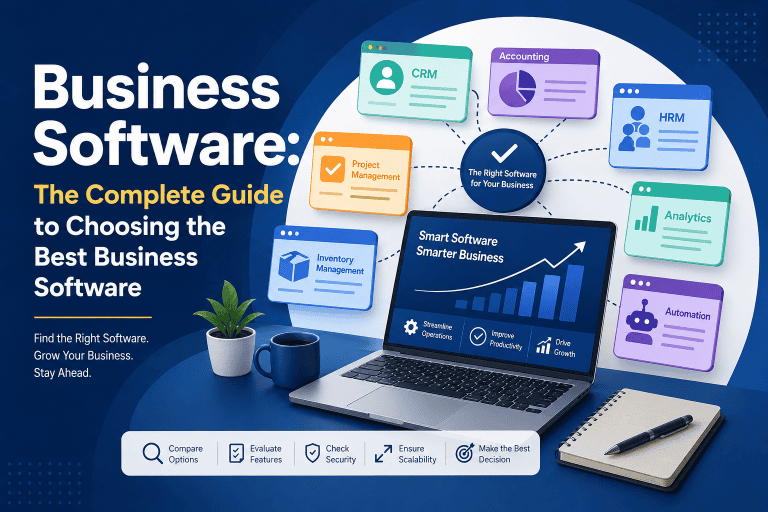



What Is Business Process Automation? A Complete Guide for Beginners
Business process automation (BPA) is the use of software, technology, and increasingly artificial intelligence (AI) to automate repetitive business processes with minimal manual intervention. Instead of employees performing the same tasks repeatedly, automated systems can handle activities such as data entry, approvals, notifications, document processing, invoicing, customer communication, and reporting.
For businesses of all sizes, business process automation can reduce repetitive work, improve accuracy, speed up operations, and allow employees to focus on higher-value activities.
In this beginner-friendly guide, you’ll learn what business process automation is, how it works, its benefits, common examples, and how to identify processes that are suitable for automation.
What Is Business Process Automation?
Business process automation is the practice of using technology to automate a sequence of business tasks that would otherwise require manual work.
A typical automated process follows a predefined workflow. When a specific event occurs, the automation system performs one or more actions automatically.
For example, when a customer places an online order:
Customer places order → Payment is confirmed → Inventory is updated → Invoice is generated → Customer receives confirmation → Warehouse receives the order
Without automation, employees may need to complete several of these steps manually. With business process automation software, many of these actions can happen automatically.
BPA is particularly useful for repetitive, rule-based processes that follow predictable steps.
As AI, intelligent automation, and AI agents continue to evolve, businesses are moving toward more intelligent automated operations. Learn more about the future of business automation.
How Does Business Process Automation Work?
Business process automation generally works by connecting business rules, data, applications, and workflows.
A basic automated workflow usually contains four components:
1. Trigger
A trigger starts the automated process.
Examples include:
- A new customer submits a form
- An order is placed
- An invoice is created
- A payment is received
- An employee submits a leave request
- A new lead enters a CRM
2. Rules
The system determines what should happen based on predefined conditions.
For example:
If an invoice exceeds a specific amount, send it to a manager for approval.
3. Actions
The automation software performs the required tasks.
Actions might include:
- Sending an email
- Updating a database
- Creating an invoice
- Assigning a task
- Updating inventory
- Sending a notification
- Generating a report
4. Outcome
The process reaches its desired result without requiring employees to manually perform every step.
This creates a repeatable and consistent workflow that can operate automatically.
Why Is Business Process Automation Important?
Many businesses still depend on spreadsheets, emails, paper documents, and repetitive manual tasks. While these methods can work for small operations, they can become inefficient as a business grows.
Business process automation helps organizations handle increasing workloads without increasing manual effort at the same rate.
Automation can help businesses:
- Reduce repetitive administrative work
- Process information faster
- Minimize human errors
- Improve operational consistency
- Track business processes more effectively
- Improve customer response times
- Reduce unnecessary operational costs
- Give employees more time for strategic work
The goal is not simply to remove humans from a process. Instead, automation should handle repetitive work so employees can spend more time on activities that require judgment, creativity, communication, and decision-making.
Business Process Automation vs Manual Processes
The difference between manual and automated processes becomes clearer when looking at a common business task.
Manual Process
Suppose a company receives a new customer inquiry.
An employee might:
- Read the inquiry
- Copy customer information
- Add the lead to a spreadsheet
- Send a confirmation email
- Notify the sales team
- Create a follow-up task
- Update the CRM
Each step requires human involvement.
Automated Process
With automation, the workflow could be:
New inquiry → Customer data captured → CRM updated → Confirmation email sent → Sales representative notified → Follow-up task created
The employee only needs to focus on the actual sales conversation.
This is one of the main advantages of business process automation: technology handles the repetitive steps while people focus on higher-value work.
Common Business Process Automation Examples
Business process automation can be applied to almost every department of an organization.
Here are some common examples.
1. Automated Invoice Processing
Businesses can automate invoice creation, approval, payment reminders, and financial record updates.
For example:
Invoice received → Data extracted → Invoice matched with purchase order → Approval requested → Accounting system updated
AI-powered document processing can also extract information from invoices and other documents.
2. Customer Onboarding Automation
When a new customer signs up, automation can:
- Create a customer record
- Send a welcome email
- Assign an account manager
- Create onboarding tasks
- Schedule follow-ups
- Update the CRM
This creates a more consistent customer experience.
3. Employee Onboarding
HR departments can automate many onboarding activities.
For example:
New employee added → HR documents sent → Accounts requested → IT notified → Training tasks assigned → Manager notified
This reduces the administrative workload for HR teams.
4. Sales Lead Automation
When a new lead enters a CRM, an automated workflow can:
- Capture lead information
- Assign the lead to a salesperson
- Send an initial email
- Set a follow-up task
- Update lead status
- Notify the sales team
This can help sales teams respond to potential customers faster.
5. Inventory Automation
Inventory systems can automatically update stock levels when products are purchased or sold.
A workflow could be:
Product sold → Inventory updated → Stock level checked → Low-stock alert triggered → Purchase request created
This can help businesses avoid unnecessary stockouts and manual inventory updates.
6. Approval Workflow Automation
Businesses often require approvals for expenses, purchases, discounts, leave requests, and other activities.
Instead of sending emails manually, an automated approval workflow can route requests to the appropriate person.
For example:
Employee submits request → Manager notified → Request approved/rejected → Employee notified → Record updated
7. Customer Support Automation
Automation can help customer service teams manage repetitive requests.
Examples include:
- Automatic ticket assignment
- Status notifications
- FAQ responses
- Customer follow-ups
- Ticket prioritization
- Escalation alerts
AI can also assist with classifying customer requests and suggesting responses.
What Types of Processes Should Be Automated?
Not every business process should be automated.
The best candidates usually have several characteristics.
Repetitive
If employees perform the same task hundreds of times, automation may provide significant value.
Rule-Based
Processes with clear rules and conditions are generally easier to automate.
High-Volume
Processes involving large amounts of transactions or data can benefit significantly from automation.
Time-Consuming
If a task consumes many employee hours but provides limited strategic value, automation may be worthwhile.
Error-Prone
Processes involving repetitive data entry or manual calculations may benefit from automation because reducing manual steps can reduce certain types of human error.
What Processes Should Not Be Fully Automated?
Automation is not always the best solution.
Processes involving complex judgment, sensitive decisions, creativity, or human relationships may still require significant human involvement.
For example:
- Strategic business decisions
- Complex negotiations
- Executive decision-making
- Creative development
- Sensitive customer interactions
- Situations requiring professional judgment
In these cases, a human-in-the-loop approach can be more appropriate.
The system handles routine tasks while a person reviews important decisions.
Business Process Automation and AI
Traditional automation generally follows predefined rules.
AI-powered automation can go further by processing unstructured information, identifying patterns, generating content, and assisting with decisions.
For example, traditional automation might follow:
If invoice amount > threshold → Send approval request
AI-powered automation could additionally:
Read invoice → Extract information → Understand invoice contents → Identify potential discrepancies → Categorize invoice → Recommend next action
This is why AI is becoming an important part of modern business automation.
AI can be used for:
- Document processing
- Customer support
- Data classification
- Email processing
- Content generation
- Data analysis
- Lead qualification
- Intelligent recommendations
However, AI automation should still include appropriate controls, especially for important business decisions.
Business Process Automation vs Workflow Automation
The terms business process automation and workflow automation are closely related but are not always identical.
Workflow automation generally focuses on automating the sequence of tasks between people, systems, or applications.
Business process automation is broader and can involve automating an entire business process across multiple systems and departments.
For example, workflow automation may handle:
Form submission → Approval → Notification
Business process automation could cover the larger process:
Customer order → Payment → Inventory → Invoice → Fulfillment → Accounting → Customer notification
In practice, the two concepts often overlap.
Business Process Automation Software
Businesses can use different types of software to automate their processes.
Common categories include:
- Workflow automation platforms
- ERP software
- CRM software
- Accounting software
- Marketing automation platforms
- Human resources software
- Customer support platforms
- RPA tools
- AI automation platforms
- Integration and API automation tools
Modern businesses often connect multiple applications so information can move automatically between systems.
For example:
Website → CRM → ERP → Accounting → Email platform
Instead of employees manually transferring information between systems, integrations can synchronize data automatically.
Benefits of Business Process Automation
1. Saves Time
Automation can eliminate many repetitive manual tasks, allowing employees to spend more time on productive activities.
2. Reduces Manual Errors
Reducing unnecessary manual data entry can help minimize common errors in repetitive processes.
3. Improves Productivity
Employees can focus on customer service, problem-solving, strategy, and other higher-value activities.
4. Improves Process Consistency
Automated workflows execute predefined steps consistently, which can make business processes easier to standardize.
5. Speeds Up Operations
Automated processes can often execute tasks immediately instead of waiting for someone to perform them manually.
6. Improves Visibility
Many automation platforms provide logs, dashboards, and workflow histories that help businesses understand what is happening inside their processes.
7. Supports Business Growth
Automation can help businesses handle increasing transaction volumes without requiring every additional task to be performed manually.
Challenges of Business Process Automation
Although automation has many advantages, implementation can also create challenges.
Poor Process Design
Automating an inefficient process does not automatically make it efficient.
Before automation, businesses should understand and improve the existing process.
Integration Problems
Different applications may not communicate properly without appropriate integrations or APIs.
Employee Resistance
Employees may be concerned about changing established workflows or the impact of automation on their roles.
Clear communication and training can make implementation easier.
Initial Investment
Some automation projects require investment in software, implementation, integration, training, and maintenance.
Over-Automation
Automating every possible task can create unnecessary complexity.
The objective should be useful automation, not automation for its own sake.
How to Start Business Process Automation
Businesses can begin with a simple, structured approach.
Step 1: Identify Repetitive Processes
Create a list of tasks employees perform regularly.
Look for processes that consume significant time or involve repetitive data entry.
Step 2: Map the Current Process
Document every step from beginning to end.
For example:
Input → Processing → Approval → Output
This helps identify unnecessary steps and bottlenecks.
Step 3: Choose the Right Process
Start with a process that is relatively simple, repetitive, and measurable.
Avoid beginning with the most complicated process in the organization.
Step 4: Select Automation Software
Choose software based on:
- Business requirements
- Integrations
- Scalability
- Ease of use
- Security
- Pricing
- AI capabilities
- Reporting features
Step 5: Build and Test the Workflow
Create the automation and test different scenarios before deploying it across the organization.
Step 6: Measure Results
Track metrics such as:
- Time saved
- Processing speed
- Error rate
- Cost reduction
- Employee productivity
- Customer response time
Step 7: Improve Continuously
Automation should not be treated as a one-time project.
Businesses should regularly review automated workflows and improve them as requirements change.
The Future of Business Process Automation
Business automation is moving beyond simple rule-based workflows.
AI, machine learning, intelligent document processing, APIs, ERP systems, and AI agents are making it possible to automate increasingly complex business activities.
Future automation systems will likely combine multiple technologies to create more intelligent workflows.
For example:
AI agent → Understands request → Retrieves business data → Applies business rules → Performs actions → Requests human approval when necessary → Updates systems
This approach can help businesses create more adaptive and intelligent operations.
Frequently Asked Questions About Business Process Automation
What is business process automation in simple terms?
Business process automation means using software and technology to perform repetitive business tasks automatically instead of requiring employees to complete every step manually.
What is an example of business process automation?
Automated invoice processing is a common example. A system can receive an invoice, extract information, send it for approval, update accounting records, and notify the appropriate employees automatically.
What is the difference between automation and business process automation?
Automation can refer to automating an individual task, while business process automation generally focuses on automating a complete sequence of related business activities.
Can small businesses use business process automation?
Yes. Small businesses can automate tasks such as lead management, invoicing, customer onboarding, appointment reminders, inventory updates, and reporting.
Is AI required for business process automation?
No. Traditional business process automation can work using predefined rules and workflows. AI is useful when a process requires capabilities such as document understanding, classification, prediction, or natural-language processing.
What is the best process to automate first?
Start with a repetitive, high-volume, rule-based process that consumes significant employee time and has clear measurable outcomes.
Final Thoughts
Business process automation helps organizations replace unnecessary manual work with structured, technology-driven workflows. From invoicing and customer onboarding to inventory, HR, sales, and reporting, automation can improve how businesses operate on a daily basis.
The most successful automation strategies do not focus on automating everything. Instead, they identify the right processes, simplify them, select appropriate software, and continuously measure the results.
As AI and intelligent automation continue to develop, businesses have more opportunities to automate not only repetitive tasks but also increasingly complex workflows.
If you’re new to automation, the best approach is to start small, measure the results, and gradually expand automation across your business.
Related Guide: Business Automation: The Complete Guide to Automating Business Processes with AI & Software