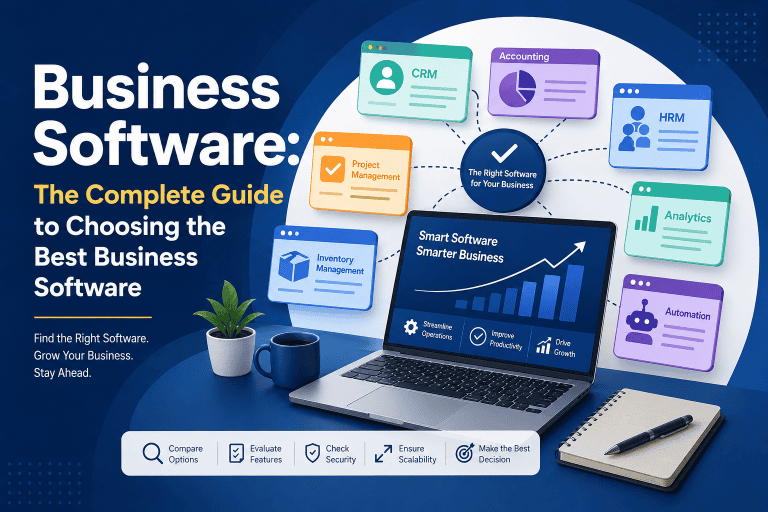



How AI Is Transforming Business Process Automation
Artificial intelligence is changing the way businesses automate their everyday operations. Traditional automation can follow predefined rules and execute repetitive tasks, while AI-powered business process automation can understand information, analyze data, generate content, and assist with more complex workflows.
From intelligent document processing and customer support to sales, finance, HR, and supply chain operations, AI is helping businesses automate processes that previously required significant human involvement.
In this guide, you’ll learn how AI is transforming business process automation, the technologies involved, real-world use cases, benefits, challenges, and how businesses can start using AI automation effectively.
As AI, intelligent automation, and AI agents continue to evolve, businesses are moving toward more intelligent automated operations. Learn more about the future of business automation.
What Is AI-Powered Business Process Automation?
AI-powered business process automation combines artificial intelligence with automated workflows to perform business tasks with less manual intervention.
Traditional automation typically works with predefined instructions:
Trigger → Rule → Action
For example:
New order → Check payment → Update inventory → Send confirmation
AI-powered automation can handle more complex information:
Customer message → Understand intent → Analyze information → Determine appropriate action → Respond or escalate
This makes AI particularly useful for processes involving documents, natural language, images, large amounts of data, and decisions that require contextual understanding.
How Is AI Transforming Business Process Automation?
AI is expanding automation beyond simple repetitive tasks.
Traditional automation is excellent at following predictable rules. AI can help systems interpret information and respond to situations that are less structured.
Here are some of the major ways AI is transforming business process automation.
1. Intelligent Data Processing
Businesses generate large amounts of structured and unstructured data every day.
AI can extract and classify information from:
- Emails
- PDFs
- Invoices
- Contracts
- Forms
- Customer messages
- Reports
- Business documents
For example, an AI-powered system can read an invoice, identify the supplier, invoice number, date, amount, and tax information, and then send the extracted data to an accounting system.
Instead of manually entering the information, employees can review the result and handle exceptions.
2. AI-Powered Document Automation
Document processing is one of the strongest applications of AI in business automation.
Traditional automation often requires data to be entered into a specific format. AI can work with documents that contain different layouts and structures.
A typical workflow could be:
Document received → AI reads document → Information extracted → Data validated → Workflow triggered → Record updated
Businesses can use this approach for:
- Invoice processing
- Purchase orders
- Expense receipts
- Employee documents
- Customer applications
- Contracts
- Shipping documents
This can significantly reduce repetitive document-related work.
3. Intelligent Customer Service Automation
AI is also transforming customer service automation.
Traditional chatbots usually respond to predefined questions and keywords. Modern AI systems can understand natural language and use business information to provide more contextual responses.
For example:
Customer asks a question → AI understands request → Retrieves relevant information → Generates response → Resolves issue or escalates to employee
AI can assist with:
- Frequently asked questions
- Order status
- Product information
- Support ticket classification
- Customer email responses
- Appointment scheduling
- Complaint routing
Human agents can then focus on complex or sensitive customer issues.
4. AI in Sales Automation
Sales teams spend significant time managing leads, emails, follow-ups, and customer information.
AI can automate or assist with many of these activities.
For example, an AI-powered sales workflow can:
- Capture a new lead
- Analyze lead information
- Categorize the lead
- Assign a priority
- Recommend a salesperson
- Generate a personalized follow-up
- Schedule a reminder
- Update the CRM
AI can also help sales teams identify patterns in customer behavior and prioritize leads that are more likely to convert.
5. AI-Powered Email Automation
Email is one of the most repetitive communication channels in many businesses.
AI can help automate email-related processes by understanding incoming messages and determining what should happen next.
For example:
Email received → AI identifies intent → Categorizes message → Extracts important information → Routes to correct department → Drafts response
This can be useful for:
- Customer inquiries
- Sales requests
- Support tickets
- Invoice emails
- Internal requests
- Appointment requests
Instead of manually sorting every message, employees can focus on emails that actually require human attention.
6. AI for Business Decision Support
Automation is increasingly being used not only to perform tasks but also to support business decisions.
AI can analyze large datasets and identify patterns that may be difficult to detect manually.
Businesses can use AI to analyze:
- Sales performance
- Customer behavior
- Inventory levels
- Financial data
- Marketing performance
- Operational metrics
For example, an AI system might identify unusual sales patterns and alert a manager before the issue becomes significant.
AI should not automatically make every important business decision. For high-impact decisions, human review and appropriate controls remain important.
7. AI and Workflow Automation
Workflow automation connects multiple tasks and systems into a single process.
AI makes these workflows more intelligent by allowing automation systems to interpret information before deciding what action should happen next.
A traditional workflow might be:
Form submitted → Send email → Create task
An AI-powered workflow could be:
Form submitted → AI analyzes request → Classifies request → Determines priority → Assigns department → Generates response → Updates CRM
This allows businesses to automate workflows that are more dynamic than simple rule-based processes.
8. AI-Powered Invoice and Finance Automation
Finance departments handle many repetitive processes, making them ideal candidates for automation.
AI can assist with:
- Invoice data extraction
- Expense classification
- Payment reminders
- Transaction categorization
- Fraud detection
- Financial document processing
- Account reconciliation
For example:
Invoice received → AI extracts data → Purchase order matched → Exceptions identified → Approval requested → Accounting system updated
This reduces the amount of manual data entry required from finance teams.
9. AI in Human Resources Automation
HR departments can also benefit from AI-powered business process automation.
Common applications include:
- Employee onboarding
- Resume screening assistance
- Interview scheduling
- Employee document processing
- Leave request workflows
- HR question answering
- Training recommendations
For example:
New employee confirmed → Documents sent → IT notified → Accounts requested → Training assigned → Manager notified
AI can help interpret employee requests and route them to the correct workflow.
However, AI should be used carefully in employment-related decisions because these processes can involve fairness, privacy, and regulatory considerations.
10. AI for Inventory and Supply Chain Automation
AI can help businesses automate and optimize supply chain processes.
A modern inventory workflow can combine automation with AI:
Sales data → AI analyzes demand → Inventory levels evaluated → Reorder recommendation → Purchase workflow triggered
AI can assist with:
- Demand forecasting
- Inventory monitoring
- Supplier analysis
- Order processing
- Delivery predictions
- Stockout detection
This can help businesses respond more effectively to changing demand.
AI Agents and Business Process Automation
One of the emerging developments in AI automation is the use of AI agents.
Unlike traditional automation, an AI agent can potentially interpret a goal, determine a sequence of actions, use connected tools, and respond to changing information.
For example, instead of simply following:
New customer → Send email
an AI agent could potentially:
Identify new customer → Review customer information → Research account context → Create personalized message → Update CRM → Schedule follow-up
Human approval can be added before important actions are performed.
AI agents are therefore becoming an important part of the evolution from simple workflow automation toward more adaptive business operations.
Traditional Automation vs AI Automation
The main difference is how the system handles information and decisions.
| Feature | Traditional Automation | AI-Powered Automation |
|---|---|---|
| Rule-based workflows | Excellent | Excellent |
| Repetitive tasks | Excellent | Excellent |
| Structured data | Excellent | Excellent |
| Unstructured documents | Limited | Strong |
| Natural language | Limited | Strong |
| Content generation | No | Yes |
| Pattern recognition | Limited | Strong |
| Complex workflows | Moderate | Strong |
| Human decision support | Limited | Strong |
Traditional automation and AI automation are not competitors in every situation. In many business environments, the best solution combines both.
Benefits of AI Business Process Automation
Increased Productivity
AI can reduce the amount of repetitive work employees need to perform manually.
Faster Processing
Automated systems can process information continuously without waiting for employees to complete each step.
Better Data Handling
AI can process large amounts of text, documents, and other information more efficiently than many manual workflows.
Improved Customer Experience
Faster responses and more consistent processes can improve the customer experience.
Reduced Operational Workload
Employees can spend less time on repetitive administrative tasks.
Scalable Operations
Automation allows businesses to handle increasing volumes of work without increasing manual effort at the same rate.
Better Business Insights
AI can analyze business data and help identify patterns, anomalies, and opportunities.
Challenges of AI Business Process Automation
AI automation also introduces new challenges.
Data Quality
Poor-quality or incomplete data can reduce the reliability of AI-generated results.
Accuracy
AI systems can make mistakes. Important outputs should be validated before they trigger high-impact actions.
Security and Privacy
Businesses need appropriate controls for sensitive customer, employee, and financial information.
Integration
AI automation often needs to connect with existing CRM, ERP, accounting, communication, and other business systems.
Cost
Implementation can require investment in software, integration, training, infrastructure, and ongoing maintenance.
Human Oversight
Not every decision should be fully automated. Businesses should determine where human approval or review is necessary.
How to Implement AI Business Process Automation
Businesses should avoid trying to automate everything at once.
A practical approach is to start with one process.
Step 1: Identify a Repetitive Process
Find a process that:
- Happens frequently
- Consumes employee time
- Has measurable outcomes
- Contains repetitive steps
Step 2: Map the Existing Workflow
Document the current process from beginning to end.
Identify:
- Inputs
- Tasks
- Decisions
- Approvals
- Outputs
- Systems involved
Step 3: Determine Where AI Is Actually Needed
Not every step requires AI.
Use traditional automation for simple, predictable tasks and AI where interpretation or intelligence is useful.
Step 4: Connect Business Systems
AI automation may need access to systems such as:
- CRM
- ERP
- Accounting software
- Ecommerce platforms
- Databases
- Customer support systems
APIs and integrations can allow these systems to communicate.
Step 5: Add Human Review
For important decisions, create approval steps where employees can review AI-generated results before actions are completed.
Step 6: Test the Workflow
Test normal scenarios as well as unusual cases.
Measure accuracy, processing time, errors, and business impact.
Step 7: Monitor and Improve
AI automation should be monitored after deployment.
Review:
- Accuracy
- Exceptions
- Costs
- Processing times
- Employee feedback
- Customer outcomes
Then improve the workflow based on real-world performance.
The Future of AI Business Process Automation
AI is moving business automation from fixed workflows toward more adaptive and intelligent systems.
Future automation platforms are likely to combine:
- Generative AI
- AI agents
- Workflow automation
- RPA
- ERP systems
- CRM platforms
- APIs
- Business intelligence
- Intelligent document processing
This combination can create systems that understand business information, coordinate workflows, and assist employees across multiple departments.
The future of business automation will not necessarily mean removing humans from every process. Instead, successful businesses are likely to combine AI automation with human expertise.
Frequently Asked Questions
What is AI business process automation?
AI business process automation uses artificial intelligence together with automated workflows to perform business tasks, process information, and assist with decisions with less manual intervention.
How does AI improve business process automation?
AI allows automation systems to work with unstructured information, understand natural language, recognize patterns, generate content, and handle more dynamic workflows.
What are examples of AI business process automation?
Examples include AI-powered invoice processing, customer support, sales lead qualification, document processing, email classification, inventory forecasting, and HR workflow automation.
Is AI better than traditional automation?
Neither is universally better. Traditional automation is highly effective for predictable, rule-based processes, while AI is more useful when a process involves language, documents, patterns, or less structured information.
Can small businesses use AI automation?
Yes. Small businesses can start with relatively simple use cases such as customer support, lead management, email processing, document extraction, appointment scheduling, and reporting.
Will AI automation replace employees?
AI automation is more likely to change how employees work than simply eliminate every role. Businesses can use AI to handle repetitive tasks while employees focus on judgment, creativity, relationships, and strategic work.
Conclusion
AI is transforming business process automation by making automated systems more capable of understanding information, processing unstructured data, and supporting more complex workflows.
Traditional automation remains valuable for predictable, rule-based tasks, while AI adds intelligence to processes involving documents, language, data analysis, and decision support.
The most effective approach is not to automate everything with AI. Businesses should identify the right processes, combine traditional automation with AI where appropriate, maintain human oversight for important decisions, and continuously measure results.
As AI agents, intelligent workflows, and connected business software continue to evolve, AI-powered business process automation will become an increasingly important part of modern business operations.
Related reading: If you’re new to business process automation, start with “What Is Business Process Automation? A Complete Guide for Beginners” to understand the fundamentals before exploring advanced AI automation strategies.