
1. What Is Odoo ERP?
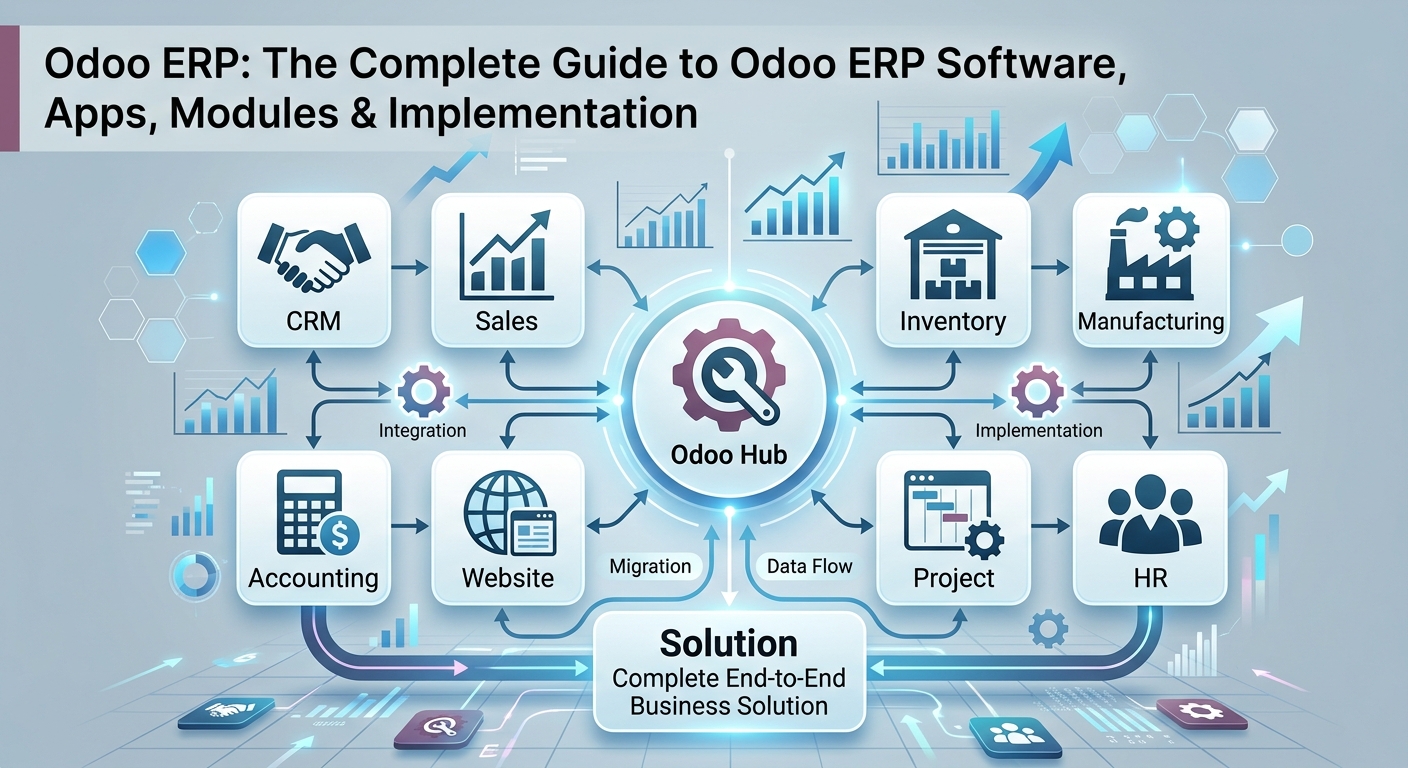
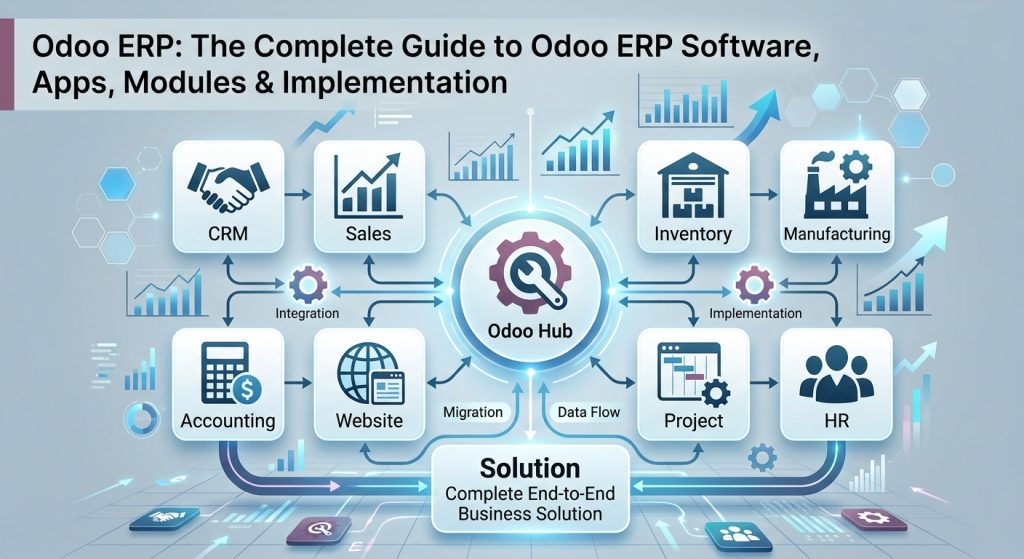
Odoo ERP is an integrated business management software platform designed to help businesses manage multiple operations from a single system. It brings together essential business functions such as CRM, sales, accounting, inventory, purchasing, manufacturing, human resources, project management, eCommerce, point of sale, and marketing through interconnected applications.
Unlike using separate software for different departments, Odoo allows businesses to connect their operations within one centralized ERP environment. This helps reduce duplicate data entry, improve collaboration, automate repetitive processes, and provide better visibility into business performance.
For businesses looking for a flexible and scalable Odoo ERP software solution, Odoo can be configured according to different business processes, industries, and organizational requirements.
1.1 Odoo ERP Definition
Odoo ERP is an enterprise resource planning system that integrates different business processes into one centralized platform. ERP software helps organizations manage and coordinate their resources, information, employees, customers, products, finances, and operations.
Odoo takes this concept further through a modular approach. Businesses can start with the applications they need and add additional Odoo apps and modules as their requirements grow.
For example, a small company may initially use Odoo CRM, Odoo Sales, and Odoo Accounting. As the business expands, it can add Odoo Inventory, Purchase, Manufacturing, HR, Project Management, eCommerce, or Marketing.
This modular structure makes Odoo ERP suitable for businesses with different sizes and operational requirements.
1.2 How Does Odoo ERP Work?
Odoo ERP works by connecting different business applications through a centralized database. Instead of storing business information separately in different systems, Odoo allows departments to work with connected data.
For example, when a sales representative creates a sales order, the information can flow through other relevant business processes. Depending on the configuration, the order can trigger inventory operations, delivery processes, invoicing, and accounting activities.
A typical Odoo business workflow can look like:
Lead → Opportunity → Quotation → Sales Order → Delivery → Invoice → Payment
Similarly, a manufacturing workflow may follow:
Sales Order → Manufacturing Order → Bill of Materials → Production → Quality Control → Finished Product → Inventory
Because these processes are connected, employees can access relevant information without repeatedly entering the same data into different systems.
Key components of how Odoo ERP works include:
- Centralized Database: Business information is stored in a connected database.
- Modular Applications: Businesses can install the Odoo apps they need.
- Integrated Workflows: Different departments can share information across business processes.
- Automation: Repetitive tasks can be automated based on configured workflows.
- User Access Control: Businesses can control what individual users or departments can access.
- Reporting and Analytics: Managers can monitor business performance through reports and dashboards.
- Customization: Odoo can be configured and extended to support specific business requirements.
1.3 Why Is Odoo Different From Traditional ERP?
Traditional ERP systems can sometimes require businesses to implement large, complex systems with extensive configuration and significant upfront investment. Odoo takes a more modular and flexible approach.
One of the major differences is that businesses can select applications according to their requirements rather than implementing every ERP function at once.
For example, a growing business might start with:
CRM + Sales + Accounting
Later, it can expand to:
Inventory + Purchase + Manufacturing + HR + eCommerce
This flexibility can make Odoo ERP easier to scale as business requirements change.
Odoo vs Traditional ERP
| Feature | Odoo ERP | Traditional ERP |
|---|---|---|
| Modular applications | Yes | Often available but may be more rigid |
| Business integration | High | High |
| Scalability | Flexible | Depends on platform |
| Customization | Highly customizable | Often requires specialized development |
| Application ecosystem | Large | Depends on vendor |
| Suitable for SMEs | Yes | Depends on solution |
| Open-source edition | Available | Less common |
| Deployment options | Multiple options | Depends on vendor |
However, Odoo is not automatically the best ERP for every organization. Businesses with highly specialized requirements should evaluate their workflows, budget, integrations, compliance requirements, and long-term implementation needs before selecting an ERP system.
1.4 Odoo as an All-in-One Business Management Platform
Odoo can function as an all-in-one business management platform because it provides applications for many core business operations within one ecosystem.
Instead of managing separate systems for CRM, accounting, inventory, sales, HR, manufacturing, and eCommerce, businesses can connect these activities through Odoo.
Major Odoo business applications include:
- CRM — Manage leads, opportunities, customer interactions, and sales pipelines.
- Sales — Create quotations, sales orders, invoices, and manage sales operations.
- Accounting — Manage financial transactions, invoices, payments, and accounting reports.
- Inventory — Manage stock, warehouses, product movements, and inventory operations.
- Purchase — Manage suppliers, purchase orders, requests for quotations, and purchasing workflows.
- Manufacturing — Manage manufacturing orders, bills of materials, production, and related operations.
- Human Resources — Manage employees, recruitment, time off, attendance, appraisals, and other HR activities.
- Project Management — Manage projects, tasks, deadlines, timesheets, and team activities.
- eCommerce — Build and manage an online store connected with other Odoo applications.
- Point of Sale — Manage retail and restaurant sales through an integrated POS system.
- Marketing — Manage email marketing, marketing automation, social marketing, events, and customer engagement.
- Helpdesk — Manage customer support tickets and service requests.
- Website — Create and manage business websites using Odoo’s website tools.
The major advantage of this integrated approach is that information can move between related applications without requiring employees to maintain multiple disconnected systems.
1.5 Who Uses Odoo ERP?
Odoo ERP is used by organizations across different industries and business sizes. Because Odoo uses a modular architecture, companies can select applications based on their specific operational needs.
Typical Odoo ERP users include:
- Startups — Businesses that need an affordable and scalable business management platform.
- Small Businesses — Companies that want to manage sales, accounting, inventory, CRM, and other operations from one system.
- Medium-Sized Businesses — Organizations that need integrated workflows across multiple departments.
- Large Enterprises — Organizations that require advanced business processes, multiple companies, extensive customization, and complex integrations.
- Manufacturers — Businesses managing production, inventory, purchasing, quality, and supply chain operations.
- Distributors and Wholesalers — Companies managing warehouses, purchasing, sales, logistics, and inventory.
- Retail Businesses — Companies using POS, inventory, sales, customer management, and eCommerce.
- Service Businesses — Organizations managing projects, tasks, timesheets, field services, and customer support.
- eCommerce Businesses — Online businesses connecting websites, products, inventory, sales, payments, and customer management.
1.6 Odoo ERP for Small Businesses
Odoo ERP can be a practical option for small businesses that want to move away from spreadsheets and disconnected software applications.
A small business does not necessarily need to implement every Odoo application. It can start with the core applications that solve its immediate business problems.
For example, a small trading company could start with:
CRM + Sales + Purchase + Inventory + Accounting
A service-based business might start with:
CRM + Sales + Project + Timesheets + Accounting
This approach allows the business to implement ERP gradually rather than attempting to digitize every process at once.
Benefits of Odoo for small businesses include:
- Centralized business data
- Better sales management
- Improved inventory visibility
- Automated invoicing
- Customer relationship management
- Reduced manual data entry
- Easier reporting
- Ability to add applications as the business grows
However, small businesses should still plan implementation carefully. Poor configuration, unnecessary customization, or implementing too many applications at once can increase complexity and costs.
1.7 Odoo ERP for Medium-Sized Businesses
Medium-sized businesses often have more complex workflows and multiple departments. They may need an ERP system that connects sales, purchasing, inventory, accounting, manufacturing, HR, and other operations.
Odoo can help medium-sized organizations create integrated workflows across departments.
For example, a distribution company may connect:
CRM → Sales → Inventory → Purchase → Warehouse → Delivery → Accounting
A manufacturing company may connect:
Sales → Planning → Purchase → Inventory → Manufacturing → Quality → Delivery → Accounting
This integrated approach can help management gain better visibility into business operations while reducing duplicated work between departments.
1.8 Odoo ERP for Large Enterprises
Large enterprises typically require more advanced ERP capabilities because they may operate multiple departments, warehouses, locations, companies, currencies, or business units.
Odoo can be configured to support complex organizational structures, including multi-company and multi-location operations, depending on the organization’s requirements and implementation design.
Large organizations may use Odoo for:
- Enterprise-wide CRM
- Sales management
- Financial management
- Supply chain management
- Manufacturing
- Warehouse management
- Human resources
- Project management
- eCommerce
- Business reporting
- Workflow automation
- Third-party integrations
For large enterprises, successful Odoo implementation requires more than simply installing applications. Businesses should conduct detailed requirements analysis, process mapping, data migration planning, user access design, testing, training, and post-launch support.
1.9 Why Businesses Choose Odoo ERP
Businesses choose Odoo for several reasons, including its integrated application ecosystem, modular architecture, customization capabilities, and ability to support different business processes.
Some of the most important reasons include:
- Integrated Business Management — Connect multiple departments through one ERP system.
- Modular Architecture — Install the applications required by the business.
- Scalability — Add applications and functionality as business requirements grow.
- Customization — Adapt workflows, fields, views, reports, and modules to specific requirements.
- Automation — Reduce repetitive manual processes.
- Centralized Data — Keep important business information within a connected system.
- Reporting — Generate operational and financial reports for better decision-making.
- Industry Flexibility — Configure Odoo for different industries and business models.
1.10 Odoo ERP: Is It Right for Your Business?
Odoo ERP can be a strong choice for businesses that need an integrated and flexible platform for managing multiple business processes.
However, selecting an ERP should not be based only on the number of features available. The right ERP depends on factors such as:
- Business size
- Industry
- Number of users
- Business processes
- Required applications
- Integration requirements
- Customization requirements
- Data migration complexity
- Budget
- Implementation timeline
- Long-term scalability
Before implementing Odoo, businesses should identify their current operational problems and map their existing workflows. This helps determine which Odoo applications and configurations are actually required.
For organizations that need extensive customization or complex integrations, working with an experienced Odoo implementation partner can help reduce implementation risks and improve long-term system performance.
1.11 Key Takeaway
Odoo ERP is more than traditional accounting or inventory software. It is an integrated business management platform that can connect CRM, sales, accounting, inventory, purchasing, manufacturing, HR, project management, eCommerce, POS, marketing, and other business operations within one ecosystem.
Its modular approach allows businesses to start with the applications they need and expand the system as their requirements evolve. From small businesses to large enterprises, Odoo can be configured to support a wide range of business processes.
The key to a successful Odoo ERP implementation is not simply installing more apps. It is choosing the right modules, designing efficient workflows, maintaining clean data, minimizing unnecessary customization, training users, and continuously optimizing the system.
Next: Learn about the Odoo ERP Apps and Modules that businesses can use to manage sales, accounting, inventory, manufacturing, HR, eCommerce, marketing, and other operations.
2. Odoo ERP History & Overview
2.1. History of Odoo
Odoo is a comprehensive open-source business management software platform designed to help businesses manage their operations through a unified suite of applications. The platform began as TinyERP in 2005, founded by Fabien Pinckaers. As its capabilities expanded beyond traditional ERP functions, the company changed its name to OpenERP in 2008.
In 2014, OpenERP was renamed Odoo, reflecting the platform’s evolution from a traditional ERP system into a broader business application ecosystem. Today, Odoo provides applications covering areas such as CRM, sales, accounting, inventory, manufacturing, human resources, project management, eCommerce, marketing, and more.
The evolution of Odoo has been driven by a central idea: businesses should be able to manage multiple departments using connected applications instead of relying on numerous disconnected software systems.
2.2. OpenERP vs Odoo
OpenERP was the predecessor of the modern Odoo platform. While OpenERP primarily emphasized enterprise resource planning, Odoo expanded the concept by combining ERP capabilities with applications for websites, eCommerce, marketing, productivity, services, and other business functions.
The name change from OpenERP to Odoo represented more than a branding update. It reflected the company’s broader vision of creating an integrated business application platform.
OpenERP:
- Focused primarily on ERP functionality
- Strong emphasis on accounting, inventory, sales, and manufacturing
- Modular architecture
- Open-source foundation
Odoo:
- Broader business application ecosystem
- ERP plus CRM, eCommerce, website, marketing, HR, services, and productivity tools
- Community and Enterprise editions
- Extensive customization and integration capabilities
- Large ecosystem of official and third-party applications
Therefore, Odoo can be viewed as the evolution of the original OpenERP concept into a much broader business management platform.
2.3. Evolution of Odoo ERP
Odoo has evolved significantly from its early ERP-focused roots. Its development can broadly be understood through several stages:
TinyERP → OpenERP → Odoo
The early platform concentrated on core ERP functions such as accounting, inventory, purchasing, sales, and manufacturing. Over time, additional applications were introduced to address CRM, website management, eCommerce, marketing, human resources, project management, customer service, and productivity.
Modern Odoo versions provide businesses with an integrated ecosystem where multiple applications share the same underlying database and can communicate with each other.
This evolution has made Odoo suitable for businesses that want to start with a small number of applications and gradually expand their system as their operations grow.
2.4. Odoo Community vs Enterprise
Odoo is available in two main editions: Community and Enterprise.
Odoo Community is the open-source edition and provides access to a range of core business applications. It is particularly attractive to businesses and developers that want greater control over their software environment.
Odoo Enterprise builds on the Community foundation and provides additional applications, features, services, and enterprise-oriented capabilities.
| Feature | Odoo Community | Odoo Enterprise |
|---|---|---|
| Open-source foundation | Yes | Yes, with additional proprietary components |
| Core business applications | Yes | Yes |
| Enterprise applications | Limited | More extensive |
| Advanced features | Varies by application | More extensive |
| Custom development | Yes | Yes |
| Self-hosting | Yes | Available depending on deployment |
| Official enterprise services | Limited | Available |
The appropriate edition depends on the organization’s requirements, budget, technical resources, and desired features.
2.5. Odoo’s Open-Source Architecture
One of Odoo’s major strengths is its modular and open-source architecture. Businesses can install the applications they need rather than deploying a large collection of unrelated systems.
For example, a company may initially use:
CRM + Sales + Invoicing
As the company grows, it can add:
Inventory + Purchase + Manufacturing + Accounting + HR
This modular approach allows organizations to expand their ERP environment progressively.
From a technical perspective, Odoo uses a centralized database and application framework in which modules provide specific business functionality. Developers can also create custom modules to extend the platform.
This architecture makes Odoo particularly flexible for organizations with specialized workflows or industry-specific requirements.
2.6. Odoo Ecosystem
The Odoo ecosystem includes much more than the core software. It consists of applications, modules, developers, implementation partners, hosting services, consultants, integrations, and community contributors.
The ecosystem can broadly be divided into:
- Official Odoo applications
- Odoo Community modules
- Third-party applications
- Custom-developed modules
- Odoo implementation partners
- Odoo developers
- Hosting providers
- Integration services
- Community resources
- Documentation and developer resources
This ecosystem allows businesses to extend Odoo beyond its standard functionality and adapt it to specific operational requirements.
For example, a manufacturing company may combine Manufacturing, Inventory, Purchase, Quality, Maintenance, Accounting, and Sales applications into one connected business environment.
2.7. Odoo Community Apps
In addition to official Odoo applications, businesses can access a large ecosystem of community and third-party applications.
These applications can provide additional functionality for areas such as:
- Accounting
- Sales
- Inventory
- Manufacturing
- HR
- CRM
- Website
- eCommerce
- Payment gateways
- Shipping
- Reporting
- Industry-specific processes
- Local taxation
- Custom workflows
However, businesses should evaluate third-party modules carefully before installing them. Compatibility, developer reputation, security, documentation, maintenance, version support, and upgrade compatibility are important considerations.
A module that works well for one Odoo version may require updates before it can be used reliably on another version.
3. How Odoo ERP Works
3.1. Odoo Database
The Odoo database is the central location where business information is stored and managed.
Depending on the applications installed, the database can contain information about:
- Customers
- Vendors
- Products
- Sales orders
- Purchase orders
- Invoices
- Payments
- Inventory
- Manufacturing orders
- Employees
- Projects
- Tasks
- Website information
- Accounting transactions
Because different Odoo applications can work with the same underlying business data, users can avoid repeatedly entering the same information into separate systems.
For example, when a salesperson creates a sales order, that information can become part of the wider business workflow involving inventory, delivery, invoicing, and accounting.
3.2. Odoo Apps and Modules
Odoo uses a modular application architecture. Each application or module provides specific business functionality.
For example:
- CRM manages leads and opportunities.
- Sales manages quotations and sales orders.
- Inventory manages stock and warehouse operations.
- Purchase manages procurement.
- Manufacturing manages production.
- Accounting manages financial transactions.
- Project manages projects and tasks.
- Employees manages employee information.
The major advantage is that these applications can operate together instead of functioning as completely separate systems.
Businesses can install only the applications they need and add more functionality later.
3.3. Integrated Business Workflows
One of Odoo’s key characteristics is its ability to connect different business processes.
For example, a typical sales workflow can look like:
Lead → Opportunity → Quotation → Sales Order → Delivery → Invoice → Payment
Similarly, a purchasing workflow may look like:
Purchase Request → RFQ → Purchase Order → Receipt → Vendor Bill → Payment
A manufacturing workflow could involve:
Sales Order → Manufacturing Order → Bill of Materials → Production → Quality Control → Finished Product → Inventory
These connected workflows reduce the need for employees to manually transfer information between separate software systems.
3.4. Centralized Business Data
Traditional businesses often use separate software for accounting, sales, inventory, HR, and customer management. This can create duplicate records and inconsistent information.
Odoo takes a centralized approach.
For example, a customer record can be connected to:
- CRM opportunities
- Quotations
- Sales orders
- Invoices
- Payments
- Support tickets
- Projects
- Communication history
This provides users with a more complete view of business relationships and transactions.
Centralized data can also improve reporting because management can analyze information from multiple departments within the same business system.
3.5. Users and Access Rights
Odoo allows organizations to create user accounts and control what different users can access.
For example:
Sales User
- View customers
- Create quotations
- Manage sales orders
Inventory User
- Manage warehouse operations
- Process receipts
- Process deliveries
Accountant
- Manage invoices
- Record payments
- Access accounting reports
Administrator
- Configure applications
- Manage users
- Configure access permissions
- Manage system settings
Access rights help organizations protect sensitive information while allowing employees to access the tools required for their roles.
For larger organizations, carefully designed access permissions are particularly important because financial, HR, customer, and operational information may need different levels of protection.
3.6. Companies and Multi-Company Management
Odoo can support businesses that operate multiple companies or legal entities.
A multi-company environment may be useful when an organization has:
- Multiple subsidiaries
- Different legal entities
- Multiple business units
- Companies operating in different countries
- Separate accounting requirements
Depending on the configuration, users can work with multiple companies while maintaining appropriate company-specific data, accounting configurations, warehouses, products, and other records.
Multi-company functionality is particularly useful for growing organizations that want to manage multiple entities from a unified ERP environment.
3.7. Odoo Workflows
Odoo workflows connect different stages of a business process.
For example, when a quotation is confirmed, Odoo can trigger subsequent operational activities depending on the configured applications and business rules.
A sales process can connect:
Quotation → Sales Order → Inventory Operation → Delivery → Invoice → Payment
This means employees do not necessarily need to create every related transaction manually.
Workflows can also include approval processes, automated activities, notifications, scheduled actions, and other business rules.
The exact workflow depends on the applications installed and how the system has been configured.
3.8. Automated Business Processes
Automation is one of the major advantages of an ERP system. Odoo provides tools that can reduce repetitive manual work across different business processes.
Examples include:
- Automated invoice generation
- Automated email notifications
- Scheduled activities
- Automated stock rules
- Reordering rules
- Automated payment processes
- Lead assignment
- Marketing automation
- Approval workflows
- Recurring invoices
- Automated procurement actions
For example, inventory rules can help businesses maintain stock levels by triggering procurement activities when products reach predefined thresholds.
Automation can reduce manual data entry, improve consistency, and allow employees to focus on higher-value activities.
Ultimately, Odoo ERP works by connecting people, processes, applications, and business data within one integrated platform. This integrated architecture is what allows organizations to manage multiple departments while maintaining a unified view of their operations.
4. Odoo ERP Apps
Odoo ERP is built around a wide range of integrated business applications that help organizations manage sales, finance, inventory, manufacturing, websites, human resources, marketing, services, and daily business operations from a single platform. Instead of using separate software for every department, businesses can connect their core processes through Odoo’s integrated apps and centralized database.
Odoo provides applications for different business functions, allowing companies to start with the apps they need and add more as their business grows. This modular approach makes Odoo ERP suitable for startups, small businesses, growing companies, and large organizations.
4.1 Sales & CRM Apps
Odoo Sales and CRM applications help businesses manage leads, opportunities, quotations, sales orders, customers, and the complete sales process. By connecting CRM with sales, companies can move from lead generation to quotation, order confirmation, delivery, and invoicing within one integrated system.
Odoo CRM
Odoo CRM helps businesses manage leads, opportunities, customer interactions, sales pipelines, and follow-up activities. Sales teams can track opportunities through different stages, schedule activities, manage customer information, and monitor sales performance.
Key features include:
- Lead and opportunity management
- Sales pipeline management
- Customer relationship management
- Scheduled activities and follow-ups
- Sales forecasting
- Opportunity tracking
- Customer communication
- Sales team management
- CRM reporting and analytics
Odoo Sales
Odoo Sales helps businesses manage quotations, sales orders, customers, products, pricing, and invoicing. It can connect with Inventory, Accounting, CRM, and other Odoo applications to create a complete sales workflow.
Key features include:
- Quotation management
- Sales order management
- Customer management
- Product and price management
- Sales reporting
- Online quotations
- Invoicing integration
- Delivery integration
- Automated sales workflows
Odoo Point of Sale
Odoo Point of Sale (POS) is designed for retail stores, restaurants, shops, and other businesses that need to process transactions at physical locations. POS can work with products, inventory, customers, payments, and accounting.
Key features include:
- Retail point-of-sale management
- Product scanning
- Customer management
- Multiple payment methods
- Inventory integration
- Order management
- Sales reporting
- Multi-store support
- Restaurant POS features
Odoo Subscriptions
Odoo Subscriptions helps businesses manage recurring products and services. It can be useful for subscription-based businesses, memberships, recurring services, and other recurring revenue models.
Key features include:
- Recurring billing
- Subscription management
- Customer subscriptions
- Recurring invoices
- Renewal management
- Subscription analytics
- Automated payment workflows
Odoo Rental
Odoo Rental helps businesses manage products and equipment that are rented to customers for a specific period.
Key features include:
- Rental product management
- Rental orders
- Rental pricing
- Rental schedules
- Pickup and return management
- Customer rental history
- Invoicing integration
4.2 Finance Apps
Odoo Finance applications help businesses manage accounting, invoices, expenses, documents, payments, and financial operations. By connecting financial activities with sales, purchases, inventory, and other business processes, Odoo can provide a centralized view of financial data.
Odoo Accounting
Odoo Accounting provides tools for managing financial transactions, invoices, payments, taxes, bank transactions, financial reports, and other accounting activities.
Key features include:
- General ledger
- Accounts payable
- Accounts receivable
- Customer invoices
- Vendor bills
- Bank reconciliation
- Tax management
- Financial reporting
- Payment management
- Multi-currency accounting
Odoo Invoicing
Odoo Invoicing helps businesses create, send, manage, and track customer invoices. It can be integrated with Sales, Accounting, Subscriptions, and other Odoo applications.
Key features include:
- Customer invoices
- Recurring invoices
- Payment tracking
- Invoice reminders
- Online payments
- Credit notes
- Invoice reporting
Odoo Expenses
Odoo Expenses helps businesses manage employee expenses and reimbursement processes.
Key features include:
- Employee expense submission
- Expense approval
- Receipt management
- Expense categorization
- Reimbursement management
- Expense reporting
- Accounting integration
Odoo Documents
Odoo Documents provides a centralized environment for managing business documents. Businesses can organize, share, and manage documents while connecting them with other business workflows.
Key features include:
- Document management
- File organization
- Document sharing
- Document workspace
- Approval workflows
- Digital document storage
- Integration with business processes
Odoo Sign
Odoo Sign allows businesses to send and sign documents electronically. It can help reduce manual paperwork and simplify document approval processes.
Key features include:
- Electronic signatures
- Digital document signing
- Signature requests
- Document tracking
- Approval workflows
- Secure document management
4.3 Inventory & Manufacturing Apps
Odoo Inventory and Manufacturing applications help businesses manage products, warehouses, purchasing, manufacturing operations, stock movements, quality control, maintenance, and supply chain activities.
Odoo Inventory
Odoo Inventory helps businesses manage warehouses, products, stock levels, inventory movements, receipts, deliveries, and internal transfers.
Key features include:
- Warehouse management
- Inventory tracking
- Stock movement management
- Product management
- Multi-warehouse support
- Barcode operations
- Reordering rules
- Inventory adjustments
- Delivery management
- Stock forecasting
Odoo Manufacturing
Odoo Manufacturing helps manufacturers manage production operations, bills of materials, manufacturing orders, work centers, work orders, and production planning.
Key features include:
- Manufacturing orders
- Bill of Materials (BoM)
- Work orders
- Work centers
- Production planning
- Manufacturing scheduling
- Quality integration
- Inventory integration
- Manufacturing reporting
Odoo Purchase
Odoo Purchase helps businesses manage suppliers, purchase quotations, purchase orders, receipts, and procurement processes.
Key features include:
- Vendor management
- Request for quotation (RFQ)
- Purchase orders
- Vendor price lists
- Purchase agreements
- Receipt management
- Procurement automation
- Purchase reporting
Odoo Quality
Odoo Quality helps businesses monitor and improve product and manufacturing quality through quality checks, quality alerts, and quality control processes.
Key features include:
- Quality checks
- Quality alerts
- Quality control points
- Manufacturing quality management
- Inspection workflows
- Quality reporting
Odoo Maintenance
Odoo Maintenance helps businesses manage equipment maintenance and preventive maintenance activities.
Key features include:
- Equipment management
- Preventive maintenance
- Corrective maintenance
- Maintenance requests
- Maintenance scheduling
- Equipment tracking
- Maintenance reporting
Odoo PLM
Odoo Product Lifecycle Management (PLM) helps manufacturers manage engineering changes, product versions, bills of materials, and product lifecycle processes.
Key features include:
- Engineering change orders
- Product version management
- Bill of Materials management
- Product lifecycle tracking
- Manufacturing change management
- Approval workflows
Odoo Barcode
Odoo Barcode helps businesses use barcode scanning to simplify inventory and warehouse operations.
Key features include:
- Barcode scanning
- Product identification
- Warehouse operations
- Receiving
- Delivery processing
- Inventory transfers
- Stock adjustments
4.4 Website & eCommerce Apps
Odoo Website and eCommerce applications allow businesses to create websites, online stores, blogs, learning platforms, customer communication channels, and online communities using the same integrated ERP environment.
Odoo Website
Odoo Website provides tools for creating and managing business websites without requiring extensive web development knowledge.
Key features include:
- Website builder
- Responsive web design
- Website pages
- Landing pages
- Forms
- SEO tools
- Website themes
- Content management
- Integration with Odoo applications
Odoo eCommerce
Odoo eCommerce helps businesses build and manage online stores. It can connect products, inventory, sales, payments, customers, delivery, and accounting in one system.
Key features include:
- Online product catalog
- Product pages
- Shopping cart
- Online checkout
- Payment integration
- Delivery management
- Inventory integration
- Customer accounts
- eCommerce analytics
Odoo Blog
Odoo Blog allows businesses to publish articles, educational content, company news, and other online content directly through their Odoo website.
Key features include:
- Blog publishing
- Categories and tags
- SEO-friendly content management
- Blog pages
- Social sharing
- Website integration
Odoo eLearning
Odoo eLearning helps organizations create and manage online courses, learning content, training programs, and educational materials.
Key features include:
- Online courses
- Course content
- Learning materials
- Quizzes
- Certifications
- Learner management
- Progress tracking
Odoo Live Chat
Odoo Live Chat allows businesses to communicate with website visitors in real time and provide customer support or sales assistance.
Key features include:
- Website live chat
- Visitor communication
- Customer support
- Lead generation
- Chat history
- Operator management
Odoo Forum
Odoo Forum allows organizations to create online communities where customers, employees, students, or other users can ask questions and share knowledge.
Key features include:
- Discussion forums
- Questions and answers
- Community management
- User profiles
- Moderation
- Knowledge sharing
4.5 Human Resources Apps
Odoo HR applications help organizations manage employees, recruitment, leave, performance, payroll, fleet, and other human resource activities.
Odoo Employees
Odoo Employees provides a centralized employee database for managing employee information and organizational structures.
Key features include:
- Employee profiles
- Departments
- Job positions
- Employee information
- Organizational structure
- Employee documents
- HR reporting
Odoo Recruitment
Odoo Recruitment helps businesses manage job vacancies, applicants, recruitment pipelines, interviews, and hiring workflows.
Key features include:
- Job positions
- Applicant management
- Recruitment pipeline
- Interview scheduling
- Candidate tracking
- Recruitment reporting
Odoo Time Off
Odoo Time Off helps organizations manage employee leave and time-off requests.
Key features include:
- Leave requests
- Leave approval
- Leave types
- Leave allocation
- Employee calendars
- Time-off reporting
Odoo Appraisals
Odoo Appraisals helps organizations manage employee performance reviews and appraisal processes.
Key features include:
- Employee evaluations
- Performance reviews
- Appraisal cycles
- Feedback
- Employee goals
- Performance tracking
Odoo Payroll
Odoo Payroll helps organizations manage employee payroll processes, salary structures, payslips, and payroll-related workflows where the relevant localization is supported.
Key features include:
- Employee payslips
- Salary structures
- Payroll processing
- Payroll reporting
- Employee contracts
- Payroll integration
Odoo Fleet
Odoo Fleet helps businesses manage company vehicles, drivers, vehicle contracts, maintenance, and fleet-related costs.
Key features include:
- Vehicle management
- Driver management
- Vehicle contracts
- Fuel tracking
- Maintenance
- Vehicle costs
- Fleet reporting
4.6 Marketing Apps
Odoo Marketing applications help businesses attract customers, manage campaigns, automate marketing activities, communicate with audiences, organize events, and collect customer feedback.
Odoo Email Marketing
Odoo Email Marketing helps businesses create, send, and track email campaigns.
Key features include:
- Email campaign creation
- Mailing lists
- Contact management
- Email templates
- Campaign analytics
- Open and click tracking
Odoo Marketing Automation
Odoo Marketing Automation helps businesses create automated marketing workflows based on customer actions and predefined rules.
Key features include:
- Automated campaigns
- Customer segmentation
- Workflow automation
- Lead nurturing
- Trigger-based actions
- Campaign analytics
Odoo Social Marketing
Odoo Social Marketing helps businesses manage social media activities and marketing campaigns from an integrated platform.
Key features include:
- Social media management
- Social posts
- Campaign management
- Content scheduling
- Social media analytics
Odoo SMS Marketing
Odoo SMS Marketing allows businesses to communicate with customers through SMS campaigns.
Key features include:
- SMS campaigns
- Customer segmentation
- Scheduled messages
- Marketing automation
- Campaign tracking
Odoo Events
Odoo Events helps organizations plan, promote, manage, and analyze events.
Key features include:
- Event creation
- Event registration
- Ticket management
- Attendee management
- Event website pages
- Event reporting
Odoo Surveys
Odoo Surveys helps organizations create online surveys, questionnaires, assessments, and feedback forms.
Key features include:
- Online surveys
- Questionnaires
- Customer feedback
- Employee surveys
- Quizzes
- Survey reporting
4.7 Services Apps
Odoo Services applications help businesses manage projects, tasks, timesheets, field operations, customer support, employee planning, and appointments.
Odoo Project
Odoo Project helps teams manage projects, tasks, deadlines, workflows, and collaboration.
Key features include:
- Project management
- Task management
- Kanban boards
- Project planning
- Deadlines
- Task dependencies
- Project reporting
Odoo Timesheets
Odoo Timesheets allows employees and service teams to record time spent on projects and tasks.
Key features include:
- Time tracking
- Employee timesheets
- Project-based time tracking
- Billable hours
- Timesheet reporting
- Project integration
Odoo Field Service
Odoo Field Service helps businesses manage employees and technicians who work at customer locations.
Key features include:
- Field service tasks
- Technician scheduling
- Customer locations
- On-site work management
- Timesheets
- Parts and products
- Customer signatures
Odoo Helpdesk
Odoo Helpdesk helps businesses manage customer support requests, tickets, service teams, and support workflows.
Key features include:
- Support tickets
- Helpdesk teams
- Ticket stages
- SLA management
- Customer communication
- Support reporting
- Knowledge integration
Odoo Planning
Odoo Planning helps businesses schedule employees, shifts, projects, and operational activities.
Key features include:
- Employee scheduling
- Shift planning
- Resource allocation
- Project scheduling
- Planning forecasts
- Workforce management
Odoo Appointments
Odoo Appointments allows customers and employees to schedule meetings and appointments online.
Key features include:
- Online booking
- Appointment scheduling
- Calendar integration
- Availability management
- Automated confirmations
- Customer scheduling
4.8 Productivity Apps
Odoo Productivity applications help teams communicate, collaborate, organize information, manage approvals, create spreadsheets, schedule activities, and improve day-to-day productivity.
Odoo Discuss
Odoo Discuss provides internal communication and collaboration tools for teams.
Key features include:
- Team messaging
- Channels
- Direct messages
- Notifications
- File sharing
- Business communication
Odoo Knowledge
Odoo Knowledge helps organizations create, organize, and share internal knowledge and documentation.
Key features include:
- Knowledge articles
- Internal documentation
- Team knowledge sharing
- Documentation management
- Organized knowledge bases
Odoo Approvals
Odoo Approvals helps organizations create and manage approval workflows for different business requests.
Key features include:
- Approval requests
- Approval workflows
- Multiple approval levels
- Request tracking
- Employee approvals
- Business process automation
Odoo Spreadsheet
Odoo Spreadsheet provides collaborative spreadsheet functionality connected with Odoo business data.
Key features include:
- Business spreadsheets
- Data analysis
- Reports
- Dashboards
- Collaborative editing
- Odoo data integration
Odoo Calendar
Odoo Calendar helps users manage meetings, events, appointments, schedules, and business activities.
Key features include:
- Calendar management
- Meetings
- Events
- Scheduling
- Shared calendars
- Activity management
Odoo VoIP
Odoo VoIP helps businesses manage internet-based business calls and connect communication activities with customer and business records.
Key features include:
- Internet calling
- Call management
- Customer communication
- Call history
- CRM integration
Odoo AI
Odoo is increasingly incorporating AI capabilities into its business applications to help users automate tasks, generate content, work with business information, and improve productivity.
Potential AI use cases include:
- AI-assisted content generation
- Customer communication
- Business data assistance
- Automated workflows
- Productivity assistance
- AI-powered business processes
4.9 Automated Business Processes in Odoo
One of the major advantages of using Odoo ERP is the ability to connect different applications and automate business workflows. Instead of entering the same information into multiple systems, data can flow between connected Odoo applications.
For example, a typical sales workflow can connect CRM → Sales → Inventory → Delivery → Accounting → Payment. Similarly, a manufacturing workflow can connect Sales → Manufacturing → Inventory → Purchase → Quality → Accounting.
Business automation can help reduce repetitive manual tasks, improve data accuracy, speed up operations, and provide employees with better visibility into business processes.
Why Odoo ERP Apps Matter for Businesses
The biggest advantage of Odoo’s application-based architecture is that businesses do not necessarily need to implement every application at once. Companies can start with essential applications such as CRM, Sales, Accounting, Inventory, or Manufacturing and gradually expand their Odoo ERP system as their requirements grow.
This modular approach can make Odoo suitable for different industries and business sizes while providing a common platform for managing connected business processes.
For businesses considering Odoo ERP, the right approach is to select applications based on actual business requirements rather than simply installing as many apps as possible. Proper business process analysis, application selection, configuration, integration, and user training are essential for a successful Odoo ERP implementation.
Related Odoo ERP Topics: Odoo ERP implementation, Odoo ERP customization, Odoo module development, Odoo accounting, Odoo inventory management, Odoo manufacturing, Odoo CRM, Odoo eCommerce, and Odoo ERP solutions.
5. Odoo ERP Modules
Odoo ERP is built around a modular architecture that allows businesses to select and use the applications and modules they need. An Odoo module is a functional component that adds specific features, workflows, data models, views, reports, or integrations to an Odoo system. This modular approach makes Odoo ERP flexible for businesses of different sizes and industries.
What Is an Odoo Module?
An Odoo module is a software component that extends or modifies the functionality of Odoo ERP. A module can introduce a complete business application, such as CRM or Inventory, or add specific functionality to an existing application.
Odoo modules can contain business logic, database models, user interfaces, security rules, reports, workflows, and automated processes. Businesses can install the modules they need and expand their ERP system as their requirements grow.
Odoo Apps vs Modules
The terms Odoo apps and Odoo modules are often used interchangeably, but they can have slightly different meanings.
An Odoo app generally refers to a complete business application that users can install and use, such as Sales, Accounting, Inventory, Manufacturing, or CRM. An Odoo module is the technical building block that provides functionality within the Odoo framework.
For example, a business may install the Odoo Inventory application, while additional modules can extend inventory features with barcode scanning, warehouse automation, custom reports, or industry-specific workflows.
Core Odoo Modules
Core Odoo modules provide the fundamental business functionality available within the Odoo ecosystem. Depending on the Odoo edition and version, businesses can use modules for areas such as:
- CRM and lead management
- Sales management
- Purchase management
- Accounting and invoicing
- Inventory and warehouse management
- Manufacturing
- Human resources
- Project management
- Point of Sale
- eCommerce
- Website management
- Marketing automation
- Helpdesk
- Field service
- Maintenance
- Quality management
These modules can work together to create an integrated Odoo ERP system where different departments can share business data and automate workflows.
Community Odoo Modules
Community modules are developed by Odoo partners, developers, organizations, and members of the wider Odoo ecosystem. These modules can extend the functionality of standard Odoo applications and provide additional features for specific business requirements.
Community modules can be useful when a business needs functionality that is not available in the standard Odoo installation. However, businesses should carefully evaluate the module’s developer, compatibility, maintenance status, security, documentation, and support before installing it in a production environment.
Custom Odoo Modules
A custom Odoo module is developed specifically for a company’s unique business requirements. Custom modules can add new functionality, modify existing workflows, create custom reports, introduce industry-specific features, or integrate Odoo with external systems.
For example, a manufacturing company may require a custom production workflow, while a distribution company may need a specialized inventory or delivery management system.
Custom Odoo development can provide greater flexibility, but unnecessary customization can increase implementation, maintenance, and upgrade costs. Businesses should first determine whether standard Odoo functionality can meet the requirement before developing a custom module.
Odoo Module Dependencies
Some Odoo modules depend on other modules to work correctly. These are known as module dependencies.
For example, a custom sales-related module may depend on the Sales or Contacts application. When a module has dependencies, the required modules must generally be available before the additional functionality can be installed.
Understanding module dependencies is important when developing, installing, upgrading, or maintaining an Odoo ERP system.
Installing Odoo Modules
Odoo modules can generally be installed through the Odoo Apps interface or through technical administration methods depending on the deployment and configuration.
Before installing a module, businesses should verify:
- Odoo version compatibility
- Module dependencies
- Developer or publisher
- Security considerations
- Available documentation
- Maintenance status
- Compatibility with existing customizations
- Impact on existing business workflows
Testing a new module in a staging or development environment before deploying it to production is a recommended practice.
Upgrading Odoo Modules
Odoo modules may need to be upgraded when a new version becomes available or when the underlying Odoo system is upgraded.
Module upgrades can include database changes, new features, bug fixes, security improvements, and compatibility updates. Custom modules require particular attention during major Odoo version upgrades because changes to the Odoo framework or APIs can affect existing custom code.
A proper upgrade process should include database backups, compatibility testing, functional testing, and user acceptance testing.
Uninstalling Odoo Modules
Odoo modules that are no longer required may be uninstalled, but businesses should understand the potential impact before removing them.
Uninstalling a module can affect related configurations, data, workflows, reports, or other modules that depend on it. Therefore, it is important to review dependencies and create a reliable database backup before uninstalling modules from a production Odoo environment.
Odoo Module Compatibility
Odoo module compatibility is an important consideration when selecting third-party or custom modules.
A module developed for one Odoo version may not work correctly on another version without modification. Compatibility should therefore be checked based on the specific Odoo version, edition, dependencies, Python requirements, database environment, and other installed customizations.
Businesses should avoid installing unverified modules directly into production environments because compatibility issues can cause errors, workflow problems, or security risks.
Odoo Module Development
Odoo module development involves creating custom functionality using Odoo’s development framework. Developers can create new models, fields, views, menus, reports, security rules, automated actions, business logic, and integrations.
Odoo module development commonly involves Python for backend logic, XML for views and configuration, JavaScript for frontend functionality, and PostgreSQL as the underlying database technology.
Custom Odoo module development is particularly useful when standard Odoo applications cannot fully support a company’s unique business processes.
6. Key Odoo ERP Features
Odoo ERP provides a broad range of business management features through integrated applications and modules. Instead of using separate software for CRM, sales, accounting, inventory, manufacturing, HR, and other business functions, organizations can connect these processes through a centralized Odoo ERP system.
Integrated ERP System
One of the major advantages of Odoo is its integrated architecture. Different business applications can share data and work together within a single ERP environment.
For example, a sales order can trigger inventory operations, delivery processes, invoicing, and accounting transactions. This reduces duplicate data entry and improves visibility across departments.
CRM
Odoo CRM helps businesses manage leads, opportunities, customer interactions, sales activities, and pipelines.
Key CRM capabilities can include:
- Lead management
- Opportunity management
- Sales pipelines
- Customer tracking
- Activity scheduling
- Follow-up management
- Sales forecasting
- CRM reporting
By connecting CRM with Sales, Invoicing, Marketing, and other applications, businesses can manage the complete customer journey from lead generation to conversion.
Sales Management
Odoo Sales provides tools for managing quotations, sales orders, customers, products, pricing, and sales workflows.
Businesses can create professional quotations, convert quotations into sales orders, manage product pricing, track orders, and connect sales operations with inventory and accounting.
Accounting
Odoo Accounting helps businesses manage financial transactions and accounting workflows from within the ERP system.
Common accounting capabilities include:
- Customer invoices
- Vendor bills
- Payments
- Bank transactions
- Financial reporting
- Taxes
- Accounts receivable
- Accounts payable
- General ledger
- Budget management
Integrating accounting with sales, purchasing, inventory, and other business processes can provide more accurate and timely financial information.
Inventory Management
Odoo Inventory provides tools for managing products, warehouses, stock movements, locations, receipts, deliveries, and inventory operations.
Key inventory features can include:
- Warehouse management
- Stock tracking
- Multi-location inventory
- Product variants
- Reordering rules
- Barcode operations
- Inventory adjustments
- Delivery management
- Automated stock movements
This makes Odoo ERP suitable for businesses that need centralized inventory and warehouse management.
Purchase Management
Odoo Purchase helps businesses manage suppliers, purchase quotations, purchase orders, receipts, and vendor-related workflows.
Businesses can use purchasing workflows to control procurement activities, compare supplier information, manage purchase orders, and connect procurement with inventory and accounting.
Manufacturing
Odoo Manufacturing provides tools for managing production processes and manufacturing operations.
Manufacturing functionality can include:
- Bills of Materials (BOM)
- Manufacturing Orders
- Work Orders
- Work Centers
- Production planning
- Quality management
- Manufacturing scheduling
- Inventory integration
- Maintenance integration
Odoo Manufacturing can connect production with sales, inventory, purchasing, quality, and maintenance processes.
HR Management
Odoo provides applications for managing different human resource processes, including employee records, recruitment, time off, attendance, expenses, appraisals, payroll, and workforce administration.
An integrated HR system can help organizations centralize employee information and reduce manual administrative work.
Project Management
Odoo Project helps businesses manage projects, tasks, deadlines, teams, timesheets, and project-related activities.
It can be used by software companies, agencies, consulting firms, construction businesses, service providers, and other organizations that manage projects and billable work.
eCommerce
Odoo eCommerce allows businesses to create and manage online stores within the Odoo ecosystem.
Businesses can connect their online store with products, inventory, sales, customers, payments, delivery, and accounting. This integration can help create a unified eCommerce management workflow.
Point of Sale (POS)
Odoo POS is designed for retail stores, restaurants, and other businesses that process transactions at physical locations.
POS functionality can connect sales transactions with inventory, customers, products, payments, and accounting, helping businesses maintain more accurate operational data.
Marketing Automation
Odoo Marketing Automation helps businesses automate marketing campaigns and customer communication workflows.
Businesses can create automated campaigns based on customer actions, lead stages, website activity, or other predefined conditions. When integrated with CRM and Sales, marketing automation can support lead nurturing and customer engagement.
Reporting and Dashboards
Odoo provides reporting and dashboard capabilities that allow businesses to monitor operational and financial performance.
Depending on the application, businesses can analyze:
- Sales performance
- Revenue
- Inventory levels
- Purchase activity
- Manufacturing performance
- Accounting data
- CRM pipelines
- Project performance
- Employee-related information
Real-time business reporting can help management make faster, data-driven decisions.
Workflow Automation
Odoo workflow automation helps businesses reduce repetitive manual tasks by connecting different business processes.
For example, a sales order can automatically trigger inventory operations and invoicing workflows. Automated activities, rules, scheduled actions, and integrations can further reduce manual work and improve operational efficiency.
Multi-Company
Odoo supports businesses that operate multiple companies or legal entities within an integrated ERP environment.
Multi-company functionality can help organizations manage different companies while maintaining appropriate separation of financial, operational, and access-related data.
This is particularly useful for business groups, subsidiaries, holding companies, and organizations operating across multiple markets.
Multi-Currency
Odoo supports businesses that work with multiple currencies. Multi-currency functionality can be useful for international sales, purchasing, accounting, and financial reporting.
Businesses can manage transactions involving different currencies while maintaining their accounting and reporting requirements.
Multi-Language
Odoo supports multilingual business environments, allowing users and customers to interact with relevant applications and content in different languages.
This can be particularly useful for international organizations, multinational teams, eCommerce businesses, and companies operating in multiple markets.
Access Control
Odoo access control allows organizations to determine what users can see and what actions they can perform within the ERP system.
Businesses can configure user roles, permissions, access rights, and security rules based on organizational responsibilities.
Proper access control helps protect sensitive business information and ensures that employees only access the data and functionality required for their roles.
AI Capabilities
Modern Odoo versions increasingly incorporate AI capabilities to help businesses automate tasks, generate content, improve productivity, and work more efficiently.
Potential AI use cases include:
- AI-assisted content generation
- Customer communication
- Productivity assistance
- Automated business tasks
- Data analysis
- Intelligent recommendations
- Workflow assistance
As AI functionality continues to evolve, businesses can increasingly combine traditional ERP automation with AI-powered workflows.
Third-Party Integrations
Odoo can integrate with external software and services through APIs, connectors, custom modules, and integration platforms.
Common integration requirements include:
- Payment gateways
- Shipping and logistics platforms
- SMS services
- Email services
- eCommerce platforms
- Banking systems
- CRM platforms
- Business intelligence tools
- Government or tax systems
- Custom business applications
Third-party integrations allow businesses to connect Odoo ERP with their existing technology ecosystem instead of replacing every system at once.
Why Odoo ERP Features Matter for Businesses
The real value of Odoo ERP is not simply the number of available features. Its major advantage is the ability to connect different business processes within one platform.
For example:
CRM → Sales → Inventory → Delivery → Invoicing → Accounting
Similarly:
Purchase → Inventory → Manufacturing → Quality → Maintenance
By connecting these workflows, Odoo can help businesses reduce duplicate data entry, automate repetitive processes, improve reporting, and create a more centralized view of business operations.
For organizations considering an ERP implementation, the most important step is to identify their actual business requirements and then select the Odoo apps, modules, integrations, and customizations that support those requirements.
7. Odoo ERP Benefits
Odoo ERP offers businesses an integrated platform for managing sales, accounting, inventory, manufacturing, human resources, customer relationships, projects, marketing, and other core operations. Instead of using multiple disconnected software systems, businesses can manage their processes through a unified ERP environment.
Here are the key benefits of Odoo ERP:
7.1 Centralized Business Management
Odoo ERP brings different business functions together in one centralized system. Sales, accounting, inventory, purchasing, manufacturing, CRM, HR, and other departments can work with connected data.
A centralized ERP system helps businesses reduce information silos and gives management a clearer view of overall business operations.
7.2 Reduced Software Costs
Using separate software for accounting, CRM, inventory, sales, HR, and project management can increase software and maintenance costs. Odoo provides a broad ecosystem of integrated business applications, which can reduce the need for multiple disconnected systems.
Businesses can start with the applications they need and expand their Odoo ERP system as their requirements grow.
7.3 Improved Productivity
Odoo ERP helps employees manage business processes from a single platform. Instead of switching between different applications or manually transferring information, users can access relevant data and complete connected workflows within Odoo.
Automation and integrated workflows can also reduce repetitive administrative tasks and allow employees to focus on higher-value activities.
7.4 Better Data Visibility
One of the major advantages of Odoo ERP is improved visibility across business operations. Management can access information related to sales, customers, inventory, purchases, accounting, manufacturing, and other departments from a connected system.
Better visibility helps businesses identify problems faster and make more informed decisions.
7.5 Business Process Automation
Odoo supports workflow automation across many areas of business management. Companies can automate activities such as sales processes, invoicing, purchase workflows, inventory operations, email marketing, approvals, and other repetitive tasks.
Business process automation can reduce manual work, improve consistency, and minimize the possibility of human errors.
7.6 Real-Time Reporting
Odoo provides reporting and analytics capabilities that allow businesses to monitor important operational and financial information.
Depending on the applications being used, businesses can analyze sales performance, inventory levels, customer activities, accounting data, purchase orders, manufacturing operations, project performance, and other key metrics.
Real-time or near-real-time access to business information can help management respond more quickly to changing business conditions.
7.7 Better Collaboration
Odoo connects different departments through shared business data and integrated workflows. Sales teams, accounting departments, warehouse staff, purchasing teams, production teams, and managers can collaborate using the same ERP environment.
This can reduce communication gaps and improve coordination between departments.
7.8 Scalability
Odoo ERP can support businesses as they grow. A company can begin with a limited number of applications and later add additional Odoo apps or modules according to its business requirements.
As organizations expand into new departments, locations, products, or markets, Odoo can be configured and extended to support changing operational needs.
7.9 Customization Flexibility
Every business has unique processes and requirements. Odoo provides customization options that allow businesses to adapt the ERP system to their workflows.
Depending on the requirement, organizations can configure fields, views, workflows, reports, access permissions, and other features. More complex requirements can be addressed through custom Odoo modules and development.
However, businesses should avoid unnecessary customization because excessive modifications can increase implementation, maintenance, and upgrade complexity.
7.10 Reduced Manual Data Entry
Disconnected systems often require employees to enter the same information multiple times. Odoo’s integrated applications can reduce duplicate data entry by allowing information to flow between connected business processes.
For example, a confirmed sales order can trigger related delivery and invoicing workflows, reducing the need for employees to manually recreate the same transaction information.
7.11 Improved Customer Management
Odoo CRM and related sales applications help businesses organize customer information, leads, opportunities, quotations, sales orders, and customer interactions.
A centralized customer management system can help sales teams track prospects, manage follow-ups, understand customer activity, and improve the overall sales process.
For businesses looking to improve customer relationships while managing sales and other operations from one platform, Odoo ERP can provide a strong foundation.
8. Odoo ERP for Different Industries
Odoo ERP is designed to support a wide range of industries and business models. Because the platform provides multiple integrated applications and customization options, organizations can configure Odoo according to their specific operational requirements.
The following are some of the major industries where Odoo ERP can be used.
8.1 Odoo ERP for Manufacturing
Odoo ERP can help manufacturing businesses manage production, inventory, purchasing, sales, quality control, maintenance, and product information from an integrated system.
Manufacturers can use Odoo Manufacturing, Bills of Materials (BOM), Manufacturing Orders, Work Centers, Quality, Maintenance, Inventory, and other related applications to manage production workflows.
Related topic: Odoo ERP for Manufacturing
8.2 Odoo ERP for Distribution
Distribution companies need effective management of purchasing, inventory, warehouses, sales orders, deliveries, customers, and suppliers.
Odoo ERP can connect these processes and provide distributors with better visibility into stock levels, purchase requirements, sales activity, and delivery operations.
Related topic: Odoo ERP for Distribution
8.3 Odoo ERP for Retail
Retail businesses can use Odoo to manage point-of-sale operations, products, inventory, purchasing, sales, customers, accounting, and eCommerce.
Odoo POS can be connected with inventory and other business applications, helping retailers manage physical and online sales through an integrated system.
Related topic: Odoo ERP for Retail
8.4 Odoo ERP for eCommerce
Odoo eCommerce allows businesses to build and manage online stores while connecting eCommerce activities with other ERP functions.
Businesses can integrate online orders with sales, inventory, delivery, invoicing, customer management, and marketing workflows.
This makes Odoo ERP particularly useful for businesses that want to manage their online store and back-office operations within one ecosystem.
Related topic: Odoo ERP for eCommerce
8.5 Odoo ERP for Agriculture
Agricultural businesses often need to manage products, purchasing, inventory, sales, accounting, employees, equipment, and supply chains.
Odoo ERP can be configured to support agriculture-related business operations, including inventory management, purchasing, sales management, accounting, and customized workflows.
For businesses with specialized agricultural processes, additional customization may be required.
Related topic: Odoo ERP for Agriculture
8.6 Odoo ERP for Healthcare
Healthcare organizations have complex operational requirements involving appointments, employees, services, purchasing, inventory, accounting, and customer or patient-related workflows.
Odoo can support many administrative and business management activities through applications such as CRM, Accounting, Inventory, Purchase, Employees, Appointments, and other services.
Healthcare implementations should be carefully designed around applicable regulatory, privacy, and data-security requirements.
Related topic: Odoo ERP for Healthcare
8.7 Odoo ERP for Education
Educational institutions and training organizations can use Odoo to manage administrative and operational processes such as CRM, admissions-related workflows, employees, accounting, events, website, eLearning, and communication.
Odoo eLearning, Events, CRM, Website, Accounting, Employees, and other applications can be combined to create an integrated education management environment.
Related topic: Odoo ERP for Education
8.8 Odoo ERP for Trading
Trading companies can use Odoo ERP to manage purchasing, sales, inventory, suppliers, customers, accounting, and product operations.
Because trading businesses often handle large product catalogs and frequent purchase and sales transactions, integrated inventory and sales management can improve operational visibility.
Related topic: Odoo ERP for Trading
8.9 Odoo ERP for Construction
Construction companies often need to coordinate projects, employees, purchasing, materials, expenses, accounting, and field operations.
Odoo Project, Purchase, Inventory, Accounting, Timesheets, Employees, and other applications can be configured to support construction-related business processes.
Custom workflows may be required for project-specific requirements such as job costing, subcontractor management, and specialized reporting.
Related topic: Odoo ERP for Construction
8.10 Odoo ERP for Services
Service-based businesses can use Odoo to manage leads, customers, projects, tasks, timesheets, invoicing, helpdesk requests, appointments, and other service operations.
Odoo Project, Timesheets, CRM, Helpdesk, Field Service, Sales, and Accounting can work together to create an integrated service management workflow.
Related topic: Odoo ERP for Services
8.11 Odoo ERP for Restaurants
Restaurants and food-service businesses can use Odoo POS, Inventory, Purchase, Accounting, Employees, and other applications to manage sales and operational processes.
Odoo can help businesses manage point-of-sale transactions, products, purchasing, inventory, customer information, and financial processes.
Restaurant-specific requirements may require additional configuration or custom development depending on the business model.
Related topic: Odoo ERP for Restaurants
8.12 Odoo ERP for Wholesale
Wholesale businesses require efficient management of large-volume purchases, sales, inventory, customers, suppliers, pricing, and deliveries.
Odoo ERP can connect sales, purchase, inventory, accounting, and CRM operations, helping wholesalers manage their supply chain and business transactions more efficiently.
Related topic: Odoo ERP for Wholesale
9. Odoo ERP for Business Size
Odoo ERP can be used by businesses of different sizes, from startups and small businesses to larger organizations with multiple departments or companies. The right Odoo configuration depends on the organization’s processes, number of users, operational complexity, integrations, and growth plans.
9.1 Odoo ERP for Startups
Startups often need to control costs while building efficient business processes. Odoo can provide startups with access to multiple business applications within an integrated ERP ecosystem.
A startup can begin with essential applications such as CRM, Sales, Accounting, Inventory, Website, or Project Management and add more applications as the business grows.
9.2 Odoo ERP for Small Businesses
Small businesses can use Odoo ERP to replace multiple disconnected tools with an integrated business management system.
For example, a small company may manage CRM, sales, accounting, inventory, purchasing, and customer information through Odoo instead of maintaining separate systems for each function.
This can simplify operations and improve business visibility.
9.3 Odoo ERP for SMEs
Small and medium-sized enterprises (SMEs) often have more complex requirements than startups but may not want the cost and complexity of traditional enterprise ERP platforms.
Odoo can provide SMEs with a flexible ERP environment where they can select the applications relevant to their operations and expand their system over time.
Odoo’s combination of integrated applications, configuration options, and customization capabilities makes it a potential ERP solution for many growing SMEs.
9.4 Odoo ERP for Mid-Sized Companies
Mid-sized companies may have multiple departments, larger inventories, more complex sales processes, multiple warehouses, manufacturing operations, or more advanced reporting requirements.
Odoo can connect these departments through a centralized ERP system and support workflows across sales, purchasing, inventory, manufacturing, accounting, HR, projects, and other business functions.
For larger and more complex implementations, careful planning, user training, data migration, testing, and system governance become increasingly important.
9.5 Odoo ERP for Large Enterprises
Large organizations typically require advanced business processes, multiple users, multiple locations, integrations, reporting, security controls, and potentially multi-company management.
Odoo can be configured and extended to support complex business environments, but enterprise-level implementations require detailed requirements analysis and strong implementation planning.
Large organizations should evaluate infrastructure, integrations, customization requirements, data migration, security, scalability, support, and long-term maintenance before implementing Odoo.
9.6 Odoo ERP for Multi-Company Businesses
Businesses operating multiple legal entities or companies can use Odoo’s multi-company capabilities to manage different companies within a connected ERP environment.
Depending on the configuration, businesses can manage company-specific customers, vendors, products, accounting information, warehouses, transactions, and access permissions while maintaining centralized visibility where appropriate.
Multi-company Odoo implementations require careful configuration of accounting, users, access rights, intercompany processes, currencies, and reporting.
10. Odoo ERP Implementation
Odoo ERP implementation is the process of configuring, customizing, deploying, and optimizing Odoo ERP software according to a company’s business processes and requirements. A successful Odoo implementation goes beyond simply installing the software. It involves understanding business operations, selecting the right Odoo apps and modules, migrating existing data, configuring workflows, training users, testing the system, and providing ongoing support.
Whether a business is moving from spreadsheets, legacy software, or another ERP system, a structured Odoo ERP implementation process helps reduce operational disruption and ensures that the new system delivers measurable business value.
What Is Odoo ERP Implementation?
Odoo ERP implementation involves setting up Odoo to manage a company’s core business activities through integrated applications. Depending on the organization’s needs, an implementation may include CRM, Sales, Accounting, Inventory, Purchase, Manufacturing, Human Resources, Project Management, eCommerce, Point of Sale, Marketing, and other Odoo applications.
The main goal is to align Odoo with the organization’s actual business processes while avoiding unnecessary complexity and customization.
Odoo Implementation Process
A typical Odoo implementation process includes the following stages:
Business Analysis → Requirements Gathering → Planning → Module Selection → Configuration → Customization → Data Migration → Testing → User Training → Go-Live → Support → Optimization
Each stage plays an important role in reducing implementation risks and improving user adoption.
Business Requirements Analysis
Business requirements analysis is one of the most important stages of an Odoo ERP project. Before configuring Odoo, the implementation team should understand how the business currently operates.
This analysis typically covers:
- Current business processes
- Sales and purchasing workflows
- Inventory operations
- Accounting processes
- Manufacturing operations
- Employee management
- Customer management
- Reporting requirements
- Existing software and integrations
- User roles and responsibilities
- Business challenges and operational bottlenecks
A clear understanding of requirements helps determine which Odoo apps should be implemented and where configuration or customization may be necessary.
ERP Gap Analysis
ERP gap analysis compares the company’s existing business processes with the standard functionality available in Odoo.
For example, a business may currently use a custom Excel-based inventory process. During gap analysis, the implementation team determines whether Odoo Inventory can support the process through standard configuration or whether additional customization is required.
The main purpose of gap analysis is to identify:
- Processes supported by standard Odoo
- Processes requiring configuration
- Processes requiring customization
- Required integrations
- Missing functionality
- Opportunities for process improvement
A good implementation strategy should prioritize standard Odoo functionality whenever possible.
Odoo Implementation Planning
Implementation planning defines how the Odoo ERP project will be executed. A project plan should establish the implementation scope, timeline, responsibilities, milestones, resources, and expected outcomes.
An Odoo implementation plan may include:
- Project scope
- Implementation timeline
- Required Odoo apps
- Project team
- User responsibilities
- Data migration strategy
- Customization requirements
- Integration requirements
- Testing schedule
- Training plan
- Go-live plan
- Post-implementation support
Proper planning helps prevent scope creep, unexpected costs, and unnecessary delays.
Odoo Configuration
Odoo configuration involves setting up the system according to the organization’s business requirements without modifying the underlying source code unnecessarily.
Configuration may include:
- Company information
- Users and access rights
- Accounting settings
- Warehouse configuration
- Product categories
- Taxes
- Payment methods
- Sales workflows
- Purchase workflows
- Inventory routes
- Manufacturing settings
- Email configuration
- Automated actions
- Reports and dashboards
Using standard Odoo configuration where possible can make the system easier to maintain and upgrade.
Odoo Module Selection
Choosing the right Odoo modules is critical to a successful ERP implementation. Businesses should select modules based on their actual processes rather than installing every available application.
Common Odoo modules include:
- Odoo CRM
- Odoo Sales
- Odoo Accounting
- Odoo Inventory
- Odoo Purchase
- Odoo Manufacturing
- Odoo Point of Sale
- Odoo Human Resources
- Odoo Project
- Odoo Helpdesk
- Odoo Marketing
- Odoo eCommerce
- Odoo Website
The implementation team should evaluate which modules are essential, which can be added later, and which processes can be handled using standard functionality.
Odoo Data Migration
Data migration is the process of transferring existing business data into Odoo. Depending on the organization’s previous system, data may come from Excel spreadsheets, accounting software, legacy ERP systems, CRM platforms, databases, or other business applications.
Typical data migration may include:
- Customers
- Vendors
- Products
- Product categories
- Opening inventory
- Pricelists
- Sales data
- Purchase data
- Accounting information
- Opening balances
- Employees
Data should be cleaned, validated, mapped, and tested before being imported into the production Odoo database.
Data Cleaning
Poor-quality data can create serious problems after ERP implementation. Before importing data into Odoo, businesses should remove duplicate, outdated, incomplete, and incorrect records.
Data cleaning may include:
- Removing duplicate customers
- Standardizing addresses
- Correcting product names
- Validating product SKUs
- Cleaning phone numbers and email addresses
- Removing obsolete products
- Checking opening balances
- Standardizing categories
- Validating inventory quantities
Clean data improves reporting accuracy and reduces operational problems after go-live.
User Roles and Permissions
Odoo provides user access controls that allow organizations to determine what different users can view, create, modify, or delete.
For example:
- Sales users can manage quotations and sales orders.
- Inventory users can manage stock operations.
- Accountants can manage financial transactions.
- HR users can manage employee-related information.
- Managers can access reports and dashboards.
- Administrators can manage system configuration.
Proper role-based access control improves security and prevents unauthorized changes.
Odoo Customization
Odoo customization involves modifying or extending standard Odoo functionality to meet specific business requirements.
Customization may include:
- Custom fields
- Custom views
- Custom reports
- Custom workflows
- Automated processes
- Custom modules
- Third-party integrations
- Custom dashboards
However, businesses should avoid unnecessary customization. Excessive customization can increase development costs, maintenance requirements, testing complexity, and future upgrade challenges.
User Training
User training is essential for successful Odoo ERP adoption. Even a technically well-designed ERP system can fail if employees do not understand how to use it correctly.
Training should be role-specific and may cover:
- Basic Odoo navigation
- Sales workflows
- Purchase workflows
- Inventory operations
- Accounting procedures
- Manufacturing processes
- CRM management
- Reporting
- User permissions
- Common troubleshooting procedures
Hands-on training using real business scenarios can improve user confidence and adoption.
Odoo ERP Testing
Testing ensures that the configured Odoo system works correctly before it becomes the organization’s primary business platform.
Testing should cover:
- Functional testing
- Workflow testing
- Data validation
- User permissions
- Integration testing
- Report testing
- Performance testing
- Security testing
- Customization testing
Critical business workflows should be tested from beginning to end before go-live.
User Acceptance Testing (UAT)
User Acceptance Testing (UAT) allows actual business users to verify whether Odoo meets their requirements.
During UAT, users should perform real-world scenarios such as:
Lead → Opportunity → Quotation → Sales Order → Delivery → Invoice → Payment
Other workflows may include:
Purchase Request → Purchase Order → Receipt → Vendor Bill → Payment
and
Sales Order → Manufacturing Order → Production → Quality Check → Finished Product
Any issues discovered during UAT should be documented, corrected, and retested before the final deployment.
Odoo ERP Go-Live
Go-live is the stage where the organization begins using Odoo for actual business operations.
Before go-live, the implementation team should verify:
- Data migration
- User accounts
- Access permissions
- Business workflows
- Reports
- Integrations
- Accounting configuration
- Inventory data
- Backup procedures
- User training
- Support availability
A well-planned go-live reduces business disruption and helps employees transition smoothly to the new ERP system.
Post-Implementation Support
Odoo implementation does not end at go-live. Businesses often require ongoing support to resolve issues, improve workflows, train users, and optimize system performance.
Post-implementation support may include:
- Bug fixing
- User support
- Performance optimization
- Configuration changes
- Report modifications
- Data corrections
- New module implementation
- Integration support
- Security updates
- System monitoring
Odoo Maintenance
Regular Odoo ERP maintenance helps keep the system secure, stable, and efficient.
Maintenance activities may include:
- Database maintenance
- Backup management
- Server monitoring
- Security updates
- Performance optimization
- Error monitoring
- Module maintenance
- Integration monitoring
- Data quality checks
A proactive maintenance strategy can prevent small technical problems from becoming major business disruptions.
Odoo Upgrades
Odoo upgrades involve moving an Odoo database from one major version to a newer version. Businesses should plan upgrades carefully because custom modules, integrations, reports, and workflows may require compatibility updates.
An Odoo upgrade project may involve:
Assessment → Backup → Compatibility Review → Testing → Custom Module Updates → Data Upgrade → UAT → Production Upgrade
Businesses should test the upgraded environment before deploying it to production.
11. Odoo ERP Implementation Methodology
A structured Odoo ERP implementation methodology provides a clear roadmap for deploying the ERP system while minimizing business risks.
A practical implementation methodology can be represented as:
Business Analysis → Planning → Configuration → Customization → Data Migration → Testing → Training → Go-Live → Support → Optimization
1. Business Analysis
The first step is to understand the organization’s current processes, challenges, goals, users, and future requirements.
2. Implementation Planning
The project team defines the scope, timeline, responsibilities, modules, resources, risks, and implementation milestones.
3. Odoo Configuration
Odoo is configured according to the organization’s business requirements using standard functionality wherever possible.
4. Customization
If standard Odoo functionality cannot meet a critical business requirement, controlled customization or custom module development can be considered.
5. Data Migration
Existing business data is cleaned, mapped, validated, and imported into Odoo.
6. Testing
The implementation team tests workflows, data, permissions, integrations, reports, and custom functionality.
7. User Training
Employees receive role-based training so they can confidently perform their daily tasks in Odoo.
8. Go-Live
After successful testing and user acceptance, the production Odoo system becomes operational.
9. Post-Go-Live Support
The implementation team monitors the system, resolves issues, and supports users after deployment.
10. Continuous Optimization
After implementation, the organization can analyze performance and gradually optimize workflows, reports, automation, integrations, and additional Odoo applications.
Odoo Implementation Best Practices
For a successful Odoo ERP implementation, businesses should:
- Define clear business requirements.
- Start with essential modules.
- Use standard Odoo functionality where possible.
- Avoid unnecessary customization.
- Clean data before migration.
- Create a detailed implementation plan.
- Test critical workflows thoroughly.
- Train users before go-live.
- Perform User Acceptance Testing.
- Maintain regular backups.
- Document important configurations.
- Plan post-go-live support.
- Prepare an upgrade strategy.
The objective should not simply be to install Odoo. The objective is to create an ERP system that improves business processes, reduces manual work, provides better visibility, and supports long-term growth.
12. Odoo Data Migration
Odoo data migration is the process of transferring existing business information from spreadsheets, legacy ERP systems, accounting software, CRM platforms, databases, or other applications into an Odoo database.
Data migration is one of the most critical components of an Odoo ERP implementation because incorrect, duplicated, or incomplete data can affect inventory, accounting, sales, purchasing, reporting, and customer management.
A typical Odoo data migration process is:
Data Assessment → Data Extraction → Data Cleaning → Data Mapping → Data Transformation → Import → Validation → Testing → Final Migration
What Is ERP Data Migration?
ERP data migration involves moving business data from an existing system into a new ERP platform while preserving data accuracy and business continuity.
In an Odoo implementation, migration may involve master data, transactional data, accounting information, inventory records, and historical information.
The exact migration scope depends on the business requirements and the capabilities of the existing system.
Migrating from Excel to Odoo
Many small and medium-sized businesses manage customers, products, inventory, and sales using Excel spreadsheets.
These records can be prepared and imported into Odoo using structured import templates.
Common Excel-to-Odoo migration data includes:
- Customer records
- Vendor records
- Product information
- Product categories
- Pricelists
- Opening inventory
- Employee information
- Contact information
Before importing Excel data, duplicate and inconsistent records should be removed.
Migrating from Another ERP to Odoo
Businesses moving from an existing ERP system to Odoo may have significantly more complex migration requirements.
The migration process typically involves:
- Identifying required data.
- Extracting data from the existing ERP.
- Cleaning and transforming the data.
- Mapping old fields to Odoo fields.
- Preparing import files.
- Testing the migration.
- Validating the migrated records.
- Performing the final migration.
Not every historical record necessarily needs to be migrated. The organization should determine which historical data is operationally or legally important.
Customer Data Migration
Customer data may include:
- Customer name
- Company name
- Contact information
- Phone number
- Address
- Tax information
- Customer tags
- Pricelists
- Payment terms
- Sales history
Customer records should be checked for duplicates before importing them into Odoo.
Product Data Migration
Product migration is particularly important for businesses using Odoo Inventory, Sales, Purchase, or Manufacturing.
Product data may include:
- Product name
- Internal reference
- Barcode
- Product category
- Sales price
- Cost
- Units of measure
- Vendor information
- Product variants
- Taxes
- Reordering rules
- Product images
Incorrect product master data can cause problems across multiple Odoo applications.
Inventory Migration
Inventory migration involves transferring current stock information into Odoo.
Depending on the business requirements, inventory migration may include:
- Product quantities
- Warehouse
- Storage locations
- Lots
- Serial numbers
- Inventory valuation
- Product batches
- Stock adjustments
Inventory quantities should be verified before and after migration to ensure that Odoo reflects the actual physical stock.
Accounting Data Migration
Accounting migration requires particular attention because financial data must remain accurate and consistent.
Possible accounting migration requirements include:
- Customers and vendors
- Chart of accounts
- Taxes
- Payment terms
- Journals
- Invoices
- Vendor bills
- Payments
- Receivables
- Payables
- General ledger
- Opening balances
- Bank information
Accounting migration should be carefully planned with the organization’s accounting team.
Opening Balances
Opening balances represent the financial position of the business at the beginning of the new accounting period or at the point when Odoo becomes operational.
Opening balances may include:
- Cash
- Bank balances
- Accounts receivable
- Accounts payable
- Inventory
- Fixed assets
- Liabilities
- Equity
- Other financial balances
Opening balances should be reconciled with the previous accounting system before finalizing the Odoo migration.
Data Cleaning
Data cleaning should happen before importing records into Odoo.
A data-cleaning process can include:
Identify → Remove Duplicates → Correct Errors → Standardize → Validate → Approve
For example, the same customer may appear multiple times with different spellings or phone numbers. Consolidating these records before migration prevents duplicate contacts in Odoo.
Odoo Import Templates
Odoo provides structured import functionality for many types of business records. Import templates should be prepared according to the fields and relationships required by the relevant Odoo application.
A good import template should:
- Use consistent field names.
- Contain clean data.
- Avoid unnecessary columns.
- Follow Odoo’s expected data formats.
- Maintain relationships between records.
- Be tested with a small dataset first.
Migration Testing
Before the final migration, organizations should perform one or more test migrations.
A typical migration testing process is:
Sample Data → Test Import → Validation → Error Correction → Re-Import → Full Migration
Testing helps identify:
- Missing fields
- Incorrect mappings
- Duplicate records
- Invalid values
- Relationship errors
- Incorrect inventory quantities
- Accounting discrepancies
- Import failures
Common Odoo Data Migration Mistakes
Some of the most common Odoo data migration mistakes include:
- Migrating unclean data
- Importing duplicate records
- Incorrect field mapping
- Migrating unnecessary historical data
- Ignoring product variants
- Incorrect inventory quantities
- Incorrect opening balances
- Failing to test imports
- Not maintaining backups
- Migrating everything at once without validation
- Failing to involve business users
- Not documenting the migration process
Odoo Data Migration Best Practices
For a reliable Odoo data migration, businesses should:
- Define the migration scope.
- Identify all data sources.
- Clean and standardize data.
- Remove unnecessary records.
- Map source fields to Odoo fields.
- Test imports with sample data.
- Validate migrated records.
- Reconcile financial and inventory data.
- Maintain backups of the original data.
- Perform final migration only after successful testing.
A successful data migration ensures that employees can start using Odoo with accurate, reliable, and well-structured business information from day one.
13. Odoo ERP Customization
Odoo ERP is designed to adapt to different business processes, industries, and operational requirements. While the standard Odoo applications cover a wide range of business functions, some companies need additional features, workflows, reports, fields, or integrations. Odoo ERP customization allows businesses to modify and extend the system to better match their specific requirements.
However, customization should be approached strategically. Excessive customization can increase implementation costs, maintenance requirements, and upgrade complexity. The best approach is usually to configure standard Odoo features first and customize only when there is a clear business requirement.
What Is Odoo Customization?
Odoo customization is the process of modifying or extending Odoo ERP to meet specific business requirements that are not fully covered by the standard configuration.
Odoo customization can include:
- Adding custom fields
- Modifying existing views
- Creating custom reports
- Changing business workflows
- Developing custom modules
- Creating automated actions
- Integrating external software
- Modifying website or eCommerce functionality
- Creating industry-specific features
For example, a manufacturing company may require a specialized production approval workflow, while a distribution company may need a customized delivery and inventory management process.
Odoo Studio
Odoo Studio provides a visual way to customize many parts of Odoo without traditional programming. It can be used to create or modify fields, views, models, automation rules, reports, and other elements depending on the Odoo edition and available features.
Odoo Studio can be useful for businesses that need relatively simple customizations without developing a complete custom module.
Common Odoo Studio use cases include:
- Creating custom fields
- Modifying forms and list views
- Adding approval steps
- Creating automated actions
- Customizing reports
- Modifying application layouts
- Creating simple business rules
For complex functionality, however, professional Odoo development may be more appropriate than relying entirely on Studio.
No-Code Odoo Customization
No-code customization allows users to modify certain aspects of Odoo through visual tools rather than writing programming code.
Typical no-code customization may include:
- Custom fields
- Form modifications
- View changes
- Basic automation
- Simple approval workflows
- Report modifications
No-code customization is particularly useful for small changes that do not require complex business logic.
Low-Code Odoo Customization
Low-code customization combines visual configuration with limited technical development. It is useful when standard Odoo configuration and no-code tools are not sufficient, but a full custom application is not necessary.
Low-code approaches can help businesses implement:
- Custom business rules
- Advanced automation
- Customized workflows
- Specialized forms
- Additional data relationships
- Advanced reporting requirements
Custom Fields in Odoo
Custom fields allow businesses to store information that is not available in the standard Odoo database structure.
Examples include:
- Customer identification numbers
- Product specifications
- Internal reference numbers
- Industry-specific information
- Additional employee information
- Custom sales information
- Additional inventory attributes
Custom fields can help businesses capture more relevant data without changing the entire ERP system.
Custom Views in Odoo
Odoo views determine how information is displayed to users. Businesses can customize views to make important information easier to access.
Common Odoo views include:
- Form views
- List views
- Kanban views
- Search views
- Calendar views
- Pivot views
- Graph views
For example, a sales team may need additional customer information directly on the quotation form, while a warehouse team may need specific inventory fields displayed in their operations view.
Custom Workflows
Every business does not follow the same operational process. Odoo custom workflows can help companies implement processes that differ from the standard Odoo workflow.
Examples include:
- Multi-level approval
- Purchase approval
- Sales approval
- Discount approval
- Expense approval
- Manufacturing approval
- Custom inventory processes
- Customer onboarding workflows
The goal should be to automate genuine business requirements rather than adding unnecessary approval steps.
Custom Reports
Standard Odoo reports cover many common business requirements, but organizations may need additional reports for management or industry-specific operations.
Custom Odoo reports can include:
- Sales performance reports
- Inventory reports
- Profitability reports
- Manufacturing reports
- Purchase analysis
- Customer reports
- Employee reports
- Financial dashboards
- Management reports
Well-designed reports can help management make faster, data-driven decisions.
Custom Odoo Modules
A custom Odoo module is a software extension developed specifically for a business requirement.
Custom modules can introduce:
- New business features
- New models
- Custom workflows
- Custom menus
- Custom reports
- Advanced automation
- Industry-specific functionality
- Third-party integrations
Custom modules are generally more suitable than excessive modifications to Odoo’s core code because they can be developed as separate extensions and maintained more systematically.
Custom Odoo Integrations
Businesses often use multiple software platforms alongside Odoo. Custom integrations can connect Odoo with external systems and synchronize information between them.
Examples include:
- Payment gateways
- Shipping platforms
- eCommerce platforms
- CRM systems
- Banking systems
- SMS providers
- WhatsApp platforms
- Business intelligence tools
- External databases
- Custom applications
When Should You Customize Odoo?
Odoo customization makes sense when:
- Standard Odoo functionality cannot meet an important business requirement
- The customization provides measurable business value
- A critical workflow requires additional automation
- An external system must be integrated
- Industry-specific functionality is required
- The customization can significantly reduce manual work
- The business has a long-term requirement for the feature
Before starting development, businesses should compare standard configuration, existing Odoo apps, Studio, third-party modules, and custom development.
When Should You Avoid Odoo Customization?
Customization should be avoided when the requirement can be handled effectively using standard Odoo functionality.
Avoid unnecessary customization when:
- A standard Odoo feature already solves the problem
- A suitable existing module is available
- The requested change provides little business value
- The customization is only based on user preference
- The modification could create upgrade problems
- The business process itself should be improved instead
A major Odoo implementation mistake is trying to make the ERP behave exactly like an old system. Instead, businesses should evaluate whether existing processes can be improved using standard Odoo functionality.
14. Odoo Integrations
Odoo integration connects Odoo ERP with external applications, services, platforms, and databases. Integration allows information to move between systems automatically and reduces duplicate data entry.
For example, an eCommerce business can connect its online store with Odoo so that orders, customers, products, inventory, and invoices can be synchronized.
Odoo API
The Odoo API allows external applications to communicate with Odoo and access or update business data.
APIs can be used for:
- Customer synchronization
- Product synchronization
- Sales order integration
- Inventory synchronization
- Invoice processing
- Payment processing
- External application connectivity
- Automated data exchange
Odoo provides developer documentation covering its external API and development framework.
Odoo REST API
A REST API can be used to connect Odoo with modern web applications and external services using HTTP-based communication.
REST integrations can be useful for:
- Mobile applications
- Web applications
- eCommerce platforms
- SaaS applications
- Custom business software
- Third-party services
The exact API approach depends on the Odoo version, deployment environment, authentication method, and integration requirements.
External API Integration
Businesses can connect Odoo with external systems through APIs to automate data exchange.
Common integration scenarios include:
External System → API → Odoo → Database
and:
Odoo → API → External System
Proper authentication, error handling, data validation, logging, and security should be considered when developing an API integration.
Odoo Payment Gateway Integration
Payment gateway integration allows businesses to connect Odoo with online payment providers.
It can help automate:
- Online payments
- Payment confirmation
- Transaction records
- Invoice status updates
- Payment reconciliation
Payment gateway availability depends on the country, payment provider, Odoo edition, and implementation approach.
Odoo Shipping Integration
Shipping integration connects Odoo with logistics and delivery providers.
Typical functionality can include:
- Shipping rate calculation
- Delivery order processing
- Shipping labels
- Tracking numbers
- Delivery status updates
- Shipment tracking
For eCommerce and distribution businesses, shipping integration can significantly reduce manual order-processing work.
Odoo Email Integration
Odoo can be configured to send business communications such as:
- Quotations
- Sales orders
- Invoices
- Payment reminders
- Purchase orders
- Customer notifications
- Marketing emails
Proper email configuration is important for deliverability, authentication, and reliable business communication.
Odoo SMS Integration
SMS integration can be used for customer and employee notifications.
Possible use cases include:
- Order confirmations
- Delivery notifications
- Payment reminders
- Appointment reminders
- Marketing campaigns
- Internal alerts
Businesses should choose an SMS provider that supports their target country and required messaging volume.
Odoo WhatsApp Integration
Odoo WhatsApp integration can help businesses communicate with customers through WhatsApp for supported workflows and configurations.
Potential use cases include:
- Customer notifications
- Order updates
- Delivery updates
- Appointment reminders
- Customer support
- Sales communication
For businesses that rely heavily on WhatsApp, integration can reduce manual communication and centralize customer interactions.
Odoo eCommerce Integration
Odoo can be connected with eCommerce platforms and online sales channels to synchronize business data.
Possible synchronization areas include:
- Products
- Customers
- Orders
- Inventory
- Prices
- Shipping
- Payments
A well-designed eCommerce integration can create a connected workflow from online order placement to inventory, fulfillment, invoicing, and reporting.
Odoo Accounting Integration
Odoo accounting can be connected with other business systems to automate financial processes.
Examples include:
- Bank integrations
- Payment systems
- eCommerce platforms
- POS systems
- Expense management
- External accounting systems
The objective is to maintain accurate financial data and minimize manual data entry.
Third-Party Software Integration
Odoo may need to communicate with software already used by a business.
Common third-party integration categories include:
- CRM software
- Payment systems
- Shipping software
- Banking platforms
- eCommerce platforms
- HR systems
- Payroll systems
- Marketing platforms
- Customer support software
- Custom applications
Before implementing an integration, businesses should define which system is the source of truth for each type of data.
Odoo BI Integration
Business Intelligence (BI) integration allows Odoo data to be analyzed using external analytics and reporting platforms.
BI integration can support:
- Executive dashboards
- Sales analytics
- Financial analysis
- Inventory analytics
- Customer analytics
- Manufacturing KPIs
- Business forecasting
A strong BI architecture should consider data accuracy, synchronization frequency, security, and reporting requirements.
15. Odoo ERP Hosting & Deployment
Odoo ERP hosting and deployment determine where the Odoo application and database run and how users access the system.
Businesses can deploy Odoo through different approaches depending on their budget, technical expertise, security requirements, customization needs, and scalability goals.
The major Odoo deployment options include:
- Odoo Online
- Odoo.sh
- On-premise deployment
- Cloud hosting
- VPS hosting
Choosing the right deployment model is important because hosting affects performance, maintenance, security, backups, customization, and overall operating costs.
Odoo Online
Odoo Online is Odoo’s managed cloud offering. It is designed for businesses that want to use Odoo without managing their own server infrastructure.
Benefits can include:
- Managed hosting
- Easier setup
- Reduced server administration
- Automatic infrastructure management
- Access through a web browser
Odoo Online can be suitable for businesses that primarily need standard Odoo functionality and prefer a managed environment.
Odoo.sh
Odoo.sh is Odoo’s cloud platform designed for Odoo development, customization, deployment, and management.
It is particularly useful for businesses and development teams that require:
- Custom modules
- Git-based development workflows
- Development environments
- Staging environments
- Production deployment
- Automated deployment workflows
- Greater development flexibility
Odoo.sh is generally more suitable when development and customization are important parts of the ERP project.
On-Premise Odoo
With on-premise Odoo, the organization runs Odoo on its own infrastructure.
Advantages may include:
- Greater infrastructure control
- Custom server configuration
- Direct database access
- Control over deployment
- Internal infrastructure integration
However, the business becomes responsible for server management, security, backups, monitoring, updates, and technical maintenance.
Cloud Hosting for Odoo
Cloud hosting allows businesses to run Odoo on cloud infrastructure rather than maintaining physical servers.
Cloud hosting can provide:
- Scalability
- Flexible infrastructure
- Remote accessibility
- Automated backups
- Server monitoring
- High availability options
The actual benefits depend on the hosting provider and infrastructure configuration.
VPS Hosting for Odoo
A Virtual Private Server (VPS) can be used to host Odoo with dedicated virtualized resources and administrative control.
VPS hosting can be attractive for businesses that require:
- Custom Odoo modules
- Server-level access
- PostgreSQL configuration
- Custom deployment
- Flexible resource allocation
- Cost control
However, VPS hosting requires technical knowledge to properly configure and secure the Odoo environment.
Odoo Hosting Requirements
Odoo hosting requirements depend on:
- Odoo version
- Number of users
- Number of concurrent users
- Installed applications
- Database size
- Transaction volume
- Custom modules
- Integration workload
- Reporting requirements
A small company with a few users may need significantly fewer resources than a manufacturing or distribution company with hundreds of users and high transaction volumes.
Odoo Server Requirements
Important server considerations include:
- CPU
- RAM
- SSD/NVMe storage
- PostgreSQL performance
- Network connectivity
- Operating system
- Backup storage
- Security configuration
- Monitoring
There is no single server specification that fits every Odoo implementation. Resource requirements should be estimated based on actual workload and tested before production deployment.
PostgreSQL Database
Odoo uses PostgreSQL as its database management system. The database stores critical business information such as customers, products, orders, inventory, accounting records, users, and configuration data.
A production Odoo environment should therefore include:
- Proper PostgreSQL configuration
- Database backups
- Access control
- Monitoring
- Storage planning
- Recovery procedures
Odoo Backup and Disaster Recovery
Backups are essential for protecting Odoo business data against accidental deletion, server failures, software problems, security incidents, or other disasters.
A proper backup strategy should consider:
- Automated database backups
- File storage backups
- Off-site backups
- Backup retention
- Backup encryption
- Restore testing
- Disaster recovery procedures
A backup that has never been tested should not be considered a reliable disaster recovery strategy.
Odoo Security
Odoo security should be considered at both the application and infrastructure levels.
Important security measures include:
- Strong authentication
- Role-based access control
- Least-privilege permissions
- Secure server configuration
- Regular updates
- Database security
- Firewall configuration
- Backup protection
- Monitoring and logging
Security requirements become increasingly important when Odoo is accessible over the public internet.
SSL for Odoo
SSL/TLS protects communication between users’ browsers and the Odoo server.
A properly configured HTTPS connection helps protect:
- Login credentials
- Customer information
- Business data
- Session information
- API communication
Production Odoo websites and applications should use HTTPS with a valid SSL/TLS certificate.
Odoo Server Monitoring
Server monitoring helps administrators identify performance problems before they become major incidents.
Important metrics can include:
- CPU usage
- RAM usage
- Disk usage
- Database performance
- Network traffic
- Odoo worker performance
- Server uptime
- Error logs
- Backup status
Regular monitoring can help maintain reliable Odoo performance and reduce unexpected downtime.
16. Odoo Community vs Enterprise
Odoo is available in different editions, with Odoo Community providing the open-source foundation and Odoo Enterprise adding additional commercial features, applications, services, and support options.
The right edition depends on the organization’s requirements, budget, desired applications, customization strategy, hosting model, and support needs.
| Feature | Odoo Community | Odoo Enterprise |
|---|---|---|
| Open-source foundation | Yes | Based on Odoo’s open-source foundation with additional proprietary components |
| Core ERP functionality | Yes | Yes |
| Enterprise applications | More limited | More extensive |
| Odoo Studio | Not included as a standard Community feature | Available |
| Official Enterprise support | No | Available under applicable plans |
| Hosting options | Self-hosted and other compatible options | Odoo Online, Odoo.sh, and other deployment approaches depending on requirements |
| Custom development | Yes | Yes |
| Cost | No Enterprise subscription fee, but hosting/development costs may apply | Subscription and implementation costs may apply |
Odoo Community
Odoo Community is the open-source edition of Odoo. It can be attractive to businesses and developers that want greater control over the software and are comfortable managing hosting, development, and technical maintenance.
Community can be suitable for:
- Startups
- Developers
- Small businesses
- Technical teams
- Organizations requiring custom development
- Businesses with specific self-hosting requirements
However, the total cost of using Community should not be evaluated only by looking at the software license. Hosting, implementation, customization, maintenance, security, upgrades, and support can also contribute to the total cost.
Odoo Enterprise
Odoo Enterprise is the commercial edition of Odoo and provides access to additional applications and features along with Enterprise services and support options.
Enterprise may be appropriate for organizations that want:
- Additional business applications
- Odoo Studio
- Official Enterprise support options
- Managed hosting options
- Additional business functionality
- A broader set of enterprise capabilities
The actual features and availability can vary by Odoo version and subscription plan, so businesses should verify the current offering before making a purchasing decision.
Odoo Community vs Enterprise: Which One Should You Choose?
There is no universal winner between Community and Enterprise.
Choose Odoo Community when:
- You need the open-source edition
- You have technical resources
- You require self-hosting
- Custom development is important
- Your required functionality is available in Community
- You want to minimize Enterprise subscription costs
Choose Odoo Enterprise when:
- You need Enterprise applications
- You want Odoo Studio
- You need Enterprise services or support options
- You prefer managed hosting options
- Your business requires additional commercial features
- You want a broader standard feature set
The best decision should be based on business requirements and total cost of ownership, not simply the subscription price.
Odoo Community vs Enterprise: Final Verdict
Odoo Community and Odoo Enterprise can both be powerful ERP solutions. Community provides an open-source foundation with significant flexibility, while Enterprise provides additional commercial applications, features, and services.
Before selecting an edition, evaluate:
- Required Odoo applications
- Number of users
- Customization requirements
- Hosting requirements
- Integration requirements
- Technical expertise
- Support requirements
- Long-term maintenance
- Upgrade strategy
- Total cost of ownership
For businesses planning a serious Odoo ERP implementation, the most important question is not simply “Community or Enterprise?” but rather “Which Odoo deployment and edition provides the best fit for our business processes, budget, scalability, and long-term goals?”
17. Odoo ERP Pricing
One of the most important questions businesses ask before choosing an ERP system is: How much does Odoo ERP cost? The total cost of Odoo depends on several factors, including the number of users, selected apps, hosting method, implementation requirements, customization, data migration, integrations, training, and ongoing maintenance.
Odoo offers different pricing options depending on the business’s requirements. Its current plans include a One App Free option, as well as paid Standard and Custom plans. The Standard and Custom plans provide access to multiple Odoo applications under a user-based subscription model, while the Custom plan adds capabilities such as Odoo Studio, multi-company support, external API access, and additional deployment options.
Because Odoo pricing can change over time, businesses should always check the latest official pricing before making a purchasing decision.
How Much Does Odoo Cost?
There is no single Odoo ERP price that applies to every business. The actual cost depends on the size and complexity of the implementation.
A simple Odoo deployment for a small business may require only a few users and standard applications, while a larger company may need multiple apps, data migration, custom development, integrations, dedicated hosting, training, and ongoing technical support.
The main Odoo ERP cost components include:
- Odoo software subscription
- Number of users
- Hosting and infrastructure
- Odoo implementation
- Data migration
- Customization
- Third-party integrations
- User training
- Technical support
- Maintenance and upgrades
Therefore, businesses should evaluate total cost of ownership (TCO) rather than looking only at the monthly subscription price.
Odoo Pricing Model
Odoo primarily uses a subscription-based pricing model for its paid plans. The cost can depend on the number of users and the selected deployment or hosting option.
Odoo currently provides a free One App option, while paid plans provide access to a broader set of applications. The Custom plan is designed for businesses that need additional capabilities such as Studio, multi-company functionality, external API access, Odoo.sh, or on-premise deployment.
For businesses evaluating Odoo, it is important to distinguish between:
- Software subscription cost
- Implementation cost
- Hosting cost
- Custom development cost
- Maintenance cost
This distinction helps businesses create a realistic ERP budget.
Odoo Community Cost
Odoo Community is the open-source edition of Odoo and can be used without the same type of Enterprise subscription licensing.
However, free software does not necessarily mean zero implementation cost. Businesses may still need to pay for:
- Server or cloud hosting
- Installation and configuration
- Custom module development
- Data migration
- Integration
- Technical support
- Maintenance
- Security management
- Backup infrastructure
For technically capable businesses, self-hosted Odoo Community can provide greater control over infrastructure and customization. However, the company becomes responsible for managing the technical environment.
Odoo Enterprise Cost
Odoo Enterprise is the commercial edition and provides access to additional applications, services, and features depending on the selected plan.
The current Odoo pricing structure includes paid plans based on users, with Standard and Custom options. The Custom plan provides additional capabilities such as Odoo Studio, multi-company support, external API access, and Odoo.sh or on-premise deployment options.
When evaluating Odoo Enterprise, businesses should calculate both the subscription cost and the additional project costs associated with implementation, migration, customization, and training.
User-Based Pricing
Odoo’s paid plans use a per-user pricing model. This means the number of users can have a significant impact on the recurring software cost.
However, businesses should not automatically minimize the number of users simply to reduce costs. Restricting access too aggressively can create operational bottlenecks and force employees to share accounts, which can create security and accountability problems.
Instead, businesses should identify:
- Which employees need Odoo access
- Which applications each user needs
- Which users require administrative permissions
- Which employees need portal access
- Which external users require system access
The objective should be to create the right user structure, rather than simply choosing the lowest possible user count.
Odoo Hosting Cost
Hosting cost depends on how Odoo is deployed.
Businesses can consider different deployment approaches, including:
- Odoo Online
- Odoo.sh
- On-premise deployment
- Self-hosted VPS
- Managed Odoo hosting
Odoo’s current Custom pricing supports Odoo Online, Odoo.sh, and on-premise deployment options, while the exact infrastructure cost depends on the chosen configuration.
For a small business with standard requirements, managed cloud hosting may reduce technical overhead. Companies with experienced technical teams may prefer self-hosted or on-premise deployments for greater control.
Odoo Implementation Cost
Odoo implementation is often one of the largest costs of an ERP project.
Implementation can include:
- Business requirements analysis
- Process mapping
- Module selection
- System configuration
- User setup
- Data migration
- Workflow configuration
- Testing
- User training
- Go-live support
Odoo itself highlights business analysis, configuration, training, data import, and business-flow customization as important components of a successful implementation.
The implementation cost therefore depends heavily on the complexity of the business rather than simply the number of Odoo users.
Odoo Customization Cost
Odoo can be customized to support business processes that are not covered by standard functionality.
Customization may include:
- Custom fields
- Custom reports
- Custom dashboards
- Custom workflows
- Custom modules
- Website customization
- Approval workflows
- API integrations
- Industry-specific functionality
However, customization should be approached strategically. Excessive customization can increase development costs, maintenance requirements, testing effort, and upgrade complexity.
A better approach is to first determine whether the standard Odoo functionality can satisfy the business requirement before developing custom features.
Odoo Maintenance Cost
Odoo maintenance can include:
- Bug fixing
- Server maintenance
- Security updates
- Database maintenance
- Backup management
- Performance optimization
- Custom module maintenance
- Integration maintenance
- Odoo version upgrades
- User support
Businesses using custom-developed modules should pay particular attention to maintenance because custom code may require updates when the Odoo version or business requirements change.
Odoo Total Cost of Ownership
Total Cost of Ownership (TCO) provides a more accurate way to evaluate Odoo ERP.
A simple TCO formula can be represented as:
Odoo TCO = Software + Hosting + Implementation + Migration + Customization + Integration + Training + Maintenance + Support
For example, a business may have a relatively low software subscription cost but a significantly higher implementation and customization cost.
Therefore, comparing Odoo with another ERP based only on license or subscription price can produce a misleading conclusion.
18. Odoo ERP vs Other ERP Systems
Choosing an ERP system requires more than comparing software features. Businesses should evaluate implementation complexity, customization, scalability, integrations, usability, total cost of ownership, and long-term support.
Odoo competes with several ERP and business software platforms, including SAP, Microsoft Dynamics, Oracle NetSuite, ERPNext, Zoho, QuickBooks, Salesforce, and Microsoft Business Central.
Odoo vs SAP
Odoo vs SAP is particularly relevant for businesses deciding between a flexible integrated ERP platform and a more enterprise-focused ERP ecosystem.
Odoo can be attractive to businesses that want an integrated suite with CRM, sales, accounting, inventory, manufacturing, HR, website, eCommerce, and other applications in one platform.
SAP may be more appropriate for organizations with highly complex enterprise requirements, large-scale operations, and sophisticated processes.
The right choice depends on:
- Company size
- Industry complexity
- Budget
- Implementation requirements
- Existing systems
- Customization needs
- Global operations
Odoo vs Microsoft Dynamics
Odoo vs Microsoft Dynamics is another common ERP comparison.
Odoo provides a broad suite of integrated business applications, while Microsoft Dynamics products are strongly connected to the broader Microsoft ecosystem.
Businesses should compare:
- ERP functionality
- CRM capabilities
- Accounting
- Supply chain
- Manufacturing
- Microsoft ecosystem integration
- Customization
- Implementation
- Total cost of ownership
Odoo vs Oracle NetSuite
Odoo vs Oracle NetSuite is especially relevant for growing businesses and companies evaluating cloud ERP platforms.
Odoo can be attractive for businesses looking for an integrated and highly customizable application ecosystem. NetSuite is a well-established cloud ERP platform with strong capabilities for larger and more complex organizations.
The comparison should consider:
- Pricing
- Financial management
- Inventory
- CRM
- Manufacturing
- Global operations
- Customization
- Integrations
- Reporting
- Scalability
Odoo vs ERPNext
Odoo vs ERPNext is a particularly relevant comparison for businesses interested in open-source ERP solutions.
Both platforms provide broad business management functionality, but they differ in their application ecosystems, customization approaches, user experience, implementation options, and community ecosystems.
Businesses should compare:
- Open-source capabilities
- ERP modules
- Customization
- Community ecosystem
- Development requirements
- Hosting
- Implementation
- Support
Odoo vs Zoho
Odoo vs Zoho is useful for small and medium-sized businesses comparing integrated business software platforms.
Zoho offers a broad ecosystem of business applications, while Odoo provides an integrated ERP platform covering areas such as CRM, accounting, inventory, manufacturing, sales, eCommerce, HR, and project management.
The best option depends on whether the business needs primarily CRM and business applications or a more comprehensive ERP-centered platform.
Odoo vs QuickBooks
Odoo vs QuickBooks is often considered by businesses that have outgrown basic accounting software.
QuickBooks is primarily focused on accounting and financial management, while Odoo can connect accounting with sales, inventory, purchasing, manufacturing, CRM, HR, and other business processes.
Businesses should consider whether they need:
- Accounting only
- Full ERP functionality
- Inventory management
- Manufacturing
- CRM
- Purchasing
- Integrated workflows
Odoo vs Salesforce
Odoo vs Salesforce is primarily a comparison between an integrated ERP/business platform and a CRM-focused platform.
Salesforce is widely recognized for CRM and customer-related processes, while Odoo combines CRM with broader ERP functionality.
Odoo may be more suitable when a company wants CRM tightly integrated with:
- Sales
- Inventory
- Accounting
- Purchasing
- Manufacturing
- eCommerce
Odoo vs Microsoft Business Central
Odoo vs Microsoft Business Central is relevant for organizations looking for a full business management and ERP platform.
Microsoft Business Central can be particularly attractive to companies already invested in Microsoft products and services. Odoo may appeal to organizations seeking an integrated, flexible, and highly customizable business application ecosystem.
The comparison should include:
- ERP functionality
- Accounting
- Inventory
- Manufacturing
- CRM
- Integrations
- Customization
- Implementation
- Pricing
- Scalability
- Long-term support
19. Odoo ERP Advantages & Disadvantages
Before implementing Odoo ERP, businesses should evaluate both its strengths and limitations. No ERP system is perfect for every company, and Odoo should be selected based on business requirements rather than popularity alone.
Advantages
Integrated Business Applications
Odoo brings multiple business functions into a connected ecosystem. Businesses can manage areas such as CRM, sales, accounting, inventory, manufacturing, HR, project management, eCommerce, and other operations through integrated applications.
This can reduce the need to maintain multiple disconnected software systems.
Open-Source Foundation
Odoo has an open-source foundation, which provides businesses and developers with significant flexibility.
Organizations with technical expertise can deploy, extend, and customize the platform according to their requirements.
Flexible
Odoo is flexible enough to support different business workflows and organizational structures.
Businesses can start with a limited number of applications and expand the system as their requirements grow.
Scalable
Odoo can support businesses ranging from small companies to larger organizations with more complex workflows.
Companies can add applications, users, integrations, and custom functionality as their operations expand.
Customizable
One of Odoo’s major strengths is customization.
Businesses can customize:
- Fields
- Forms
- Reports
- Workflows
- Dashboards
- User interfaces
- Business logic
- Integrations
This flexibility makes Odoo useful for industries with specialized business processes.
Large App Ecosystem
Odoo provides a broad ecosystem of applications and modules covering many business functions.
This allows companies to build an ERP environment around their specific operational needs instead of purchasing separate software for every department.
Disadvantages
Implementation Complexity
Although Odoo can be easier to adopt than some large enterprise ERP platforms, a complete ERP implementation can still become complex.
Complex projects require proper planning, process analysis, data migration, testing, training, and change management.
Customization Risks
Customization provides flexibility but also introduces risks.
Too much custom development can:
- Increase implementation costs
- Make upgrades harder
- Increase maintenance requirements
- Create technical dependencies
- Increase testing requirements
Therefore, businesses should customize only when there is a clear business justification.
Learning Curve
Odoo has many applications and features. New users may need training to understand the system and follow standardized workflows.
A well-planned training program can significantly improve user adoption.
Migration Challenges
Migrating data from spreadsheets, legacy ERP systems, accounting software, or other applications can be complicated.
Poor-quality source data can create problems during migration and should be cleaned before importing it into Odoo.
Maintenance Requirements
Businesses using self-hosted Odoo or custom modules need to plan for ongoing technical maintenance.
This can include:
- Server maintenance
- Backups
- Security updates
- Custom code maintenance
- Performance optimization
- Integration maintenance
Upgrade Compatibility
Custom modules and integrations may require additional work when upgrading to a newer Odoo version.
This is one reason businesses should avoid unnecessary customization and maintain clear technical documentation.
20. Common Odoo ERP Challenges
Odoo ERP can deliver significant business value, but implementation problems can reduce its effectiveness. Most ERP failures are not caused simply by software limitations; they often result from poor planning, unclear requirements, weak data management, inadequate training, or excessive customization.
Poor Requirements Gathering
One of the biggest Odoo implementation mistakes is starting development before understanding the actual business requirements.
Before configuring Odoo, businesses should document:
- Current workflows
- Business problems
- Department requirements
- Approval processes
- Reporting requirements
- Integration requirements
- Compliance requirements
Wrong Module Selection
Choosing unnecessary modules can increase complexity and costs.
Businesses should select applications based on actual business processes rather than installing every available feature.
Poor Data Quality
Incorrect, duplicate, incomplete, or outdated data can cause serious problems after migration.
Data should be cleaned, validated, and structured before importing it into Odoo.
Excessive Customization
Customization should solve genuine business requirements.
If a company modifies every standard workflow to match old processes, the ERP implementation can become unnecessarily expensive and difficult to maintain.
A better strategy is often to improve business processes and use standard Odoo functionality wherever practical.
Lack of User Training
Even a technically successful implementation can fail if employees do not understand how to use the system.
Training should cover:
- Daily workflows
- User responsibilities
- Data entry
- Reporting
- Approval processes
- Security
- Common troubleshooting procedures
Poor Change Management
ERP implementation changes how employees perform their daily work.
Management should communicate:
- Why Odoo is being implemented
- What processes will change
- How employees will benefit
- What training is available
- Who will provide support
Integration Issues
Businesses often need to connect Odoo with external systems such as payment gateways, marketplaces, shipping providers, websites, accounting systems, CRM tools, or third-party applications.
Poorly designed integrations can cause synchronization errors and duplicate data.
Migration Problems
Data migration is another common source of ERP problems.
Businesses should perform:
Data Analysis → Data Cleaning → Mapping → Test Import → Validation → Final Migration
Inadequate Testing
Testing should cover real business scenarios before go-live.
Important tests include:
- Sales workflow
- Purchase workflow
- Inventory workflow
- Accounting workflow
- Manufacturing workflow
- User permissions
- Reports
- Integrations
- Data migration
Weak Post-Go-Live Support
Implementation does not end when the system goes live.
The first weeks and months after launch are important for identifying:
- User issues
- Workflow problems
- Data errors
- Performance issues
- Integration problems
- Training gaps
A structured post-go-live support process can improve adoption and reduce operational disruption.
21. Odoo ERP Security
Security is a critical consideration when implementing an ERP because the system may contain sensitive information about customers, employees, finances, inventory, suppliers, sales, and business operations.
Odoo provides access-control mechanisms that allow administrators to control what users and groups can access and modify. Odoo also documents security practices covering areas such as HTTPS, password protection, database isolation, backups, and server security for its hosted platform.
User Access Control
User access control determines what each user can view, create, edit, or delete.
Businesses should provide users with only the permissions required for their responsibilities.
Odoo supports different user roles and application-level access permissions, allowing organizations to create more controlled access structures.
Role-Based Permissions
Role-based access helps organizations control ERP access according to job responsibilities.
For example:
- Sales users can access sales-related records
- Inventory users can manage inventory operations
- Accounting users can manage financial records
- HR users can access employee-related information
- Administrators can manage system configuration
This principle of least privilege can reduce the risk of unauthorized changes.
Data Security
ERP systems contain valuable business data, so companies should protect databases against unauthorized access, accidental deletion, and data loss.
Security measures should include:
- Strong passwords
- Role-based access
- Secure hosting
- HTTPS
- Regular backups
- Security updates
- Access monitoring
- Controlled administrator access
Database Security
The Odoo database should be protected at both the application and infrastructure levels.
For self-hosted deployments, administrators should properly secure:
- PostgreSQL
- Server access
- Firewall
- SSH
- Reverse proxy
- Database credentials
- Backup storage
Backup
Regular backups are essential for protecting business data.
Odoo states that its hosted platform maintains multiple database backups and replicates backups across different data centers. Businesses running self-hosted Odoo should establish their own backup and disaster-recovery strategy.
A good backup strategy should include:
Automated Backup → Off-Site Storage → Backup Verification → Recovery Testing
SSL and HTTPS
HTTPS encrypts communication between users and the ERP server.
Odoo Cloud uses HTTPS by default, while self-hosted deployments should be configured with an appropriate reverse proxy and SSL/TLS setup.
Server Security
For self-hosted Odoo, server security becomes the responsibility of the organization or hosting provider.
Recommended practices include:
- Regular operating-system updates
- Firewall configuration
- SSH key authentication
- Limited administrator access
- Secure PostgreSQL configuration
- Monitoring
- Intrusion protection
- Regular security reviews
Authentication
Strong authentication helps prevent unauthorized access.
Organizations should implement:
- Strong password policies
- Unique user accounts
- Limited administrator accounts
- Multi-factor authentication where appropriate
- Secure authentication methods
Odoo’s hosted platform uses secure password protection and HTTPS, while organizations operating their own infrastructure should apply appropriate authentication and security controls.
Audit Trails
Auditability is important for financial, operational, and administrative processes.
Businesses should monitor important changes such as:
- User permission changes
- Financial transactions
- Inventory adjustments
- Configuration changes
- Important record modifications
- Administrative actions
Audit and access controls can help organizations identify unauthorized or unexpected changes.
Security Updates
Keeping Odoo, custom modules, operating systems, databases, and integrations updated is an important part of ERP security.
Businesses using custom-developed modules should also review those modules during upgrades and security updates.
Odoo’s security documentation describes security-focused code review and built-in protections against common classes of web application vulnerabilities.
Odoo ERP Security Best Practices
For a secure Odoo deployment, businesses should follow a layered approach:
- Use strong authentication
- Apply least-privilege access
- Separate administrator and normal user accounts
- Use HTTPS
- Keep Odoo and the operating system updated
- Secure the PostgreSQL database
- Maintain automated backups
- Store backups separately from the production server
- Test disaster recovery procedures
- Review custom modules and integrations regularly
- Monitor administrator activity
- Remove inactive user accounts
- Review access permissions periodically
- Document security procedures
A secure Odoo implementation is therefore not just about the ERP software itself. It also depends on hosting, configuration, user permissions, infrastructure, custom code, backups, integrations, and ongoing maintenance.
22. Odoo Reporting & Analytics
Odoo Reporting & Analytics helps businesses turn operational data into actionable insights. Instead of relying on spreadsheets and manually collected information, businesses can use Odoo reports, dashboards, KPIs, and real-time data to monitor performance and make better decisions.
Odoo integrates reporting capabilities across different business functions, including sales, accounting, inventory, manufacturing, CRM, and human resources. This gives management a centralized view of business performance.
Odoo Dashboards
Odoo dashboards provide a visual overview of important business metrics. Depending on the installed apps and configuration, users can monitor sales performance, revenue, inventory levels, customer activities, expenses, and other key indicators from a centralized interface.
Businesses can use dashboards to quickly identify trends, monitor targets, and detect potential problems without manually analyzing multiple reports.
Sales Reports
Odoo Sales reporting helps businesses analyze sales activities and revenue performance. Sales teams can use reports to evaluate quotations, sales orders, products, customers, salespeople, and overall sales trends.
Common sales analysis areas include:
- Sales revenue
- Sales by product
- Sales by customer
- Sales by salesperson
- Sales by sales team
- Quotations and orders
- Monthly and yearly sales trends
- Customer purchasing behavior
Accounting Reports
Odoo Accounting provides financial reports that help businesses monitor their financial position and transactions. Depending on the configuration and localization, businesses can generate reports related to income, expenses, receivables, payables, taxes, and financial performance.
Accounting reports can help management understand cash flow, outstanding payments, expenses, and overall financial health.
Inventory Reports
Odoo Inventory reporting provides visibility into stock levels and warehouse operations. Businesses can analyze product availability, stock movements, inventory valuation, incoming shipments, outgoing deliveries, and other warehouse activities.
Inventory analytics can help organizations reduce stockouts, identify slow-moving products, improve purchasing decisions, and maintain better inventory control.
Manufacturing Reports
For manufacturers, Odoo reporting can provide insights into production activities, manufacturing orders, work centers, material consumption, production performance, and quality-related processes.
Manufacturing analytics can help identify production bottlenecks, monitor resource utilization, and improve operational efficiency.
CRM Reports
Odoo CRM reports help businesses analyze leads, opportunities, sales pipelines, activities, and conversion performance.
Sales managers can use CRM analytics to monitor:
- Number of leads
- Opportunities
- Pipeline value
- Conversion rates
- Sales activities
- Expected revenue
- Sales team performance
- Customer acquisition trends
HR Reports
Odoo HR reporting can help organizations analyze employee-related information and workforce activities. Depending on the installed HR applications, businesses can monitor employee data, recruitment activities, attendance, time off, appraisals, and other HR metrics.
KPI Dashboards
Key Performance Indicators (KPIs) help businesses measure whether they are achieving strategic and operational goals.
Examples of Odoo KPIs include:
- Total sales
- Revenue growth
- Gross margin
- Customer acquisition
- Conversion rate
- Inventory turnover
- Production efficiency
- Outstanding receivables
- Employee productivity
- Customer support performance
A well-designed KPI dashboard allows decision-makers to focus on the metrics that have the greatest impact on business performance.
Business Intelligence
Odoo reporting can serve as an important foundation for business intelligence by bringing operational information together across different departments.
Businesses can combine information from sales, finance, inventory, manufacturing, CRM, and HR to identify trends and make more informed decisions.
For more advanced analytics requirements, Odoo data can also be integrated with external business intelligence and data analysis tools.
Data-Driven Decision Making
The primary purpose of ERP analytics is not simply to generate reports. The real value comes from using business data to make better decisions.
For example, sales data can help identify high-performing products, inventory data can reveal slow-moving stock, and financial data can highlight increasing costs.
By using Odoo reporting and analytics effectively, businesses can replace guesswork with measurable insights and improve their overall decision-making process.
23. Odoo AI & Automation
Artificial intelligence and automation are becoming increasingly important in modern ERP systems. Odoo combines business applications with automation and AI capabilities to help organizations reduce repetitive work, improve productivity, and make business processes more efficient.
Odoo AI and automation can be applied across areas such as CRM, sales, accounting, customer service, marketing, reporting, and internal business workflows.
Odoo AI
Odoo AI refers to the use of artificial intelligence capabilities within the Odoo business management ecosystem. Depending on the Odoo version, applications, configuration, and available features, AI can assist users with tasks such as generating content, processing information, summarizing data, and improving productivity.
Businesses should evaluate AI features based on their specific workflows rather than adopting AI simply because it is available.
AI-Powered Business Automation
AI-powered automation can help businesses reduce manual processes and improve operational efficiency.
Examples include:
- Automating repetitive administrative tasks
- Generating business content
- Assisting with customer communication
- Summarizing information
- Supporting data analysis
- Automating routine workflows
- Improving internal productivity
The combination of ERP data and automation can be particularly valuable because business processes and information are already connected within the ERP system.
AI Assistants
AI assistants can help employees interact with business information and complete routine tasks more efficiently.
For example, an AI assistant may help users draft responses, summarize information, generate content, or assist with business-related tasks.
The exact capabilities depend on the Odoo version, installed applications, configuration, and available AI features.
Automated Workflows
Odoo automation can be used to trigger actions based on predefined business conditions.
For example:
Business Event → Condition → Automated Action → Result
Automated workflows can reduce repetitive manual work and ensure that important processes happen consistently.
Common automation use cases include:
- Automated notifications
- Follow-up reminders
- Lead assignment
- Email automation
- Activity scheduling
- Approval workflows
- Customer communication
- Inventory-related actions
- Administrative tasks
AI for CRM
AI and automation can support CRM teams by reducing repetitive activities and helping salespeople focus on customers.
Potential CRM applications include:
- Lead management
- Customer communication
- Lead prioritization
- Follow-up assistance
- Opportunity management
- Activity automation
- Customer information analysis
AI for Sales
AI can assist sales teams with tasks such as content generation, customer communication, sales analysis, and workflow automation.
Sales teams can use automation to reduce repetitive administrative work and spend more time on prospecting, customer relationships, and closing opportunities.
AI for Accounting
AI and automation can help accounting teams streamline repetitive financial processes and improve efficiency.
Potential applications include:
- Automated data processing
- Invoice-related workflows
- Payment reminders
- Transaction assistance
- Financial data analysis
- Automated notifications
Businesses should always maintain appropriate financial controls and human review for important accounting decisions.
AI for Customer Service
AI and automation can help customer service teams manage inquiries, categorize requests, automate responses, and improve response times.
When combined with CRM and Helpdesk data, automation can help support teams maintain better visibility into customer issues and service history.
AI-Powered Reporting
AI can make business reporting more accessible by helping users interpret large amounts of business data and identify important trends.
For example, managers may use AI-assisted analysis to understand changes in sales, customer activity, inventory, expenses, or other business KPIs.
However, AI-generated insights should be reviewed against the underlying business data before being used for important decisions.
24. Odoo ERP Use Cases
Odoo ERP can connect multiple business processes into integrated workflows. Instead of managing sales, purchasing, inventory, accounting, manufacturing, and services through separate systems, organizations can connect these activities through Odoo applications.
The following real-world workflows demonstrate how Odoo ERP can support common business operations.
Sales Workflow
A typical Odoo sales process can connect customer acquisition with order fulfillment and invoicing:
Lead → Opportunity → Quotation → Sales Order → Delivery → Invoice → Payment
The CRM system can capture leads and opportunities, while the Sales application manages quotations and sales orders. Once an order is confirmed, inventory and delivery processes can be triggered, followed by invoicing and payment management.
This integrated workflow reduces duplicate data entry and improves visibility across departments.
Purchase Workflow
Odoo can connect purchasing activities with inventory and accounting:
Purchase Request → RFQ → Purchase Order → Receipt → Vendor Bill → Payment
Businesses can create requests for quotations, compare supplier information, confirm purchase orders, receive products, process vendor bills, and manage payments.
This workflow can help purchasing teams maintain better control over suppliers, procurement costs, and inventory replenishment.
Manufacturing Workflow
Odoo Manufacturing can connect sales demand with production and inventory operations:
Sales Order → Manufacturing Order → BOM → Production → Quality → Finished Product → Inventory
A manufacturing process may begin with customer demand or inventory requirements. Manufacturing orders can then be created based on the required products and bills of materials.
Production activities can be connected with inventory, quality control, work centers, and finished goods.
This integrated approach can help manufacturers improve production visibility and coordinate materials, operations, and inventory.
Service Workflow
Service-based businesses can connect customer requirements with project and billing processes:
Lead → Project → Task → Timesheet → Invoice
A customer opportunity can lead to a project, which can then be divided into tasks. Employees can record time against those tasks, and billable work can be connected with invoicing.
This workflow is particularly useful for consulting firms, software companies, agencies, engineering services, and other project-based organizations.
25. How to Choose the Right Odoo Apps
Choosing the right Odoo apps is one of the most important steps in an ERP implementation. Installing too many applications can increase complexity, while selecting too few may leave important business processes disconnected.
The best approach is to start with business requirements rather than choosing applications based only on their features.
Identify Business Processes
First, document the major processes your organization needs to manage.
For example:
- Sales
- Purchasing
- Accounting
- Inventory
- Manufacturing
- CRM
- Human resources
- Projects
- Customer support
- eCommerce
Understanding these processes makes it easier to identify the Odoo applications required to support them.
Map the Current Workflow
Document how each process currently works.
For example:
Customer Inquiry → Quotation → Order → Delivery → Invoice → Payment
Then identify where manual work, duplicate data entry, delays, or errors occur.
This process mapping helps determine which Odoo apps and features can provide the greatest business value.
Select Essential Apps
Start with the applications that support your organization’s core operations.
For example, a manufacturing company may require:
- CRM
- Sales
- Purchase
- Inventory
- Manufacturing
- Accounting
- Quality
An agency may prioritize:
- CRM
- Sales
- Project
- Timesheets
- Accounting
- Invoicing
The goal should be to create a practical application ecosystem rather than installing every available application.
Identify Integrations
Determine whether Odoo needs to connect with external systems.
Potential integrations include:
- Payment gateways
- Shipping platforms
- Websites
- eCommerce platforms
- Banking systems
- Email services
- SMS providers
- Third-party software
- Business intelligence platforms
Integration requirements should be identified before implementation so that the overall architecture can be planned properly.
Evaluate Customization Requirements
Before requesting custom development, determine whether the standard Odoo functionality can satisfy the business requirement.
Customization may be appropriate when a critical business process cannot reasonably be handled through standard configuration.
However, unnecessary customization can increase implementation costs, maintenance requirements, and future upgrade complexity.
Estimate Users
The number and type of users can affect licensing, permissions, implementation requirements, and system design.
Identify:
- Number of users
- User roles
- Departments
- Access requirements
- Approval levels
- External users or customers
This helps create a more accurate Odoo implementation plan.
Plan Implementation
Odoo implementation should be approached as a business transformation project rather than simply a software installation.
A typical implementation process includes:
Requirements Analysis → App Selection → Configuration → Customization → Data Migration → Testing → Training → Go-Live → Support
Calculate Total Cost
Do not evaluate Odoo based only on software or subscription costs.
The total cost may include:
- Odoo subscription
- Hosting
- Implementation
- Customization
- Data migration
- Integration
- Training
- Support
- Maintenance
- Future upgrades
Calculating the total cost of ownership helps businesses make a more realistic ERP investment decision.
26. How to Choose an Odoo Implementation Partner
Choosing the right Odoo implementation partner can significantly influence the success of an ERP project. A capable partner should understand both Odoo technology and the business processes that need to be improved.
Instead of selecting a partner based only on price, businesses should evaluate technical expertise, industry experience, implementation methodology, communication, and long-term support.
Odoo Experience
Look for an implementation partner with proven experience working with Odoo and projects similar to your organization’s requirements.
Ask about previous implementations, technical capabilities, supported Odoo versions, and experience with standard and customized Odoo solutions.
Industry Experience
Industry knowledge can reduce implementation risks because different industries have different workflows, compliance requirements, and operational challenges.
For example, a manufacturing company may require expertise in:
- Manufacturing
- Bill of Materials
- Inventory
- Quality
- Purchase
- Production planning
An eCommerce business may require stronger expertise in:
- eCommerce
- Sales
- Inventory
- Payment integration
- Shipping
- Accounting
Technical Expertise
A strong implementation partner should have the technical ability to configure, customize, integrate, maintain, and troubleshoot Odoo.
Important technical capabilities may include:
- Odoo development
- Python
- PostgreSQL
- XML
- API integration
- Module development
- Server deployment
- Database management
- Security
- Performance optimization
Functional Expertise
Technical skills alone are not enough. The partner should also understand business processes and Odoo functional workflows.
Functional expertise may include:
- CRM
- Sales
- Accounting
- Inventory
- Purchase
- Manufacturing
- HR
- Projects
- Helpdesk
- eCommerce
A strong partner should be able to translate business requirements into practical Odoo workflows.
Custom Development Capability
If your organization requires custom modules, integrations, reports, or workflows, verify that the partner has relevant development experience.
Ask for examples of similar custom Odoo projects and understand how the partner manages custom code during future Odoo upgrades.
Data Migration Experience
Data migration is one of the most critical parts of an ERP implementation.
The implementation partner should understand how to migrate and validate:
- Customers
- Vendors
- Products
- Inventory
- Price lists
- Accounting data
- Opening balances
- Historical information
A structured migration process can significantly reduce data-related problems after go-live.
Support Availability
ERP implementation does not end when the system goes live. Businesses often need support for configuration changes, troubleshooting, user questions, performance issues, and future improvements.
Before choosing a partner, clarify:
- Support channels
- Support hours
- Response time
- Issue escalation
- Maintenance process
- Upgrade support
- Emergency support
Service Level Agreement (SLA)
A Service Level Agreement defines expectations between the business and implementation partner.
An SLA may specify:
- Response time
- Resolution targets
- Support hours
- Priority levels
- Maintenance responsibilities
- System availability
- Escalation procedures
A clear SLA can prevent misunderstandings and establish measurable support expectations.
Project Methodology
Ask the implementation partner to explain how the project will be managed.
A structured methodology should cover:
Discovery → Requirements → Planning → Configuration → Development → Migration → Testing → Training → Go-Live → Support
The partner should also define project milestones, responsibilities, deliverables, timelines, and approval processes.
Post-Go-Live Support
The first few weeks after launch are critical. Users may discover workflow issues, configuration problems, or training gaps once they start using the system in real business operations.
A reliable Odoo implementation partner should provide post-go-live support and help the organization stabilize and optimize the system.
Final Checklist for Choosing an Odoo Partner
Before signing an Odoo implementation agreement, evaluate:
- Odoo experience
- Industry expertise
- Technical skills
- Functional expertise
- Custom development capability
- Integration experience
- Data migration experience
- Project methodology
- Implementation timeline
- Pricing transparency
- Support model
- SLA
- Post-go-live support
- Upgrade strategy
- Long-term maintenance
The right Odoo implementation partner should not simply install software. The partner should help the business design better workflows, configure Odoo appropriately, minimize unnecessary customization, migrate data safely, train users, and build a scalable ERP environment.
27. Odoo ERP Best Practices
A successful Odoo ERP implementation depends on more than simply installing Odoo apps and configuring a database. Businesses need a clear implementation strategy, accurate data, well-defined workflows, proper user training, and ongoing system management. Following Odoo ERP best practices can help reduce implementation risks, improve user adoption, and maximize the value of your ERP investment.
Start with Business Processes
Before configuring Odoo, understand how your business currently operates. Map important processes such as sales, purchasing, inventory, accounting, manufacturing, human resources, and customer management.
Identify which processes should be improved or automated before selecting and configuring Odoo modules. Starting with business requirements rather than software features helps ensure that the Odoo ERP system supports actual business goals.
Keep Customization Minimal
Odoo provides extensive configuration options, but excessive customization can increase development costs, maintenance requirements, and future upgrade complexity.
Whenever possible, use Odoo’s standard functionality and configure existing workflows before developing custom modules. Customization should be considered when a genuine business requirement cannot be effectively handled through standard Odoo features.
Clean Data Before Migration
Data quality is critical for a successful Odoo ERP implementation. Before importing information into Odoo, review, clean, and standardize existing business data.
Remove duplicate customers, outdated products, incorrect addresses, incomplete records, and unnecessary information. Clean data makes migration easier and improves reporting accuracy after implementation.
Use a Test Database
Do not perform major configuration, customization, or data migration directly in the production environment. Use a development or test database to evaluate changes before deploying them.
Testing configurations in a separate environment allows your implementation team to identify errors, validate workflows, and confirm that integrations work correctly without disrupting live business operations.
Train Users
Even a well-configured Odoo ERP system can fail if employees do not understand how to use it. Provide role-specific training for sales teams, accountants, warehouse employees, managers, HR teams, and other users.
Training should focus on real business workflows rather than simply explaining individual Odoo features. Proper training improves user adoption and reduces operational mistakes.
Document Business Workflows
Document important workflows before and during implementation. Create clear documentation for processes such as quotation creation, sales orders, purchasing, inventory receipts, manufacturing, invoicing, payments, and approvals.
Well-documented workflows make employee training easier and help businesses maintain consistency when employees change roles or new users join the organization.
Test Integrations
If Odoo is connected with payment gateways, shipping providers, eCommerce platforms, accounting systems, CRM tools, APIs, or other third-party applications, test every integration before going live.
Integration testing should cover data synchronization, error handling, authentication, transaction processing, and reporting. A small integration problem can create significant operational issues after deployment.
Use Role-Based Permissions
Odoo provides access rights and security controls that allow businesses to control what different users can view, create, edit, or delete.
Use role-based permissions to ensure employees have access only to the information and functions required for their responsibilities. Proper access control can improve security and reduce accidental changes to sensitive business data.
Maintain Regular Backups
Regular backups are an essential part of Odoo ERP management. Businesses should maintain reliable database backups and establish a recovery process before a serious incident occurs.
Backup strategies should consider database backups, uploaded documents, configuration files, and other important business information. Regularly test backups to ensure that they can actually be restored when required.
Plan Odoo Upgrades Early
Odoo upgrades can affect custom modules, integrations, workflows, and third-party applications. Businesses should therefore consider future upgrades when designing their initial implementation.
Avoid unnecessary customizations, maintain proper technical documentation, and test upgrades in a separate environment before applying them to production. Early upgrade planning can significantly reduce future downtime and unexpected costs.
28. Odoo ERP Implementation Checklist
A structured Odoo ERP implementation checklist helps businesses manage the project from initial planning through post-launch optimization. While every implementation is different, the following steps provide a practical framework.
Business Requirements
Start by identifying business objectives, operational problems, existing workflows, reporting requirements, and automation opportunities.
- Define business goals
- Identify current operational challenges
- Document existing workflows
- Identify departments and users
- Define reporting requirements
- Identify automation requirements
- Determine integration requirements
- Establish project scope
Module Selection
Select Odoo apps and modules based on actual business requirements rather than installing unnecessary applications.
Common modules include:
- CRM
- Sales
- Accounting
- Invoicing
- Inventory
- Purchase
- Manufacturing
- Point of Sale
- Human Resources
- Project Management
- eCommerce
- Marketing
Database Setup
Prepare the Odoo database and establish the basic system structure.
- Create the database
- Configure company information
- Configure currencies
- Configure languages
- Configure fiscal settings
- Configure warehouses
- Configure locations
- Configure basic system settings
User Setup
Create users and define their responsibilities.
- Create user accounts
- Assign user roles
- Configure access rights
- Configure approval permissions
- Apply role-based security
- Review sensitive data access
Configuration
Configure Odoo according to approved business workflows.
Examples include:
- Sales configuration
- Purchase configuration
- Inventory configuration
- Accounting configuration
- Manufacturing configuration
- CRM configuration
- HR configuration
- Reporting configuration
Customization
Evaluate whether standard Odoo functionality meets the business requirements before developing custom solutions.
If customization is necessary:
- Define the functional requirement
- Prepare technical specifications
- Develop custom modules
- Test custom functionality
- Document customizations
- Evaluate future upgrade compatibility
Data Migration
Prepare and import existing business data into Odoo.
Typical migration data may include:
- Customers
- Vendors
- Products
- Product categories
- Price lists
- Inventory
- Opening balances
- Invoices
- Sales orders
- Purchase orders
- Employees
Always validate migrated data before moving to production.
Integration
Connect Odoo with external systems when required.
Potential integrations include:
- Payment gateways
- Shipping providers
- eCommerce platforms
- Banks
- CRM systems
- HR systems
- Marketing platforms
- Third-party APIs
- Business intelligence tools
Testing
Perform comprehensive testing before the system goes live.
Test:
- Business workflows
- User permissions
- Data migration
- Reports
- Automated actions
- Custom modules
- API integrations
- Accounting transactions
- Inventory operations
- Manufacturing workflows
User Training
Train employees according to their specific roles and responsibilities.
Provide practical training using real business scenarios and workflows. Users should understand not only how to perform tasks in Odoo but also how their actions affect other departments.
User Acceptance Testing (UAT)
User Acceptance Testing allows actual business users to confirm that the Odoo ERP system meets operational requirements.
During UAT:
- Test real-world scenarios
- Verify business workflows
- Check reports
- Validate permissions
- Identify usability problems
- Record issues
- Fix critical problems
- Obtain stakeholder approval
Go-Live
After successful testing and UAT, prepare the production environment for launch.
Before going live:
- Confirm final data migration
- Verify user accounts
- Check permissions
- Confirm integrations
- Create backups
- Confirm support procedures
- Communicate the launch plan
- Monitor the system closely
Backup
Create reliable backups before and after major implementation activities. Establish automated backup procedures where appropriate and regularly verify that backups can be restored successfully.
Support
Post-launch support is essential for resolving technical issues, answering user questions, monitoring system performance, and improving workflows.
An effective Odoo support plan may include:
- Technical support
- Functional support
- Bug fixing
- Performance monitoring
- User assistance
- Security updates
- Module maintenance
- Integration support
Optimization
Odoo ERP implementation should not end at go-live. Businesses should continuously evaluate system performance and identify opportunities for improvement.
Review:
- Process efficiency
- User adoption
- Reports and KPIs
- Automation opportunities
- System performance
- Integration performance
- Customization requirements
- Future business needs
Continuous optimization helps businesses get greater long-term value from their Odoo ERP investment.
29. Frequently Asked Questions About Odoo ERP
What is Odoo ERP?
Odoo ERP is an integrated business management platform that provides applications for areas such as CRM, sales, accounting, inventory, manufacturing, human resources, project management, eCommerce, marketing, and more. Businesses can use multiple Odoo applications within a connected system instead of managing separate software platforms for every department.
Is Odoo really an ERP?
Yes. Odoo is an ERP platform because it integrates multiple core business functions into a centralized system. Depending on business requirements, companies can use Odoo for finance, sales, purchasing, inventory, manufacturing, HR, CRM, project management, eCommerce, and other operations.
Is Odoo free?
Odoo has different editions and pricing options. Odoo Community provides access to the open-source edition, while Odoo Enterprise offers additional applications, services, and features under a commercial subscription model. Businesses should evaluate software, hosting, implementation, customization, and support costs when calculating the total cost of Odoo ERP.
Is Odoo open source?
Odoo has an open-source foundation, and the Community edition is available as open-source software. Odoo also provides Enterprise services and applications under a commercial licensing model. This combination gives businesses flexibility while providing additional options for organizations that need enterprise-level functionality and services.
What is Odoo used for?
Odoo is used to manage many business operations from one integrated platform. Common use cases include CRM, sales management, accounting, invoicing, inventory management, purchasing, manufacturing, HR, project management, eCommerce, point of sale, marketing automation, and customer service.
What are Odoo apps?
Odoo apps are functional business applications designed to manage specific areas of an organization. Examples include Odoo CRM, Sales, Accounting, Inventory, Manufacturing, Purchase, Point of Sale, Website, eCommerce, Project, and Human Resources.
What are Odoo modules?
Odoo modules are software components that add or extend functionality within the Odoo platform. Modules can provide business features, models, fields, views, workflows, reports, integrations, or other functionality. Standard Odoo applications are built using Odoo’s modular architecture, while developers can also create custom modules.
What is the difference between Odoo apps and modules?
An Odoo app is generally a business-oriented application that users install to manage a particular function, while a module is a technical building block used to add functionality to Odoo. In many contexts, the terms “app” and “module” are used interchangeably, although a single business application can contain multiple technical components.
Is Odoo suitable for small businesses?
Yes. Odoo can be suitable for small businesses because companies can start with the applications they actually need and expand the system as the business grows. A small business might initially use CRM, Sales, Accounting, and Inventory and later add Manufacturing, HR, eCommerce, or other applications.
Is Odoo suitable for manufacturing?
Yes. Odoo provides manufacturing-related functionality for businesses that need to manage production operations. Depending on requirements, manufacturers can use Manufacturing, Bill of Materials, Inventory, Purchase, Quality, Maintenance, PLM, Barcode, and other related applications.
How much does Odoo cost?
The total cost of Odoo depends on factors such as edition, number of users, selected applications, hosting, implementation, customization, integrations, training, and ongoing support. Therefore, businesses should evaluate the complete cost of ownership rather than looking only at the software subscription price.
How long does Odoo implementation take?
Odoo implementation time varies significantly depending on business size, number of users, modules, data volume, customization, integrations, and project complexity. A relatively simple implementation can be completed much faster than a large multi-company implementation involving manufacturing, complex accounting, data migration, and custom integrations.
Can Odoo be customized?
Yes. Odoo can be configured and customized to meet specific business requirements. Businesses can use configuration options, customization tools, custom fields, reports, workflows, integrations, and custom development. However, unnecessary customization should be avoided because it can increase maintenance and upgrade complexity.
Can Odoo integrate with other software?
Yes. Odoo can integrate with external systems through APIs, connectors, third-party modules, and custom development. Common integrations include payment gateways, shipping systems, eCommerce platforms, banks, marketplaces, CRM platforms, communication tools, and other business applications.
Is Odoo better than SAP?
Odoo and SAP target different types of business requirements and organizational complexity. Odoo can be attractive to businesses looking for an integrated, flexible, and customizable ERP platform, while SAP offers extensive enterprise capabilities for complex large-scale organizations. The right choice depends on business size, processes, budget, industry requirements, scalability, and implementation needs.
Is Odoo better than ERPNext?
Odoo and ERPNext are both open-source-oriented ERP platforms, but they differ in their applications, ecosystem, customization approaches, user experience, implementation options, and business requirements. The best choice depends on the organization’s processes, required applications, technical capabilities, budget, and long-term objectives.
Is Odoo secure?
Odoo provides security features such as user authentication, access rights, record rules, and permission management. However, overall security also depends on hosting infrastructure, server configuration, password policies, access management, backups, software updates, custom code, and third-party integrations. Proper security practices are essential for any Odoo deployment.
Can Odoo be hosted on a VPS?
Yes. Odoo can be deployed on a VPS or other compatible hosting infrastructure, particularly when using deployment options that support self-hosting. VPS hosting can provide businesses with greater control over server configuration, resources, security, backups, and custom modules. However, server administration and maintenance become the responsibility of the business or its technical partner.
What is Odoo Community?
Odoo Community is the open-source edition of Odoo. It provides a foundation of Odoo functionality that businesses and developers can use, customize, and extend. The available functionality differs from the Enterprise offering, so organizations should compare the editions based on their required applications and features.
What is Odoo Enterprise?
Odoo Enterprise is Odoo’s commercial edition and service offering. It provides additional applications, features, services, and support options beyond the Community edition. Businesses considering Enterprise should evaluate the subscription, required applications, implementation needs, hosting approach, and long-term support requirements.
Final Thoughts on Odoo ERP
Odoo ERP can provide businesses with a centralized platform for managing sales, finance, inventory, manufacturing, HR, CRM, eCommerce, marketing, projects, and other business processes. However, successful Odoo implementation depends on choosing the right modules, understanding business requirements, maintaining clean data, limiting unnecessary customization, training users, testing workflows, and planning for long-term support and upgrades.
The goal should not simply be to install Odoo. The real objective is to build an efficient, scalable, secure, and integrated business management system that supports the organization’s current operations while remaining flexible enough to grow with the business.