


1.What Are AI Tools? A Complete Guide for Beginners and Businesses
Artificial intelligence (AI) is changing how people work, communicate, create content, analyze information, and run businesses. One of the most practical applications of AI is AI tools—software applications that use artificial intelligence to help users complete tasks faster and more efficiently.
From writing emails and creating images to analyzing data and automating repetitive work, AI tools are becoming useful for businesses, professionals, students, marketers, developers, and everyday users.
But what are AI tools, how do they work, and what can you actually use them for?
This guide explains AI tools in simple terms, including their types, benefits, business applications, limitations, and how to choose the right AI tool.
What Are AI Tools?
AI tools are software applications that use artificial intelligence to perform tasks that normally require human intelligence.
These tasks can include understanding language, generating content, analyzing information, recognizing images, making predictions, answering questions, and automating repetitive processes.
For example, an AI writing tool can help create an article or email from a simple instruction. An AI image tool can generate an image from a text description. An AI coding assistant can help developers write and understand code.
In simple terms:
AI tools are software that use artificial intelligence to help people create, analyze, automate, and complete tasks more efficiently.
AI tools can be simple consumer applications or advanced business software integrated into systems such as CRM, ERP, accounting, marketing, and customer support platforms.
How Do AI Tools Work?
Most modern AI tools are powered by technologies such as machine learning, natural language processing (NLP), computer vision, and generative AI.
The basic process is relatively simple:
User Input → AI Model → Processing → AI Output
For example, suppose you ask an AI writing tool:
“Write a professional email to a customer about a delayed order.”
The AI analyzes your instruction, determines what type of response is required, and generates an appropriate email.
Different AI tools use different AI models depending on their purpose. Some are designed primarily for text, while others specialize in images, video, audio, coding, data analysis, or automation.
What Are AI Tools Used For?
AI tools can perform many different tasks across business and everyday work.
Common uses include:
- Writing and editing
- Content creation
- Research
- Data analysis
- Image generation
- Video creation
- Coding
- Translation
- Marketing
- Customer support
- Sales
- Document processing
- Meeting summaries
- Workflow automation
- Productivity management
The important point is that AI tools are not limited to chatbots. They are increasingly being integrated into the software people already use.
Types of AI Tools
There are many categories of AI tools, and each category solves different problems.
1. AI Writing Tools
AI writing tools help users create, rewrite, summarize, and improve written content.
They can be useful for:
- Blog posts
- Emails
- Product descriptions
- Reports
- Social media posts
- Business documents
- Marketing copy
Businesses can use AI writing tools to create first drafts faster while keeping human review as part of the process.
2. AI Productivity Tools
AI productivity tools help users save time on everyday tasks.
They can assist with:
- Meeting summaries
- Note-taking
- Task management
- Email drafting
- Document summaries
- Scheduling
- Information organization
These tools are particularly useful when employees spend significant time on repetitive administrative work.
3. AI Image Tools
AI image tools can generate or modify images using text instructions or reference images.
Businesses can use them to create:
- Marketing graphics
- Blog illustrations
- Social media images
- Advertising concepts
- Product visuals
- Presentation graphics
4. AI Video Tools
AI video tools can help create and edit videos with less manual work.
Common applications include:
- Social media videos
- Product demonstrations
- Training videos
- Explainer videos
- Marketing videos
- Subtitles and captions
5. AI Coding Tools
AI coding tools assist developers with software development.
They can help with:
- Generating code
- Explaining code
- Debugging
- Refactoring
- Writing tests
- Creating documentation
AI coding assistants can improve developer productivity, but generated code should always be reviewed and tested before production use.
6. AI Marketing Tools
AI marketing tools help businesses improve and automate marketing activities.
They can assist with:
- SEO research
- Content creation
- Advertising copy
- Email campaigns
- Social media
- Customer analysis
- Marketing automation
7. AI Data Analysis Tools
AI-powered data tools can analyze large amounts of information and identify patterns or trends.
Businesses can use them for:
- Sales analysis
- Financial reporting
- Forecasting
- Customer analysis
- Business intelligence
- Data visualization
8. AI Customer Service Tools
AI customer service tools can answer common questions and assist support teams.
Examples include:
- AI chatbots
- FAQ assistants
- Automated replies
- Ticket classification
- Customer conversation summaries
For businesses with many repetitive customer questions, AI can reduce the workload of support teams.
Benefits of AI Tools
AI tools can provide several important benefits when they are used for the right tasks.
Increased Productivity
AI can help users complete repetitive tasks faster, allowing them to focus on more valuable work.
Time Savings
Tasks such as summarizing documents, drafting emails, and creating initial content can take significantly less time with AI assistance.
Automation
AI can automate parts of workflows that previously required manual effort.
Faster Content Creation
Businesses can use AI to create initial drafts of text, images, videos, and other content.
Better Data Analysis
AI can help users process large datasets and identify patterns that may otherwise take considerable time to find.
Improved Customer Support
AI assistants can provide quick answers to common questions and help support teams handle larger volumes of requests.
AI Tools for Business
Businesses can use AI tools across almost every department.
Marketing
AI can help with content, SEO research, advertising, email marketing, and customer segmentation.
Sales
AI can help sales teams research prospects, summarize customer interactions, draft messages, and prioritize leads.
Customer Service
AI chatbots and support assistants can handle routine questions and help human agents resolve complex issues.
Finance and Accounting
AI can assist with document processing, data analysis, reporting, and financial workflows.
Human Resources
AI can help organize information, summarize documents, create job descriptions, and support employee communication.
Operations
AI can assist with reporting, forecasting, workflow automation, and business analysis.
For small businesses, AI tools can be particularly valuable because they can help a small team accomplish tasks that would otherwise require additional time or resources.
Are AI Tools Free?
Some AI tools offer free plans, while others use paid subscriptions or usage-based pricing.
Free AI tools can be useful for:
- Learning how AI works
- Basic writing
- Simple research
- Personal productivity
- Testing different tools
Paid AI tools may provide:
- Higher usage limits
- Advanced features
- Better models
- Business integrations
- Team collaboration
- Automation features
The best choice depends on your requirements. A free tool is not necessarily better simply because it costs nothing.
Limitations of AI Tools
AI tools are powerful, but they are not perfect.
AI Can Make Mistakes
AI-generated information can sometimes be inaccurate or incomplete. Important information should be verified.
Human Review Is Important
AI should generally be treated as an assistant rather than an unquestionable source of truth.
Privacy Matters
Users should avoid entering confidential or sensitive information into AI tools unless they understand how the service handles that data.
Quality Depends on Instructions
Clear and specific instructions generally produce better results than vague prompts.
Not Every Task Needs AI
Using AI for a task that is already simple and fast may create unnecessary complexity or cost.
The goal should be using AI where it creates measurable value, not using AI everywhere.
How to Choose the Right AI Tool
There are thousands of AI tools available, so choosing one can be difficult.
Start with the problem, not the tool.
For example, instead of asking:
“What is the best AI tool?”
Ask:
“How can I reduce the time required to create weekly marketing content?”
Then evaluate tools based on:
- Features
- Accuracy
- Ease of use
- Pricing
- Integrations
- Security and privacy
- Usage limits
- Customer support
- Expected return on investment
Testing a tool with a real business task is usually more useful than relying only on reviews or popularity.
AI Tools vs Traditional Software
Traditional software generally follows predefined rules and workflows.
AI-powered software can understand natural-language instructions, recognize patterns, generate content, and make predictions.
For example:
Traditional software:
Input data → predefined rules → output
AI-powered software:
Input or instruction → AI processing → generated or predicted output
However, AI does not replace traditional software.
In many cases, the strongest business systems combine both. For example, an ERP system can manage sales, inventory, accounting, and purchasing, while AI can assist with forecasting, reporting, document processing, and decision support.
The Future of AI Tools
AI tools are moving from standalone applications toward AI-powered features inside the software people already use.
In the future, AI will increasingly become part of:
- ERP software
- CRM systems
- Accounting platforms
- Marketing software
- Customer support systems
- Project management tools
- Business intelligence platforms
Instead of opening a separate AI application for every task, users will increasingly interact with AI directly within their existing workflows.
This means the future of AI is not simply about having more AI tools. It is about integrating AI into everyday work and business processes.
Frequently Asked Questions About AI Tools
What are AI tools in simple terms?
AI tools are software applications that use artificial intelligence to help people complete tasks such as writing, research, analysis, automation, coding, and content creation.
What are AI tools used for?
AI tools are used for writing, productivity, marketing, research, coding, image and video creation, customer service, data analysis, and workflow automation.
Are AI tools free?
Some AI tools are free, while others require paid subscriptions. Free plans often have limitations on features or usage.
Can AI tools replace human workers?
AI can automate certain tasks, but it does not automatically replace entire jobs. In many situations, AI works best as an assistant that increases human productivity.
Are AI tools useful for small businesses?
Yes. Small businesses can use AI tools for marketing, customer service, sales, content creation, research, administration, and productivity.
How do I choose the best AI tool?
Identify the specific problem you want to solve, then compare tools based on features, accuracy, pricing, integrations, security, usability, and expected ROI.
2.How AI Tools Work? A Complete Guide to AI Technology
AI tools have become an important part of modern business, productivity, content creation, and everyday work. But how do AI tools work? Behind every AI-powered application is a combination of data, algorithms, machine learning models, and computing systems that allow software to understand information and generate useful results.
Understanding how AI tools work can help businesses and individuals choose the right tools and use them more effectively.
How Do AI Tools Work?
At a basic level, most AI tools follow a simple process:
User Input → AI Model → Data Processing → Output
First, the user provides an input such as a question, text, image, document, or voice command. The AI system processes that input using an AI model and generates an output based on patterns learned from data.
For example, when you ask an AI writing tool to create a product description, the system analyzes your instructions, identifies the required context and format, and generates relevant text.
The technology behind this process can include machine learning, natural language processing, deep learning, computer vision, and generative AI.
1. Data: The Foundation of AI
Data is one of the most important components of artificial intelligence.
AI models learn patterns from large amounts of data. Depending on the type of AI tool, this data can include:
- Text
- Images
- Audio
- Video
- Documents
- Numerical data
- Business records
For example, an AI language model can be trained using large collections of text to learn relationships between words, phrases, and concepts.
The quality of training data can have a significant impact on the quality of an AI system’s results.
2. Machine Learning Models
Machine learning allows computers to identify patterns in data and use those patterns to make predictions or generate results.
Instead of programming every possible response manually, developers train models using data.
For example, a traditional program might follow a fixed rule:
If condition A happens → perform action B.
A machine learning system can instead learn patterns from examples and use those patterns to produce a prediction or recommendation.
Modern AI tools often use sophisticated machine learning models capable of processing complex information.
3. Natural Language Processing
Natural Language Processing (NLP) allows AI systems to understand and process human language.
NLP is commonly used in:
- AI chatbots
- Writing assistants
- Translation tools
- Search systems
- Voice assistants
- Document analysis
When you type a question into an AI tool, NLP techniques help the system interpret the meaning and context of your request.
This is why modern AI tools can respond to natural-language instructions rather than requiring users to learn complicated commands.
4. Generative AI
Generative AI is a major technology behind many popular AI tools.
Unlike systems that only classify or analyze existing information, generative AI can create new content based on user instructions.
It can generate:
- Text
- Images
- Videos
- Audio
- Code
- Summaries
For example, a user can provide a prompt such as:
“Create a professional product description for a business software company.”
A generative AI model processes the prompt and produces an original response based on patterns learned during training.
5. AI Models Process User Prompts
The instructions given to an AI tool are commonly called a prompt.
The AI system analyzes the prompt and uses it as context for generating its response.
For example:
Basic prompt:
“Write about AI tools.”
More specific prompt:
“Write a 500-word beginner-friendly explanation of how AI tools help small businesses improve productivity.”
The second prompt provides more context, making it easier for the AI system to produce a focused response.
This is why effective prompting can significantly improve the usefulness of AI tools.
6. AI Generates an Output
After processing the input, the AI model generates an output.
Depending on the application, the output might be:
- An answer
- A written article
- An image
- A code snippet
- A summary
- A recommendation
- A prediction
- A business report
The output is then displayed through the AI application’s interface.
However, AI-generated output is not guaranteed to be correct. Users should review important information before relying on it.
7. AI Tools Can Connect With Other Software
Modern AI tools can also connect with other applications through APIs and integrations.
For example, an AI system may connect with:
- CRM software
- ERP systems
- Accounting software
- Email platforms
- Customer support systems
- Databases
- Project management software
This allows AI to perform tasks using real business data and automate parts of existing workflows.
For example, an AI system connected to a CRM could summarize customer interactions and help sales teams prioritize leads.
How AI Tools Learn and Improve
AI models can be improved through training, evaluation, and feedback.
Developers may evaluate model responses and adjust systems to improve:
- Accuracy
- Relevance
- Safety
- Performance
- Understanding of instructions
However, AI tools do not automatically become correct simply because they process more information. Model quality depends on factors such as training data, model architecture, testing, and implementation.
Why Understanding How AI Tools Work Matters
Understanding the basic technology behind AI tools helps users set realistic expectations.
AI is powerful, but it is not perfect. AI systems can produce incorrect information, misunderstand instructions, or generate outputs that require human review.
For businesses, the most effective approach is to combine AI automation with human judgment.
AI can handle repetitive tasks and process large amounts of information, while people can provide strategy, creativity, verification, and decision-making.
3.Benefits of AI Tools: How AI Improves Business, Productivity & Everyday Work
Artificial intelligence has become an important part of modern business and everyday work. From writing and research to data analysis and workflow automation, AI tools can help individuals and organizations complete tasks faster and more efficiently.
The benefits of AI tools go beyond simple automation. When used correctly, AI can improve productivity, reduce repetitive work, support better decisions, and help businesses provide better customer experiences.
What Are the Benefits of AI Tools?
The main benefits of AI tools include saving time, increasing productivity, automating repetitive tasks, reducing operational costs, improving decision-making, and supporting business growth.
AI tools can assist with many different types of work, making them useful for businesses of all sizes as well as individual professionals.
1. Increased Productivity
One of the biggest benefits of AI tools is increased productivity.
AI can help users complete routine tasks faster, allowing them to spend more time on important activities. For example, an AI assistant can summarize a long document, draft an email, organize information, or generate a first version of a report.
Instead of starting every task from scratch, users can use AI to create an initial output and then review or improve it.
This can significantly reduce the time required for repetitive work.
2. Saves Time
AI tools can automate or accelerate tasks that normally require considerable manual effort.
Common examples include:
- Summarizing documents
- Creating meeting notes
- Writing emails
- Generating reports
- Analyzing data
- Creating content
- Organizing information
For businesses, even small time savings can become significant when a task is performed repeatedly.
For example, saving 20 minutes on a daily administrative task can result in many hours of saved work over a year.
3. Automates Repetitive Tasks
Repetitive work can consume valuable employee time.
AI tools can automate parts of workflows such as customer support, document processing, data entry, content creation, and information classification.
Automation allows employees to focus on activities that require human judgment, creativity, communication, and strategic thinking.
The goal is not necessarily to eliminate human involvement but to reduce unnecessary manual work.
4. Reduces Operational Costs
AI tools can help businesses reduce costs by improving efficiency and automating repetitive processes.
For example, an AI-powered customer support system can answer common questions automatically while human support agents handle more complex issues.
Similarly, AI-assisted document processing can reduce the amount of manual work required to handle large volumes of information.
However, businesses should evaluate AI based on actual return on investment rather than assuming every AI implementation will reduce costs.
5. Improves Decision-Making
AI tools can analyze large amounts of information and identify patterns that may be difficult to find manually.
Businesses can use AI for:
- Sales analysis
- Customer insights
- Market research
- Forecasting
- Business reporting
- Performance analysis
AI can provide useful insights, but important decisions should still involve human judgment and appropriate verification.
6. Faster Content Creation
AI tools can help create content much faster.
Depending on the tool, businesses can generate initial drafts for:
- Blog articles
- Product descriptions
- Social media posts
- Emails
- Advertisements
- Business reports
- Presentations
AI-generated content should still be reviewed for accuracy, originality, tone, and brand consistency.
Used correctly, AI works as a content assistant rather than a complete replacement for human creativity.
7. Better Customer Service
AI-powered customer service tools can help businesses respond to customers quickly.
AI chatbots and virtual assistants can handle common questions, provide basic information, and direct customers to relevant resources.
This can improve response times while allowing human support teams to focus on more complicated customer problems.
Businesses can also use AI to summarize customer conversations and identify common support issues.
8. Improved Data Analysis
Modern businesses generate large amounts of data.
AI tools can help analyze this information more efficiently by identifying trends, patterns, anomalies, and relationships.
AI-powered data analysis can support areas such as:
- Sales forecasting
- Inventory planning
- Customer analysis
- Financial reporting
- Marketing performance
- Business intelligence
This allows businesses to turn large amounts of data into more useful insights.
9. Supports Small Businesses
AI tools can be particularly valuable for small businesses with limited employees and resources.
A small team can use AI to support marketing, customer service, research, administration, content creation, and data analysis.
This allows small businesses to improve their capabilities without necessarily expanding their workforce for every repetitive task.
For example, a small business owner could use AI to draft marketing content, analyze customer feedback, prepare reports, and automate routine communication.
10. Works Around the Clock
Some AI-powered systems can operate continuously without normal working-hour limitations.
For example, an AI chatbot can answer frequently asked customer questions outside business hours.
This can be useful for businesses serving customers across different time zones or operating online.
However, businesses should provide a clear path to human support when an AI system cannot properly handle a customer’s request.
11. Personalization
AI can help businesses provide more personalized experiences by analyzing customer behavior and preferences.
For example, AI can help recommend products, personalize marketing messages, or organize customers into relevant segments.
Better personalization can help businesses improve engagement and customer satisfaction.
12. Helps Employees Work Smarter
AI tools are most valuable when they support human workers rather than simply replacing manual tasks.
Employees can use AI as an assistant for research, writing, analysis, brainstorming, and repetitive work.
This creates a human + AI workflow, where AI handles routine processing and humans provide judgment, creativity, strategy, and accountability.
Limitations to Consider
Although AI tools provide many benefits, they also have limitations.
AI can sometimes generate inaccurate information, misunderstand instructions, or produce biased results. Businesses should also consider data privacy, security, subscription costs, and integration requirements.
Therefore, AI should be implemented carefully with appropriate human oversight.
4.AI Tools for Business: How Businesses Use AI to Improve Productivity
Artificial intelligence is changing how businesses manage daily operations, communicate with customers, analyze data, and create content. AI tools for business help companies automate repetitive tasks, improve productivity, reduce manual work, and make better use of their data.
From small businesses to large enterprises, organizations can now use AI-powered software for marketing, sales, customer service, finance, human resources, operations, and business analysis.
What Are AI Tools for Business?
AI tools for business are software applications that use artificial intelligence to support business activities and workflows.
These tools can understand information, generate content, analyze data, automate tasks, and provide recommendations.
Common business applications include:
- Marketing and SEO
- Sales and lead management
- Customer service
- Content creation
- Data analysis
- Finance and accounting
- Human resources
- Business automation
- Research and reporting
- Project management
The right AI tool depends on the specific problem a business wants to solve.
How Businesses Use AI Tools
AI can be integrated into many areas of a business. Instead of replacing entire business systems, AI often works as an intelligent layer that helps employees perform their existing tasks more efficiently.
AI Tools for Marketing
Marketing teams can use AI tools to create content, analyze customer behavior, research keywords, and improve marketing campaigns.
AI can assist with:
- Blog content
- Social media posts
- Email campaigns
- SEO research
- Ad copy
- Customer segmentation
- Marketing analysis
For example, a marketing team can use AI to generate a first draft of a campaign and then refine it according to the company’s brand strategy.
AI Tools for Sales
AI can help sales teams manage leads and customer information more efficiently.
Common applications include:
- Lead qualification
- Customer research
- Sales forecasting
- Email drafting
- CRM data analysis
- Meeting summaries
- Sales recommendations
AI can analyze customer information and help sales teams prioritize prospects that may require immediate attention.
AI Tools for Customer Service
Customer service is one of the most common business applications of AI.
AI chatbots and virtual assistants can answer frequently asked questions, provide basic information, and help customers find relevant resources.
AI can also help support teams by:
- Summarizing conversations
- Categorizing support tickets
- Identifying common customer issues
- Drafting responses
- Routing requests to the right team
Human agents can then focus on complex customer problems that require judgment or personal communication.
AI Tools for Business Productivity
AI productivity tools help employees complete everyday tasks faster.
Examples include:
- Email assistants
- Meeting transcription
- Document summarization
- Task management
- Research assistants
- Note-taking tools
- Scheduling assistants
For example, an AI tool can convert a long meeting into a short summary containing key decisions, action items, and important discussion points.
This reduces administrative work and allows employees to focus on higher-value activities.
AI Tools for Data Analysis
Businesses generate large amounts of data from sales, customers, inventory, finance, and marketing.
AI-powered data analysis tools can help identify patterns and trends in this information.
Businesses can use AI for:
- Sales analysis
- Revenue forecasting
- Customer insights
- Inventory analysis
- Marketing performance
- Financial reporting
- Business intelligence
Instead of manually reviewing large datasets, employees can use AI to identify important information more quickly.
AI Tools for Finance and Accounting
AI is increasingly being used to support financial and accounting workflows.
Possible applications include:
- Invoice processing
- Document extraction
- Expense categorization
- Financial reporting
- Transaction analysis
- Forecasting
- Data reconciliation
AI can reduce manual data processing and help finance teams manage large volumes of financial information.
However, financial outputs should always be reviewed according to the organization’s accounting and compliance requirements.
AI Tools for Human Resources
HR departments can use AI to support recruitment and employee management.
AI applications include:
- Job description creation
- Resume screening assistance
- Candidate communication
- Employee surveys
- Document management
- Training content
- HR data analysis
AI can reduce repetitive administrative work, allowing HR professionals to focus more on employee experience and strategic workforce management.
AI Tools for Small Businesses
Small businesses can benefit significantly from AI because they often operate with limited employees and resources.
A small business can use AI for:
- Marketing
- Customer support
- Sales
- Content creation
- Research
- Administration
- Data analysis
- Email communication
For example, one small business employee can use AI to prepare marketing content, summarize customer feedback, analyze sales data, and draft customer communications.
This can help a small team operate more efficiently without adding unnecessary manual workload.
AI Tools and Business Automation
One of the biggest opportunities is combining AI with automation.
A typical workflow might look like:
Customer Request → AI Processing → Automated Action → Human Review
For example, a customer inquiry can be analyzed by an AI system, categorized automatically, and sent to the appropriate department.
AI can also be connected with existing business software through integrations and APIs.
This allows businesses to incorporate AI into systems such as:
- ERP
- CRM
- Accounting software
- E-commerce platforms
- Helpdesk systems
- Project management software
Benefits of AI Tools for Business
Businesses can gain several advantages from using AI tools:
- Higher productivity through faster task completion
- Time savings by reducing repetitive work
- Lower manual workload through automation
- Better data analysis and business insights
- Faster customer responses
- Scalable business processes
- Faster content creation
- Improved employee efficiency
However, businesses should focus on measurable results rather than adopting AI simply because it is popular.
How to Choose AI Tools for Business
Before purchasing an AI tool, businesses should evaluate:
- Business problem: What specific problem does the tool solve?
- Features: Does it support the required workflow?
- Accuracy: Are the results reliable?
- Integration: Can it connect with existing software?
- Security: How is business data handled?
- Pricing: Is the cost justified by the expected value?
- Scalability: Can the tool support future business growth?
Testing an AI tool with a real business workflow is often the best way to determine whether it provides meaningful value.
AI Tools and the Future of Business
AI is moving beyond standalone applications and becoming part of everyday business software.
ERP, CRM, accounting, marketing, customer service, and business intelligence platforms are increasingly incorporating AI-powered features.
The most effective business strategy is therefore not simply to use as many AI tools as possible. Instead, businesses should identify their most time-consuming processes and implement AI where it can create measurable improvements in productivity, efficiency, customer experience, and decision-making.
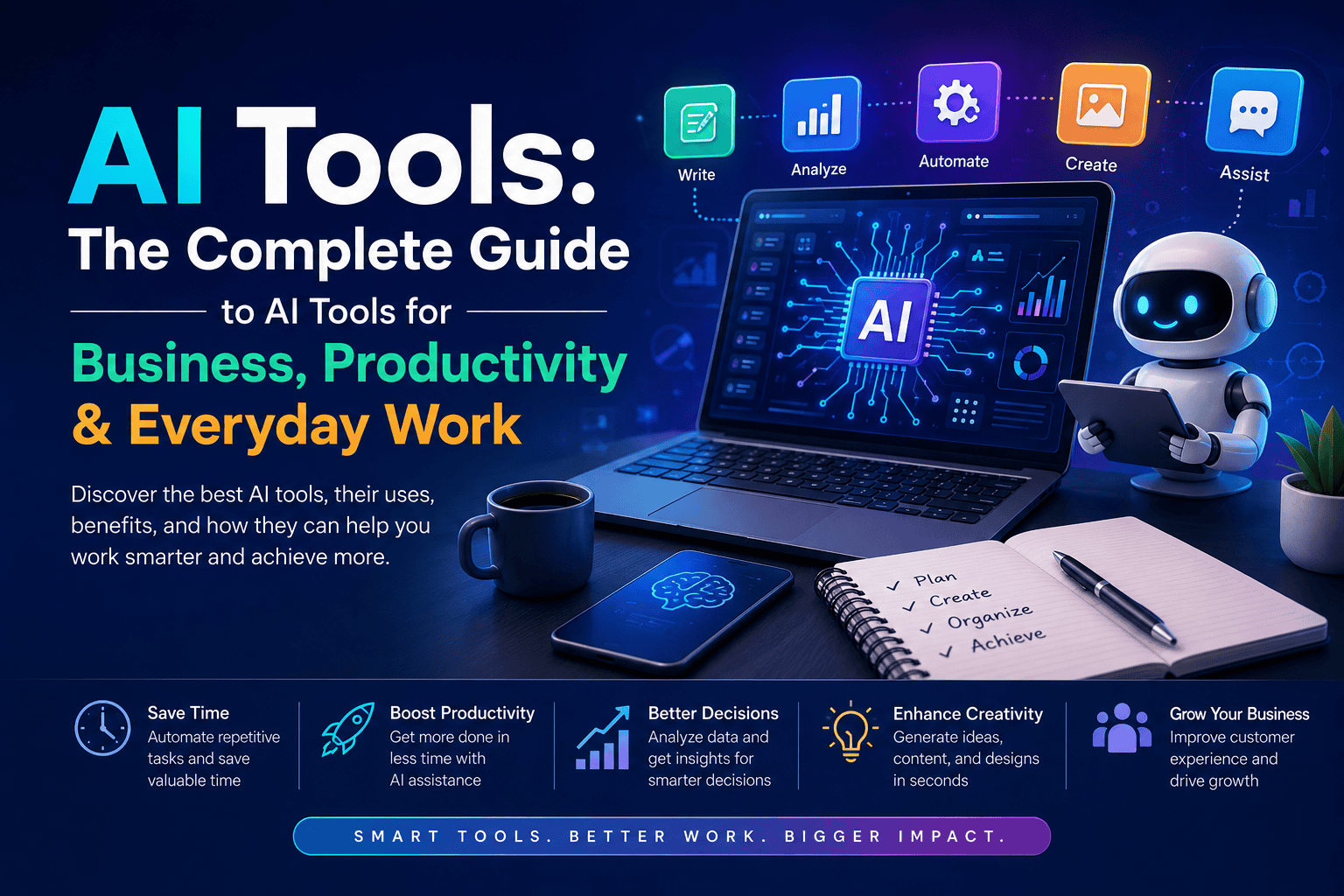
Related Guide: Explore our complete AI Tools: The Complete Guide for Business, Productivity & Everyday Work for more information about AI tools, their use cases, benefits, and practical applications.
5.AI Tools for Productivity: How AI Can Help You Work Smarter
AI tools for productivity are changing how people manage tasks, communicate, organize information, and complete everyday work. From writing emails and summarizing documents to managing schedules and automating repetitive tasks, AI productivity tools can help users save time and focus on more important work.
Whether you are a business owner, employee, freelancer, student, or professional, the right AI tools can make your daily workflow more efficient.
What Are AI Tools for Productivity?
AI productivity tools are software applications that use artificial intelligence to help users complete work more efficiently.
These tools can assist with:
- Task management
- Email writing
- Meeting summaries
- Note-taking
- Document analysis
- Research
- Scheduling
- Content creation
- Data analysis
- Workflow automation
Instead of replacing the user, AI productivity tools generally work as digital assistants that help reduce manual effort.
How AI Productivity Tools Improve Work
AI productivity tools can improve workflows by handling repetitive tasks and helping users process information faster.
A typical workflow might look like:
Task → AI Assistance → Human Review → Completed Work
For example, an employee can use an AI tool to summarize a long meeting transcript, identify important action items, and create a task list. The employee can then review the information and assign the tasks.
This approach allows AI to handle routine processing while humans remain responsible for decisions.
1. AI Tools for Task Management
Managing multiple tasks can become difficult, especially when working on several projects at the same time.
AI-powered task management tools can help users:
- Organize tasks
- Set priorities
- Create task lists
- Track deadlines
- Identify important tasks
- Automate reminders
Some tools can analyze tasks and help users determine which activities should be completed first.
This can make project and workload management more organized.
2. AI Tools for Email Management
Email can consume a significant amount of working time.
AI email tools can help users:
- Draft emails
- Rewrite messages
- Summarize long conversations
- Generate professional responses
- Organize information
- Identify important messages
For example, instead of spending several minutes writing a routine response, an AI assistant can generate a first draft that the user can review and customize.
3. AI Tools for Meeting Productivity
Meetings often generate large amounts of information that need to be reviewed later.
AI meeting assistants can help by:
- Transcribing conversations
- Creating meeting summaries
- Identifying action items
- Highlighting important decisions
- Organizing meeting notes
This allows team members to spend less time manually taking notes and more time participating in discussions.
4. AI Tools for Note-Taking
AI note-taking tools can organize information from meetings, research, documents, and conversations.
They can help users:
- Summarize notes
- Extract key points
- Organize information
- Find specific details
- Convert unstructured information into structured notes
This is especially useful for professionals who regularly work with large amounts of information.
5. AI Tools for Writing
Writing is another area where AI productivity tools can save time.
AI writing assistants can help create:
- Emails
- Reports
- Articles
- Business documents
- Presentations
- Social media posts
- Project descriptions
AI can generate an initial draft, improve sentence structure, summarize content, or adjust the tone of a message.
However, users should review AI-generated content for accuracy and clarity before publishing or sending it.
6. AI Tools for Research
Research can require significant time when information needs to be collected and organized from multiple sources.
AI research tools can help users:
- Summarize information
- Organize research notes
- Identify important topics
- Compare information
- Generate research questions
- Analyze documents
AI can make the research process faster, but important facts should always be verified using reliable sources.
7. AI Tools for Document Management
Businesses handle many documents every day, including invoices, reports, contracts, proposals, and customer records.
AI document tools can help extract and organize information from documents.
Common applications include:
- Document summarization
- Information extraction
- Classification
- Data organization
- Document search
This can reduce the amount of manual work required to process large numbers of documents.
8. AI Tools for Workflow Automation
One of the most powerful applications of AI productivity tools is workflow automation.
AI can be combined with other software to automate repetitive processes.
For example:
New Customer → Data Added to CRM → AI Creates Summary → Team Notification
Other automated workflows can involve email, CRM, accounting software, project management systems, and business databases.
Automation can help reduce repetitive tasks and improve consistency.
9. AI Productivity Tools for Businesses
Businesses can use AI productivity tools across different departments.
Marketing
AI can assist with content creation, research, SEO, and campaign planning.
Sales
AI can summarize customer interactions, prepare sales emails, and organize lead information.
Customer Service
AI can answer common questions, summarize support tickets, and assist customer service representatives.
Administration
AI can help with emails, reports, documents, scheduling, and repetitive data processing.
Management
Managers can use AI to summarize reports, organize information, analyze performance data, and prepare meeting materials.
10. Benefits of AI Productivity Tools
The main benefits of AI productivity tools include:
- Time savings through automation
- Higher productivity by reducing repetitive work
- Better organization of tasks and information
- Faster communication through AI-assisted writing
- Improved efficiency across business workflows
- Reduced administrative workload
- Better access to information
The goal is not simply to complete more tasks. Effective AI use should help people spend more time on high-value activities.
How to Choose an AI Productivity Tool
Before choosing an AI productivity tool, consider your specific workflow.
Ask:
- What task takes the most time?
- Can AI realistically improve that task?
- Does the tool integrate with existing software?
- Is the output accurate enough for your needs?
- What are the pricing and usage limits?
- How does the tool handle your data?
- Can the productivity improvement be measured?
The best AI productivity tool is not necessarily the most popular one. It is the tool that solves a specific problem efficiently and provides measurable value.
AI Productivity Tools and Human Work
AI productivity tools work best when combined with human judgment.
AI can process information, generate drafts, summarize content, and automate repetitive activities. Humans provide strategy, creativity, context, critical thinking, and final decision-making.
This human + AI workflow can help organizations improve productivity without removing important human oversight.
6.AI Tools for Writing: How AI Writing Tools Improve Content Creation
AI tools for writing are software applications that use artificial intelligence to help users create, edit, improve, and manage written content. These tools are becoming increasingly popular among businesses, marketers, bloggers, students, freelancers, and professionals.
From writing blog posts and emails to correcting grammar and summarizing documents, AI writing tools can make the writing process faster and more efficient.
What Are AI Writing Tools?
AI writing tools use technologies such as natural language processing (NLP), machine learning, and generative AI to understand written instructions and generate or improve text.
Users can provide a topic, question, document, or simple instruction, and the AI tool can produce a relevant response.
For example, a user can ask an AI writing tool to:
- Write a blog introduction
- Create a product description
- Rewrite an email
- Summarize a document
- Improve grammar
- Generate social media content
- Create an outline for an article
Instead of replacing the writer completely, AI can work as a writing assistant that speeds up different stages of the writing process.
What Can AI Tools for Writing Do?
Modern AI writing tools can support almost every stage of content creation.
1. Generate Content
AI can generate initial drafts based on a topic or prompt.
Businesses can use AI to create drafts for:
- Blog posts
- Website content
- Product descriptions
- Newsletters
- Emails
- Social media posts
- Advertisements
The generated content should be reviewed and edited before publication to ensure accuracy and originality.
2. Improve Grammar and Spelling
AI writing software can identify grammatical mistakes, spelling errors, punctuation problems, and unclear sentences.
This is particularly useful for people writing in a language that is not their first language.
AI-powered editing can make business emails, reports, articles, and other professional documents clearer and easier to understand.
3. Rewrite and Improve Content
AI can rewrite existing content for different purposes.
For example, you can ask an AI tool to make a paragraph:
- More professional
- Shorter
- Easier to understand
- More persuasive
- More conversational
- Suitable for a specific audience
This can save significant time during the editing process.
4. Create Content Outlines
Creating a strong structure before writing can make the entire process easier.
AI tools can generate outlines for:
- Blog articles
- Guides
- Reports
- Tutorials
- Business documents
- Presentations
A writer can then review the outline and adjust it according to the intended audience and topic.
5. Summarize Long Documents
AI writing tools can summarize lengthy documents and extract important information.
This can be useful for:
- Business reports
- Research papers
- Meeting notes
- Articles
- Contracts
- Internal documents
Instead of reading an entire document to understand its main points, users can use AI to create a shorter summary and then review the original document when necessary.
AI Tools for SEO Content Writing
AI writing tools can also support SEO content creation.
They can help with:
- Keyword research ideas
- Content outlines
- Search intent analysis
- Meta descriptions
- Title ideas
- FAQ generation
- Content optimization
- Internal linking ideas
However, AI should not be used simply to produce large amounts of low-quality content.
For SEO, content should provide genuine value, demonstrate expertise, answer the user’s search intent, and be factually accurate.
AI can help accelerate the process, but the final content should still be reviewed and improved by a human.
AI Tools for Business Writing
Businesses can use AI writing tools for many everyday communication tasks.
Common examples include:
- Professional emails
- Business proposals
- Reports
- Product descriptions
- Customer responses
- Marketing materials
- Internal communications
- Job descriptions
For example, a sales team can use AI to create an initial customer email, while the salesperson reviews and personalizes it before sending.
This approach can improve efficiency without removing human communication.
Benefits of AI Writing Tools
AI writing tools provide several benefits.
Faster Writing
AI can create an initial draft within seconds, reducing the time required to start writing.
Increased Productivity
Writers and employees can focus more on ideas, strategy, and editing instead of repetitive writing tasks.
Better Editing
AI can identify grammar, spelling, readability, and structural problems.
Content Ideas
AI can generate topic ideas, headlines, outlines, and different content angles.
Consistent Communication
Businesses can use AI to maintain a consistent tone across emails, product descriptions, marketing materials, and other content.
Limitations of AI Writing Tools
AI writing tools are useful, but they are not perfect.
AI-generated content can sometimes contain:
- Incorrect facts
- Outdated information
- Repetitive language
- Generic writing
- Misinterpreted instructions
For this reason, users should always review important AI-generated content.
Businesses should also avoid entering confidential customer information, sensitive business data, or private documents into AI platforms without understanding their privacy and data-handling policies.
How to Use AI Writing Tools Effectively
To get better results from AI writing tools, provide clear instructions.
Instead of writing:
“Write an article about AI.”
Give more specific instructions:
“Write a beginner-friendly 700-word article about AI writing tools for small businesses. Use clear headings, practical examples, and a professional tone.”
A good AI writing workflow is:
Research → AI Draft → Human Review → Fact Check → Edit → Publish
This approach combines the speed of AI with human expertise and quality control.
AI Writing Tools for Different Users
For Bloggers
AI can help with article outlines, introductions, content ideas, editing, and SEO optimization.
For Marketers
AI can help create advertising copy, email campaigns, social media posts, and product descriptions.
For Businesses
AI can assist with reports, emails, proposals, customer communication, and internal documents.
For Students
AI can help explain concepts, summarize information, brainstorm ideas, and improve writing skills when used responsibly.
For Freelancers
AI can help freelancers manage repetitive writing tasks and produce initial drafts more efficiently.
How to Choose an AI Writing Tool
Before choosing an AI writing tool, consider:
- Writing quality — Does it produce natural and useful content?
- Accuracy — Can you verify the information it provides?
- Features — Does it support the tasks you need?
- Language support — Does it work well with your target language?
- Ease of use — Is the interface simple?
- Pricing — Does the plan match your budget?
- Privacy — How does the platform handle your data?
- Integrations — Can it work with your existing tools?
The best AI writing tool is not necessarily the one with the most features. It is the one that fits your specific writing workflow and consistently produces useful results.
7.AI Tools for Marketing: How AI Can Improve Modern Marketing
Marketing has become increasingly data-driven, competitive, and content-focused. Businesses need to create content, understand customers, manage campaigns, analyze performance, and respond quickly to changing market trends. AI tools for marketing can help businesses automate repetitive tasks, analyze data, create content, and improve marketing productivity.
From SEO and social media to email marketing and customer research, artificial intelligence is becoming an important part of modern marketing workflows.
8.What Are AI Tools for Marketing?
AI tools for marketing are software applications that use artificial intelligence to help businesses plan, create, automate, analyze, and optimize marketing activities.
These tools can assist marketers with tasks such as:
- Content creation
- SEO research
- Keyword research
- Social media marketing
- Email marketing
- Advertising
- Customer analysis
- Market research
- Lead generation
- Marketing automation
- Performance analysis
Instead of replacing marketers, AI tools can work as assistants that reduce manual work and help teams make faster, data-driven decisions.
How AI Tools Help Marketing
AI can support almost every stage of the marketing process, from researching an audience to measuring campaign results.
1. AI Tools for Content Creation
Creating high-quality content consistently can take significant time. AI writing tools can help marketers generate initial drafts for:
- Blog posts
- Product descriptions
- Social media posts
- Email campaigns
- Advertisements
- Landing pages
- Marketing scripts
Marketers can then edit and improve the content to match the brand’s voice, audience, and objectives.
AI is most effective as a content assistant rather than a replacement for human creativity and editorial judgment.
2. AI Tools for SEO
SEO requires research, content optimization, competitor analysis, and continuous monitoring.
AI-powered SEO tools can help marketers with:
- Keyword research
- Search intent analysis
- Content ideas
- On-page optimization
- Competitor research
- Content gaps
- SEO recommendations
AI can speed up research and help identify opportunities, but marketers should still evaluate keywords and search results manually.
3. AI Tools for Social Media Marketing
Managing multiple social media platforms can be time-consuming.
AI tools can help marketers:
- Generate post ideas
- Write captions
- Create content variations
- Analyze audience engagement
- Plan content calendars
- Repurpose existing content
For example, a long blog article can be transformed into multiple short social media posts, helping businesses get more value from existing content.
4. AI Tools for Email Marketing
AI can improve email marketing by helping businesses create personalized and relevant campaigns.
AI tools can assist with:
- Email subject lines
- Email copy
- Customer segmentation
- Personalization
- Campaign ideas
- Performance analysis
Businesses can use customer data to create more relevant communication, but privacy and data protection should always be considered.
5. AI for Customer Research
Understanding customers is one of the foundations of successful marketing.
AI tools can analyze customer feedback, reviews, surveys, and conversations to identify common:
- Problems
- Preferences
- Questions
- Complaints
- Buying motivations
These insights can help marketers create campaigns that better address customer needs.
6. AI Tools for Advertising
AI can assist with digital advertising by helping marketers create and test multiple variations of ad copy and creative concepts.
AI-powered advertising workflows can help with:
- Ad copy generation
- Audience analysis
- Creative variations
- Campaign optimization
- Performance analysis
However, marketers should monitor campaigns carefully and use actual performance data to determine which strategies work.
Benefits of AI Tools for Marketing
AI tools can provide several benefits for marketing teams.
Save Time
AI can reduce the time required for research, content creation, reporting, and other repetitive tasks.
Increase Productivity
Marketers can produce more content and complete more tasks without increasing manual effort at the same rate.
Improve Personalization
AI can analyze customer information and help businesses create more relevant marketing messages.
Support Better Decisions
AI can process large amounts of marketing data and identify patterns and trends.
Scale Marketing Operations
Businesses can use AI to create content variations, analyze campaigns, and automate workflows at a larger scale.
AI Tools for Small Business Marketing
AI marketing tools can be particularly useful for small businesses with limited marketing teams.
A small business can use AI for:
- Website content
- SEO
- Social media
- Email campaigns
- Customer research
- Advertising
- Competitor analysis
For example, one small marketing team can use AI to research keywords, create a content outline, draft social media posts, analyze customer feedback, and prepare campaign reports.
This can help small businesses compete more efficiently without requiring a large marketing department.
Challenges of Using AI in Marketing
AI tools are powerful, but marketers should understand their limitations.
AI-generated content can sometimes contain inaccurate information, generic language, or incorrect assumptions. Overusing automated content can also make a brand sound less authentic.
Marketing teams should therefore maintain human oversight and review AI-generated content before publishing it.
Businesses should also consider:
- Data privacy
- Brand consistency
- Content quality
- Copyright and originality
- Tool costs
- Integration requirements
The goal should be to combine AI efficiency with human creativity and strategic thinking.
Best Practices for Using AI in Marketing
To get better results from AI marketing tools:
- Define the marketing objective first.
- Provide clear instructions and relevant context.
- Use AI for research and first drafts.
- Review important information before publishing.
- Maintain a consistent brand voice.
- Measure actual campaign performance.
- Protect customer and business data.
AI should support the marketing strategy rather than become the strategy itself.
AI Tools for Content Creation
Creating high-quality content consistently can take a significant amount of time. From writing blog posts and social media captions to designing images and producing videos, content creation involves many different tasks. AI tools for content creation can help individuals and businesses speed up these processes while improving productivity and maintaining a consistent content workflow.
AI-powered content creation tools can assist with writing, editing, research, image generation, video production, audio creation, and content optimization. When used correctly, they work as a productivity assistant rather than a complete replacement for human creativity.
What Are AI Tools for Content Creation?
AI tools for content creation are software applications that use artificial intelligence to help users create, edit, optimize, or manage digital content.
Depending on the tool, AI can assist with:
- Blog posts and articles
- Social media content
- Website copy
- Product descriptions
- Marketing emails
- Images and graphics
- Videos
- Audio and voiceovers
- Content ideas
- Content research
- Editing and optimization
Instead of completing every part of the content creation process manually, users can use AI to automate repetitive tasks and generate initial ideas or drafts.
How AI Helps With Content Creation
AI can support almost every stage of the content creation workflow.
A typical process might look like:
Research → Ideas → Writing → Editing → Design → Publishing → Optimization
AI tools can assist with each of these steps.
For example, an AI writing tool can generate an initial article outline, while an AI image tool can create a visual for the article. Another AI tool can help analyze the content for readability or search engine optimization.
AI Writing Tools
AI writing tools are among the most popular AI tools for content creators.
They can help create:
- Blog articles
- Headlines
- Social media captions
- Product descriptions
- Email copy
- Website content
- Advertisements
- Video scripts
Instead of asking AI to create an entire article without direction, content creators can use AI to develop outlines, generate ideas, improve sentences, and create first drafts.
Human editing remains important to ensure the content is accurate, useful, original, and aligned with the intended audience.
AI Tools for Content Research
Research is an important part of creating useful content.
AI research tools can help users:
- Generate topic ideas
- Summarize information
- Identify important concepts
- Organize research notes
- Compare information
- Find potential content gaps
For SEO content, AI can also help identify related topics and questions that users may search for.
However, AI-generated research should be verified against reliable sources, especially when creating content that includes statistics, technical information, or current events.
AI Image Generation Tools
Visual content can make articles, websites, advertisements, and social media posts more engaging.
AI image generation tools can create visuals based on text instructions.
Businesses can use AI-generated images for:
- Blog illustrations
- Social media graphics
- Marketing campaigns
- Product concepts
- Presentations
- Website visuals
- Advertisements
AI image tools can reduce the time required to create custom graphics, especially when a business needs multiple visual concepts quickly.
AI Video Creation Tools
Video has become an important format for digital marketing and online communication.
AI video tools can assist with:
- Video scripts
- Voiceovers
- Subtitles
- Video editing
- Presentations
- Explainer videos
- Social media videos
Some AI platforms can turn written content into video concepts, while others can automate editing or generate narration.
This can help small businesses and individual creators produce video content without requiring advanced video production skills.
AI Tools for Social Media Content
Maintaining an active social media presence requires regular content.
AI tools can help create:
- Social media captions
- Post ideas
- Content calendars
- Short-form video scripts
- Promotional messages
- Hashtag ideas
- Platform-specific content
For example, a business can use AI to turn one long-form blog article into several shorter social media posts.
This allows marketers to reuse existing content across multiple channels.
AI Tools for SEO Content
AI can also support search engine optimization and content planning.
SEO-focused AI workflows can assist with:
- Keyword research
- Search intent analysis
- Content outlines
- Related topics
- Title ideas
- Meta descriptions
- Internal linking ideas
- Content optimization
However, AI should not be used to simply generate large amounts of low-quality content.
Search engines prioritize helpful, relevant, and trustworthy content. Human expertise, original insights, accurate information, and useful examples remain important.
Benefits of AI Tools for Content Creation
Using AI in content creation can provide several advantages.
Faster Content Production
AI can reduce the time required to brainstorm, draft, summarize, and edit content.
More Content Ideas
AI can generate topic ideas and content angles when creators face writer’s block.
Improved Productivity
Creators can spend less time on repetitive tasks and more time on strategy and creative work.
Consistent Content
AI can help maintain a consistent structure, tone, and publishing workflow.
Lower Production Costs
Businesses may reduce some manual content production costs by automating repetitive tasks.
Best Practices for Using AI in Content Creation
AI works best when combined with human expertise.
Before publishing AI-assisted content:
- Verify important facts.
- Add original insights and examples.
- Edit the content for your target audience.
- Check grammar and readability.
- Remove repetitive or generic information.
- Make sure the content reflects your brand voice.
- Review images and other AI-generated media.
- Avoid publishing content that provides little value to readers.
The strongest approach is AI-assisted content creation, where AI helps with speed and efficiency while humans remain responsible for quality, accuracy, creativity, and final decisions.
AI Tools for Content Creation for Businesses
Businesses can use AI throughout their content marketing workflow.
For example, a company could use AI to:
- Research a topic
- Create an article outline
- Draft content
- Generate a featured image
- Create social media posts
- Write an email newsletter
- Repurpose the article into a video script
- Analyze content performance
This creates a connected content workflow where one piece of content can be transformed into multiple formats.
For small businesses with limited marketing resources, this can make content marketing significantly more manageable.
9.AI Tools for Research: How AI Can Improve Research and Information Analysis
Research often involves searching for information, reading documents, comparing sources, analyzing data, and organizing findings. These tasks can take significant time, especially when dealing with large amounts of information.
AI tools for research can make this process faster by helping users discover information, summarize documents, analyze data, organize notes, and identify useful patterns. Researchers, students, businesses, marketers, writers, and professionals can use AI research tools to improve their workflow while still verifying important information manually.
What Are AI Tools for Research?
AI research tools are software applications that use artificial intelligence to help users find, understand, organize, summarize, and analyze information.
Depending on the tool, AI can help with tasks such as:
- Finding relevant information
- Summarizing long documents
- Analyzing research papers
- Extracting key information
- Comparing multiple sources
- Organizing research notes
- Analyzing datasets
- Generating research questions
- Identifying trends and patterns
- Creating research summaries
AI does not replace the research process. Instead, it can act as a research assistant that reduces repetitive work and helps users process information more efficiently.
How AI Tools Help With Research
A traditional research process may involve searching for information, opening multiple sources, reading long documents, taking notes, and comparing findings.
AI can assist with several of these steps.
A simplified workflow looks like:
Research Question → Information Discovery → AI Analysis → Source Verification → Final Findings
For example, a researcher can provide a long document to an AI tool and ask it to identify the main arguments, summarize important sections, or extract specific information.
The researcher can then check the original source before using the information in a final report.
Key Features of AI Research Tools
1. Information Discovery
AI-powered research tools can help users discover relevant information based on a research topic or question.
Instead of relying only on broad keyword searches, AI can help identify related concepts, topics, and potentially relevant sources.
This can make the initial research stage more efficient.
2. Document Summarization
Long reports, research papers, business documents, and other files can take hours to read.
AI tools can create summaries that highlight:
- Main ideas
- Important findings
- Key arguments
- Important data
- Conclusions
- Relevant sections
Summaries can help users understand a document quickly before deciding whether a deeper review is necessary.
3. Research Paper Analysis
Students and researchers often need to review multiple academic papers.
AI can help identify:
- Research objectives
- Methodology
- Main findings
- Limitations
- Key concepts
- Important references
This can make literature review workflows more organized and efficient.
However, researchers should always check the original paper because AI-generated summaries may omit context or misunderstand technical information.
4. Data Analysis
Some AI research tools can analyze structured datasets and identify patterns or trends.
Businesses can use AI for:
- Customer research
- Market analysis
- Sales data
- Survey results
- Competitor research
- Business performance
AI can help transform large datasets into understandable insights, but users should verify important calculations and assumptions.
5. Comparing Information
Research often requires comparing information from multiple sources.
AI can help organize similarities and differences between documents, products, competitors, studies, or datasets.
For example, a business could use AI to compare several competitor reports and identify common market trends.
AI Tools for Academic Research
Students and academic researchers can use AI tools for various stages of their research workflow.
Common applications include:
- Finding research topics
- Understanding complex concepts
- Summarizing papers
- Organizing notes
- Generating research questions
- Reviewing literature
- Analyzing data
- Improving writing clarity
However, academic users should follow their institution’s policies regarding AI use and properly verify and cite original sources.
AI should support academic research rather than replace critical thinking or original analysis.
AI Tools for Business Research
Businesses can also use AI tools to conduct faster research.
Common business applications include:
Market Research
AI can help identify market trends, customer needs, and emerging opportunities.
Competitor Research
Businesses can analyze competitor websites, products, pricing information, positioning, and customer feedback.
Customer Research
AI can analyze surveys, reviews, support conversations, and other customer data to identify common concerns and preferences.
Industry Research
AI can help organize large amounts of industry information and highlight important developments.
These capabilities can help businesses make research-driven decisions more efficiently.
Benefits of AI Tools for Research
AI research tools can provide several benefits:
- Save research time by summarizing and organizing information
- Process large amounts of data more efficiently
- Improve organization by structuring notes and findings
- Identify patterns across documents and datasets
- Support faster decision-making
- Reduce repetitive research tasks
- Help beginners understand complex information
The biggest advantage is often the ability to spend less time on repetitive information processing and more time on analysis and decision-making.
Limitations of AI Research Tools
AI research tools are useful, but they have important limitations.
AI can sometimes:
- Generate incorrect information
- Misinterpret research findings
- Provide incomplete summaries
- Misunderstand technical terminology
- Produce unsupported claims
- Miss important context
For this reason, users should verify important information against original and authoritative sources.
AI-generated research should be treated as a starting point rather than the final source of truth.
How to Use AI Tools for Better Research
A good AI-assisted research workflow should combine artificial intelligence with human verification.
Start by clearly defining the research question. Then use AI to discover information, summarize documents, organize findings, or analyze data.
After that, verify important claims using the original sources.
A practical workflow is:
Define → Search → Analyze → Verify → Organize → Write
This approach allows AI to handle repetitive tasks while the researcher remains responsible for accuracy, interpretation, and final conclusions.
Choosing the Right AI Research Tool
Before selecting an AI research tool, consider:
- Type of research you perform
- Supported file formats
- Source quality
- Citation capabilities
- Data analysis features
- Accuracy
- Privacy and security
- Pricing
- Integration with existing tools
The best AI research tool is not necessarily the most popular one. It should match your specific research requirements and provide reliable results that can be verified.
10.AI Tools for Customer Service: How AI Improves Customer Support
Customer service is one of the most important parts of any business. Customers expect fast responses, accurate information, and support whenever they need it. As customer interactions increase, manually handling every question can become difficult and expensive.
AI tools for customer service help businesses automate repetitive support tasks, respond to customers faster, analyze conversations, and assist human support agents.
From AI chatbots to automated ticketing and conversation analysis, businesses can use artificial intelligence to improve customer support while reducing the workload of their service teams.
What Are AI Tools for Customer Service?
AI tools for customer service are software applications that use artificial intelligence to help businesses communicate with customers and manage support operations.
These tools can understand customer questions, generate responses, categorize support requests, summarize conversations, and identify common customer problems.
Common AI customer service applications include:
- AI chatbots
- Virtual customer assistants
- Automated email responses
- Helpdesk automation
- Ticket classification
- Conversation summaries
- Sentiment analysis
- Knowledge-base assistants
- Customer feedback analysis
AI does not necessarily replace customer service employees. Instead, it can act as an assistant that handles repetitive work while human agents focus on more complex customer issues.
How AI Tools Improve Customer Service
AI can improve customer service in several ways.
1. Faster Customer Responses
Customers often want immediate answers to simple questions.
AI chatbots can respond instantly to common requests such as:
- Product availability
- Business hours
- Order status
- Shipping information
- Pricing questions
- Return policies
- Basic account information
This reduces waiting time and allows customers to receive assistance without waiting for a human agent.
2. 24/7 Customer Support
Human support teams normally work according to business hours, while AI-powered customer service tools can operate continuously.
An AI chatbot can answer frequently asked questions during evenings, weekends, and holidays.
This is particularly useful for online businesses serving customers in different countries and time zones.
However, businesses should provide an option to contact a human agent when an AI system cannot properly resolve an issue.
3. Automating Repetitive Questions
Many customer service teams receive the same questions repeatedly.
AI tools can automate responses to common questions, reducing the amount of repetitive work for support employees.
For example, instead of an employee answering the same shipping question dozens of times, an AI assistant can provide the relevant information automatically.
This allows customer service agents to spend more time on complex problems that require human judgment.
4. AI-Powered Chatbots
AI chatbots are among the most common AI tools for customer service.
Unlike traditional rule-based chatbots, modern AI chatbots can understand natural-language questions and provide more flexible responses.
A customer might ask:
“My order hasn’t arrived yet. Can you check its status?”
If the chatbot is connected to the appropriate business systems, it may be able to retrieve relevant order information and guide the customer.
AI chatbots can be used on:
- Websites
- Mobile applications
- Messaging platforms
- Customer portals
5. Automated Ticket Management
Customer support teams often receive hundreds or thousands of support tickets.
AI can help organize these tickets by identifying the topic, urgency, or department responsible for handling the request.
For example:
Billing issue → Finance team
Technical problem → Technical support
Product question → Sales/support team
This can help businesses route customer requests more efficiently.
6. AI-Assisted Customer Support Agents
AI tools can assist human agents while they are communicating with customers.
An AI assistant can help agents:
- Find relevant information
- Summarize previous conversations
- Draft responses
- Suggest solutions
- Translate messages
- Identify customer history
Instead of searching through multiple documents or systems, an agent can use AI to quickly find relevant information.
This can improve both response speed and employee productivity.
7. Conversation Summarization
Customer conversations can become long and complicated, especially when an issue requires multiple interactions.
AI can summarize conversations into important points such as:
- Customer problem
- Previous actions
- Current status
- Customer requirements
- Recommended next steps
This helps support agents understand the situation without reading an entire conversation history.
8. Customer Sentiment Analysis
Some AI tools can analyze customer messages to identify sentiment or emotional tone.
For example, AI may identify whether a message appears:
- Positive
- Neutral
- Negative
- Urgent
Businesses can use this information to prioritize customers who may require immediate human attention.
For example, a highly dissatisfied customer may be escalated to a senior support agent.
9. Personalized Customer Support
AI can help businesses provide more personalized support by using available customer information and conversation history.
For example, an AI system may recognize a returning customer and use previous interactions to provide more relevant assistance.
Personalization can improve the overall customer experience when it is implemented responsibly and with appropriate data privacy controls.
10. Multilingual Customer Support
Businesses serving international customers may need to communicate in multiple languages.
AI-powered translation and language tools can help customer service teams understand and respond to customers in different languages.
This can reduce language barriers and make international customer support more accessible.
However, important communications should still be reviewed when accuracy is critical.
Benefits of AI Tools for Customer Service
Businesses can gain several benefits from AI-powered customer support, including:
- Faster response times
- 24/7 support availability
- Reduced repetitive workload
- Improved agent productivity
- Better ticket organization
- Faster access to customer information
- More consistent responses
- Improved customer experience
- Support for multiple languages
- Better analysis of customer feedback
The biggest benefit comes when AI handles routine tasks while human employees manage situations that require empathy, judgment, negotiation, or complex problem-solving.
How to Choose AI Tools for Customer Service
Businesses should not choose an AI customer service tool simply because it is popular.
Consider:
- Integration: Can it connect with your CRM, helpdesk, ERP, or other systems?
- Accuracy: Can it provide reliable answers?
- Automation: What support tasks can it automate?
- Human handoff: Can customers easily reach a human agent?
- Security: How is customer information handled?
- Scalability: Can the tool support your future growth?
- Pricing: Does the cost match the expected business value?
A small business may only need an AI chatbot and FAQ assistant, while a larger organization may require a complete AI-powered customer service platform.
AI Tools and Human Customer Service
AI is most effective when combined with human support.
AI can handle repetitive questions, summarize information, classify tickets, and provide suggested responses. Human agents can then focus on complex complaints, sensitive situations, and problems that require empathy and judgment.
This creates a practical AI + Human Customer Service model.
The objective is not simply to replace customer service employees. The objective is to help them work faster, respond more effectively, and spend more time solving meaningful customer problems.
11.AI Tools for Sales: How Artificial Intelligence Improves the Sales Process
Sales teams are under constant pressure to find prospects, generate leads, follow up with customers, and close deals. AI tools for sales can help businesses automate repetitive sales activities, analyze customer information, improve communication, and allow sales teams to focus more on high-value opportunities.
Modern AI sales tools can support almost every stage of the sales process, from finding potential customers to forecasting revenue and managing customer relationships.
What Are AI Tools for Sales?
AI tools for sales are software applications that use artificial intelligence, machine learning, automation, and data analysis to help sales teams improve their workflow and performance.
These tools can assist with:
- Lead generation
- Lead qualification
- Customer research
- Sales forecasting
- Email writing
- Follow-up automation
- CRM management
- Customer communication
- Sales analytics
- Meeting summaries
- Pipeline management
Instead of replacing salespeople, AI tools are primarily useful as sales assistants that reduce manual work and provide useful information at the right time.
How AI Tools Help Sales Teams
AI can improve sales by helping teams spend less time on repetitive administrative tasks and more time communicating with potential customers.
A typical AI-powered sales workflow can look like:
Lead Generation → Lead Qualification → Customer Research → Outreach → Follow-Up → Sales Analysis
AI can assist at each stage.
1. AI Lead Generation
Finding potential customers is one of the most time-consuming sales activities.
AI tools can analyze customer profiles, business information, online data, and existing CRM records to help identify potential leads.
Sales teams can use AI for:
- Prospect research
- Lead discovery
- Customer segmentation
- Ideal customer profile analysis
- Lead list organization
This can help sales representatives spend more time on qualified prospects instead of manually researching every potential customer.
2. AI Lead Qualification
Not every lead has the same sales potential.
AI-powered sales tools can analyze available customer information and help identify leads that are more likely to become customers.
For example, an AI system may evaluate factors such as:
- Company size
- Industry
- Customer activity
- Previous interactions
- Website behavior
- Purchase history
This can help sales teams prioritize leads based on potential value.
However, AI recommendations should be treated as decision support rather than an automatic replacement for sales judgment.
3. AI Sales Email Writing
Writing personalized sales emails can take significant time.
AI writing tools can help sales representatives create:
- Prospecting emails
- Follow-up emails
- Product introductions
- Meeting requests
- Proposal messages
- Customer responses
Salespeople can provide basic information about a prospect and ask the AI tool to create a professional first draft.
The salesperson can then review and personalize the message before sending it.
4. Automated Sales Follow-Ups
Following up consistently is critical in sales, but it is easy for sales representatives to forget follow-up tasks.
AI-powered sales platforms can help automate reminders and follow-up workflows.
For example:
Initial Contact → Follow-Up → Reminder → Additional Information → Sales Call
Automation can help ensure that potential customers do not get forgotten during a busy sales cycle.
5. AI Customer Research
Sales representatives often need to understand a prospect before contacting them.
AI tools can summarize available customer information and help salespeople understand:
- Company background
- Industry
- Business challenges
- Previous interactions
- Customer interests
Better customer research can help sales representatives create more relevant and personalized conversations.
6. AI Sales Forecasting
Sales forecasting helps businesses estimate future revenue.
AI-powered sales analytics can analyze historical sales data, pipeline information, customer activity, and other relevant data to identify trends and generate forecasts.
Sales managers can use these insights to understand:
- Expected revenue
- Pipeline performance
- Sales trends
- Potential risks
- High-value opportunities
AI forecasting is most useful when the underlying business data is accurate and consistently maintained.
7. AI CRM Assistance
Customer relationship management systems contain valuable sales information, but sales representatives may spend significant time updating them.
AI can help automate tasks such as:
- CRM data entry
- Contact summaries
- Call summaries
- Meeting notes
- Customer activity tracking
- Sales task creation
This allows salespeople to spend more time selling and less time performing administrative work.
8. AI Sales Analytics
AI can help sales managers understand sales performance by analyzing large amounts of sales data.
Useful insights may include:
- Which products generate the most sales
- Which leads convert better
- Where deals are being lost
- Which sales representatives need support
- Which stages of the sales funnel have the highest drop-off
These insights can help managers make more informed decisions.
9. AI for Sales Personalization
Customers increasingly expect relevant communication rather than generic sales messages.
AI can help sales teams personalize emails, recommendations, offers, and follow-ups based on customer information.
For example, an AI system can help a sales representative create different messages for a new prospect, an existing customer, and a customer who has previously shown interest in a specific product.
Personalization can make sales communication more relevant and useful.
10. AI Meeting Assistants for Sales
Sales teams spend a significant amount of time in customer meetings and calls.
AI meeting tools can help by:
- Transcribing conversations
- Creating meeting summaries
- Identifying action items
- Extracting important customer requirements
- Creating follow-up tasks
This reduces the need for salespeople to manually take detailed notes during every meeting.
11. AI Tools for Small Business Sales
Small businesses can also benefit from AI sales tools.
A small sales team can use AI for:
- Lead research
- Email creation
- Customer follow-ups
- CRM management
- Sales reporting
- Customer segmentation
- Sales forecasting
This can help small businesses compete more effectively without requiring a large sales department.
Choosing the Right AI Sales Tool
Businesses should not choose an AI sales tool simply because it has the most features.
Before selecting a solution, consider:
- Sales team size
- Required features
- CRM integration
- Automation capabilities
- Data security
- Pricing
- Ease of use
- Reporting and analytics
- Scalability
The best AI sales tool is the one that solves a specific sales problem and integrates smoothly with the existing workflow.
AI Tools and Human Salespeople
AI can automate many sales tasks, but human salespeople remain essential.
AI is good at processing information, identifying patterns, automating repetitive tasks, and generating initial content.
Salespeople are better suited for:
- Building relationships
- Negotiation
- Understanding complex customer needs
- Handling objections
- Strategic decision-making
- Closing important deals
The strongest sales strategy combines AI automation with human expertise.
Practical AI Sales Workflow
A business can combine several AI capabilities into one sales workflow:
1. Generate leads
↓
2. Qualify leads using customer data
↓
3. Research prospects
↓
4. Create personalized outreach
↓
5. Automate follow-ups
↓
6. Record customer interactions in CRM
↓
7. Analyze the sales pipeline
↓
8. Forecast future sales
This approach allows sales teams to reduce repetitive work while maintaining human control over important customer interactions.
12.AI Tools for Project Management: Improve Planning, Collaboration & Productivity
Managing a project involves planning tasks, assigning responsibilities, tracking deadlines, communicating with team members, and monitoring progress. As projects become more complex, AI tools for project management can help teams automate repetitive work, organize information, and make better decisions.
AI-powered project management tools can support project managers and teams by improving productivity, reducing administrative work, identifying potential problems, and keeping projects on track.
What Are AI Tools for Project Management?
AI tools for project management are software applications that use artificial intelligence to assist with planning, task management, communication, reporting, and project analysis.
Instead of manually handling every project activity, teams can use AI to automate or accelerate tasks such as:
- Creating project plans
- Breaking projects into tasks
- Assigning tasks
- Setting deadlines
- Summarizing meetings
- Tracking project progress
- Identifying project risks
- Generating reports
- Managing team communication
AI does not replace the project manager. Instead, it acts as an intelligent assistant that helps teams manage projects more efficiently.
How AI Helps With Project Planning
Project planning is one of the most important stages of project management. Poor planning can lead to missed deadlines, budget problems, and unclear responsibilities.
AI tools can analyze project requirements and help create an initial project plan.
For example, a project manager can provide the project goal, expected deadline, available resources, and major requirements. An AI-powered project management tool can then suggest tasks, milestones, dependencies, and timelines.
The project manager can review and modify the suggested plan before implementation.
AI-Powered Task Management
Managing individual tasks can become difficult when a project involves multiple team members.
AI project management tools can help organize tasks based on priority, deadlines, dependencies, and team availability.
They can help teams:
- Prioritize important tasks
- Identify overdue work
- Suggest task assignments
- Create task summaries
- Track completion
- Highlight dependencies
This reduces the amount of manual task management required from project managers.
Automated Meeting Summaries
Project teams often spend a significant amount of time in meetings.
AI meeting assistants can record, transcribe, and summarize discussions. They can also identify important decisions, action items, and assigned responsibilities.
For example, after a project meeting, AI can generate a summary containing:
Key Decisions → Action Items → Responsible Person → Deadline
This makes it easier for team members to understand what needs to happen next without reviewing the entire conversation.
AI for Project Progress Tracking
Tracking project progress manually can be time-consuming.
AI tools can analyze task completion, deadlines, milestones, and team activity to provide an overview of project status.
Project managers can use AI-generated insights to identify:
- Delayed tasks
- Unfinished work
- Bottlenecks
- Resource issues
- Upcoming deadlines
This gives managers better visibility into project performance.
AI for Risk Management
Project risks can have a significant impact on cost, schedule, and quality.
AI tools can analyze project information and identify patterns that may indicate potential risks.
For example, if several tasks are repeatedly delayed, an AI system may identify the pattern and alert the project manager.
AI can help monitor risks related to:
- Missed deadlines
- Resource shortages
- Task dependencies
- Budget changes
- Workload
- Project delays
However, project managers should use AI recommendations as decision-support information rather than treating them as guaranteed predictions.
AI for Team Collaboration
Effective communication is essential for successful project management.
AI tools can help teams organize project information and make communication more efficient.
Common features include:
- Message summaries
- Automated updates
- Document organization
- Task notifications
- Knowledge search
- AI-powered project assistants
Team members can quickly find relevant project information without searching through large numbers of messages and documents.
AI-Generated Project Reports
Project managers often need to prepare regular reports for management, clients, or stakeholders.
AI can generate initial project reports using information such as task completion, milestones, deadlines, and project performance.
Reports may include:
- Project status
- Completed tasks
- Pending tasks
- Upcoming milestones
- Delays
- Potential risks
- Team workload
The project manager can review the generated report and make any necessary changes before sharing it.
AI for Resource Management
Resource allocation is another important part of project management.
AI tools can analyze team workloads and project requirements to help managers understand how resources are being used.
For example, AI may identify that one employee has too many high-priority tasks while another team member has available capacity.
This can help project managers balance workloads and allocate resources more effectively.
Benefits of AI Tools for Project Management
AI-powered project management can provide several benefits:
Save Time
Automation reduces repetitive administrative work.
Improve Productivity
Teams can focus more on important project activities.
Better Project Visibility
AI can provide a clearer overview of tasks, deadlines, and progress.
Faster Decision-Making
Project managers can receive summarized information and data-driven insights faster.
Reduce Administrative Work
Meeting summaries, reports, task updates, and documentation can be partially automated.
Identify Problems Earlier
AI can help detect patterns that may indicate delays, bottlenecks, or resource problems.
Challenges of Using AI in Project Management
AI tools also have limitations.
AI-generated recommendations may not always understand the full context of a project. Incorrect data can also lead to poor recommendations.
Businesses should consider:
- Data accuracy
- Privacy and security
- Integration with existing software
- Subscription costs
- Human oversight
- Team training
Sensitive project information should only be shared with AI platforms after reviewing their data protection and security practices.
Choosing the Right AI Project Management Tool
Before selecting an AI project management tool, identify your team’s specific needs.
Consider whether you need:
- AI task management
- Project planning
- Automated reporting
- Meeting summaries
- Team collaboration
- Risk monitoring
- Resource management
- Workflow automation
- Integration with existing software
The best AI project management tool is not necessarily the one with the most features. It is the one that solves your team’s actual problems and fits naturally into your existing workflow.
AI tools can make project management faster and more organized, but successful projects still depend on effective leadership, communication, planning, and human decision-making.
13.AI Tools for Everyday Work: How AI Can Improve Daily Productivity
AI is no longer limited to advanced technology companies or software developers. Today, AI tools for everyday work are helping employees, business owners, freelancers, students, and professionals complete routine tasks faster and more efficiently.
From writing emails and summarizing documents to organizing tasks and conducting research, AI can act as a digital assistant for many common activities. The right AI tools can reduce repetitive work, save time, and allow people to focus on tasks that require creativity, judgment, and decision-making.
What Are AI Tools for Everyday Work?
AI tools for everyday work are software applications that use artificial intelligence to assist with common professional and administrative tasks.
These tools can help users:
- Write and edit documents
- Draft emails
- Summarize information
- Conduct research
- Organize tasks
- Analyze data
- Create presentations
- Generate ideas
- Take meeting notes
- Translate content
- Automate repetitive workflows
Instead of replacing the user, most AI tools work as digital assistants that help complete specific tasks more efficiently.
1. AI Tools for Writing Emails
Email communication is an essential part of everyday work, but writing professional emails can take considerable time.
AI writing assistants can help create email drafts based on a short instruction. They can also rewrite messages to make them more professional, concise, friendly, or formal.
For example, you can provide:
“Write a professional email asking a customer for an updated delivery date.”
The AI can generate a draft that you can review and customize before sending.
This can be particularly useful for employees who send many emails every day.
2. AI Tools for Document Summarization
Professionals often need to read long reports, proposals, contracts, meeting notes, and business documents.
AI-powered summarization tools can process large documents and provide shorter summaries containing the key points.
They can help identify:
- Important information
- Key decisions
- Main topics
- Action items
- Potential issues
This can reduce the time required to understand lengthy documents.
However, important legal, financial, or business documents should still be reviewed carefully rather than relying entirely on an AI-generated summary.
3. AI Tools for Research
Research is another common part of everyday work.
AI research tools can help users organize information, summarize sources, generate research questions, and identify relevant topics.
Professionals can use AI for:
- Market research
- Competitor research
- Product research
- Industry research
- Content research
- General information gathering
AI can make the initial research process faster, but important facts should always be verified using reliable sources.
4. AI Tools for Meeting Notes
Meetings often generate large amounts of information that employees need to remember and organize.
AI meeting tools can help transcribe conversations, summarize discussions, and identify action items.
For example, after a meeting, an AI tool may organize the information into:
- Main discussion points
- Decisions
- Tasks
- Assigned responsibilities
- Follow-up items
This makes it easier for teams to track what needs to happen after a meeting.
5. AI Tools for Task Management
Managing multiple tasks can become difficult when employees are handling several projects simultaneously.
AI productivity tools can help organize tasks, prioritize activities, create reminders, and summarize project information.
AI can also help users break larger projects into smaller tasks.
For example:
Project: Launch a new website
AI can help create tasks such as:
- Prepare website content
- Design landing pages
- Optimize images
- Configure analytics
- Test mobile responsiveness
- Review SEO
- Publish the website
This makes complex work easier to organize.
6. AI Tools for Data Analysis
Many professionals work with spreadsheets, reports, sales data, and business information.
AI-powered data analysis tools can help users identify patterns, summarize data, and generate insights.
Common applications include:
- Sales analysis
- Financial reporting
- Customer data analysis
- Performance tracking
- Trend identification
- Forecasting
Users without advanced data analysis skills can also benefit from AI-assisted tools that simplify complex datasets.
7. AI Tools for Presentations
Creating professional presentations can require significant time.
AI presentation tools can help generate presentation structures, slide content, summaries, and visual ideas.
A user can provide a topic and audience, and the AI can suggest:
- Presentation titles
- Slide structures
- Key points
- Speaker notes
- Visual concepts
Users should still review the generated presentation to ensure the information is accurate and appropriate for the audience.
8. AI Tools for Content Creation
Content creation is another area where AI can save time.
AI tools can assist with:
- Blog outlines
- Social media posts
- Product descriptions
- Website content
- Marketing emails
- Video scripts
- Headlines
For businesses, AI can help create initial drafts quickly while human editors ensure accuracy, originality, and brand consistency.
9. AI Tools for Translation
AI translation tools can help professionals communicate across different languages.
They can translate emails, documents, website content, and other forms of communication quickly.
AI translation is particularly useful for businesses working with international customers or suppliers.
For important legal, technical, or sensitive documents, professional human translation may still be necessary.
10. AI Tools for Workflow Automation
One of the most valuable applications of AI is workflow automation.
AI-powered automation can connect different applications and reduce repetitive manual processes.
For example:
Customer inquiry → AI analyzes request → Information is categorized → Team receives notification
Businesses can use AI automation for customer support, lead management, document processing, reporting, and internal communication.
How to Use AI Tools Effectively
Using AI effectively does not mean giving every task to AI.
A better approach is to identify repetitive or time-consuming tasks where AI can provide measurable value.
When using AI tools:
- Give clear instructions.
- Provide relevant context.
- Review the output.
- Verify important information.
- Protect confidential data.
- Keep human judgment in important decisions.
The quality of the result often depends on the quality of the instructions and information provided to the AI.
AI Tools and Human Productivity
The biggest advantage of AI for everyday work is not simply automation. It is the ability to combine human skills with AI assistance.
AI can handle repetitive processing, summarization, drafting, and analysis, while humans can focus on strategy, creativity, communication, critical thinking, and decision-making.
This human-AI collaboration can create more efficient workflows without removing the need for human expertise.
AI Tools for Different Types of Professionals
AI tools can be useful across many professions.
Business owners can use AI for marketing, research, customer service, and administration.
Marketers can use AI for content creation, SEO research, advertising, and campaign analysis.
Developers can use AI for coding, debugging, documentation, and testing.
Managers can use AI for meeting summaries, reports, task management, and decision support.
Freelancers can use AI for writing, research, presentations, and client communication.
The best AI tool depends on the user’s specific workflow and requirements.
14.Free AI Tools: Best Free AI Tools for Work, Business & Productivity
Free AI tools are becoming increasingly popular among students, professionals, freelancers, entrepreneurs, and small businesses. These tools use artificial intelligence to help users complete tasks such as writing, research, content creation, image generation, coding, data analysis, and productivity.
The biggest advantage of free AI tools is that users can explore AI-powered features without paying for an expensive subscription. While free plans often have usage limits, they can still provide significant value for everyday work and business tasks.
What Are Free AI Tools?
Free AI tools are AI-powered software applications that offer some features without requiring users to pay a subscription fee.
Depending on the tool, a free plan may provide access to:
- AI writing and editing
- Research assistance
- Content generation
- Image creation
- Coding assistance
- Data analysis
- Productivity features
- Translation
- Text summarization
- Brainstorming
Some platforms are completely free, while others use a freemium model, where basic AI features are free and advanced features require a paid plan.
Why Use Free AI Tools?
Free AI tools are useful for people who want to experience the benefits of artificial intelligence without making an immediate financial investment.
They can help users:
- Save time
- Improve productivity
- Automate simple tasks
- Create content faster
- Learn new skills
- Test different AI technologies
- Reduce software costs
For small businesses and startups, free AI tools can be particularly useful during the early stages when software budgets are limited.
Free AI Tools for Writing
AI writing tools can help users create and improve written content.
Common uses include:
- Blog writing
- Email drafting
- Social media posts
- Product descriptions
- Business documents
- Summaries
- Grammar improvement
- Content ideas
Instead of writing everything from scratch, users can provide instructions and use AI to generate an initial draft.
However, AI-generated content should be reviewed for accuracy, originality, tone, and relevance before publishing.
Free AI Tools for Research
Research can take a significant amount of time, especially when users need to review large amounts of information.
Free AI research tools can help with:
- Summarizing information
- Generating research ideas
- Explaining complex topics
- Organizing information
- Comparing concepts
- Creating initial research outlines
AI can speed up the research process, but users should verify important facts using reliable sources.
Free AI Tools for Image Generation
AI image generators allow users to create visuals from text descriptions.
They can be useful for:
- Blog images
- Social media graphics
- Marketing concepts
- Presentations
- Illustrations
- Creative projects
Many AI image platforms offer a limited number of free generations or monthly credits.
Free access can be enough for occasional users, while businesses that need large numbers of images may eventually require a paid plan.
Free AI Tools for Coding
Developers can use free AI coding tools to improve their programming workflow.
These tools can assist with:
- Code generation
- Debugging
- Code explanation
- Documentation
- Code completion
- Writing simple scripts
- Learning programming concepts
AI coding assistants can save development time, but developers should always review and test generated code before using it in production.
Free AI Productivity Tools
AI productivity tools can help users manage everyday tasks more efficiently.
Examples of productivity applications include:
- Meeting summaries
- Note generation
- Task organization
- Email drafting
- Document summarization
- Brainstorming
- Information management
For professionals, these tools can reduce the amount of time spent on routine administrative work.
Free AI Tools for Small Business
Small businesses do not always need expensive AI software to start benefiting from artificial intelligence.
Free AI tools can support:
Marketing
Businesses can use AI to generate content ideas, draft social media posts, create marketing copy, and research topics.
Customer Service
AI assistants can help prepare responses to common customer questions and organize support information.
Sales
AI can help draft sales emails, summarize customer information, and prepare basic sales materials.
Administration
Businesses can use AI for document summaries, email drafting, research, and routine communication.
Content Creation
AI can help small teams create blog content, product descriptions, images, and promotional materials more efficiently.
Free vs Paid AI Tools
One of the most important things to understand is that free AI tools usually have limitations.
A free plan may restrict:
- Number of daily requests
- Monthly usage
- Available AI models
- File uploads
- Image generation
- Export options
- Advanced integrations
- Automation features
Paid plans typically provide higher limits and additional features.
For casual users, a free AI tool may be enough. Businesses with regular or high-volume requirements may eventually benefit from a paid plan.
How to Choose the Best Free AI Tool
There is no single best free AI tool for everyone. The right choice depends on the task you want to accomplish.
Before choosing a tool, consider:
1. Your Goal
Identify the specific problem you want to solve.
2. Features
Check whether the free version provides the features you actually need.
3. Usage Limits
Understand how many requests, generations, or tasks are included in the free plan.
4. Accuracy
Test the tool with real examples to determine whether the results are reliable.
5. Privacy
Avoid entering confidential business or personal information unless you understand how the platform handles your data.
6. Ease of Use
A tool with a simple interface can be more valuable than a complicated tool with many unused features.
7. Upgrade Options
If you eventually need more features, check whether the platform provides a reasonable paid upgrade.
Tips for Getting Better Results From Free AI Tools
You can often improve the quality of AI-generated results by providing clear instructions.
Instead of writing:
“Write an article about marketing.”
Try:
“Create a beginner-friendly 1,000-word guide about digital marketing strategies for small businesses.”
More specific prompts usually provide more useful results.
It is also helpful to provide context, specify the desired format, and explain the target audience.
Are Free AI Tools Good Enough for Business?
For many basic tasks, free AI tools can provide substantial value.
A small business may use free AI software for content ideas, email drafting, research, brainstorming, simple data analysis, and productivity.
However, businesses should consider upgrading when they need higher usage limits, advanced automation, team collaboration, integrations, stronger administrative controls, or additional business features.
The best strategy is to start free, test the value, and upgrade only when the additional features justify the cost.
15.Best AI Tools for Small Business
Artificial intelligence is no longer limited to large companies with dedicated technology teams. Today, AI tools for small business can help entrepreneurs and small teams save time, automate repetitive tasks, create content, analyze data, and improve customer service.
The right AI tools can help a small business operate more efficiently without significantly increasing its workforce. However, the best tool depends on the specific business problem you want to solve.
Why Should Small Businesses Use AI Tools?
Small businesses often operate with limited employees, budgets, and resources. Employees may need to handle multiple responsibilities, including marketing, sales, customer support, administration, and content creation.
AI tools can help reduce this workload by assisting with repetitive and time-consuming tasks.
Common benefits include:
- Saving time
- Improving productivity
- Automating repetitive work
- Creating content faster
- Supporting customer service
- Analyzing business data
- Improving marketing activities
- Reducing manual workload
The goal is not to use AI for every task. Instead, businesses should use AI where it can provide measurable value.
1. ChatGPT – AI Assistant for Business Tasks
ChatGPT can be useful for a wide range of small business activities, including writing, brainstorming, research, customer communication, and business planning.
Small business owners can use it to:
- Draft emails
- Create marketing content
- Write product descriptions
- Generate ideas
- Summarize documents
- Create business plans
- Analyze information
- Develop FAQs
Its flexibility makes it useful as a general-purpose AI assistant for entrepreneurs and small teams.
2. Grammarly – AI Writing Assistant
Clear communication is important for every business. Grammarly uses AI to help users improve writing, grammar, clarity, tone, and style.
Small businesses can use it for:
- Business emails
- Website content
- Marketing messages
- Reports
- Social media posts
- Customer communication
It can help teams produce more professional written communication without requiring a dedicated editor for every piece of content.
3. Canva – AI-Powered Design
Small businesses often need marketing graphics, social media posts, presentations, advertisements, and promotional materials.
Canva provides design tools with AI-powered features that can help users create visual content more efficiently.
Businesses can use it to create:
- Social media graphics
- Presentations
- Posters
- Advertisements
- Marketing materials
- Business documents
This is especially useful for small businesses that do not have a full-time graphic designer.
4. Notion AI – Productivity and Knowledge Management
Notion combines workspace, documentation, project management, and AI features.
Small teams can use AI to help with:
- Meeting notes
- Document summaries
- Brainstorming
- Task organization
- Internal documentation
- Project planning
It can be particularly useful for businesses that want to keep information and workflows organized in one workspace.
5. HubSpot – AI for Marketing and Customer Management
HubSpot provides CRM, marketing, sales, and customer service tools with AI-powered capabilities.
Small businesses can use these tools to manage:
- Customer information
- Leads
- Marketing campaigns
- Sales activities
- Customer communication
- Support processes
For growing businesses, combining CRM data with AI capabilities can help improve customer management and marketing efficiency.
6. Semrush – AI and SEO Tools
For businesses that depend on Google search traffic, SEO is an important part of digital marketing.
Semrush provides tools for:
- Keyword research
- Competitor analysis
- SEO auditing
- Content research
- Search performance analysis
- Digital marketing
Small businesses can use these capabilities to identify valuable keywords, analyze competitors, and improve their search visibility.
7. Zapier – AI Workflow Automation
Zapier helps businesses connect different applications and automate workflows.
For example, a business could create an automation such as:
New Form Submission → Add Customer to CRM → Send Email → Create Task
AI-powered features can further assist with workflow automation and information processing.
This can reduce repetitive administrative work and help small teams operate more efficiently.
8. QuickBooks – AI-Assisted Accounting
Accounting is another area where AI and automation can help small businesses.
Modern accounting software can assist with tasks such as:
- Expense tracking
- Invoice management
- Financial reporting
- Transaction categorization
- Business insights
Automating routine financial processes can save time and reduce manual data entry.
Businesses should still use qualified accounting professionals for important financial, tax, and compliance decisions.
How to Choose the Best AI Tools for Your Small Business
There is no single best AI tool for small business. The right choice depends on your business model and specific needs.
Before purchasing an AI tool, consider:
Identify the Problem
Start with a specific problem rather than searching for the most popular AI tool.
Compare Features
Make sure the tool provides the functions your business actually needs.
Check Pricing
Consider subscription costs, usage limits, team pricing, and additional fees.
Evaluate Integrations
A tool that works with your existing CRM, accounting software, website, or productivity platform can provide greater value.
Consider Security
Review how the service stores and processes your business data, especially when working with confidential information.
Measure ROI
Ask whether the tool will save enough time or generate enough value to justify its cost.
AI Tools for Different Small Business Needs
Different business functions may require different AI solutions.
For content creation: AI writing and design tools can help produce articles, emails, graphics, and social media content.
For marketing: SEO and marketing platforms can assist with keyword research, campaigns, and customer analysis.
For customer management: CRM and customer service tools can help organize leads and automate communication.
For productivity: AI assistants and workspace tools can help with notes, research, planning, and task management.
For automation: Workflow automation platforms can connect different business applications and reduce repetitive tasks.
For accounting: Accounting platforms can automate financial administration and reporting.
How Small Businesses Can Start Using AI
Small businesses do not need to adopt ten different AI tools at once.
A better approach is to start with one or two repetitive tasks.
For example:
Step 1: Identify a time-consuming task.
Step 2: Find an AI tool designed for that task.
Step 3: Test it using real business examples.
Step 4: Measure the time and cost saved.
Step 5: Expand AI automation if the results are positive.
This approach reduces unnecessary spending and helps businesses adopt AI based on measurable results.
Final Thoughts
The best AI tools for small business are not necessarily the most advanced or expensive tools. The best tools are the ones that solve real business problems, save time, improve productivity, and integrate effectively with existing workflows.
By starting with specific tasks such as content creation, marketing, customer management, accounting, or workflow automation, small businesses can gradually build an efficient AI-powered workflow.
16.How to Choose the Right AI Tool
With thousands of AI tools available for writing, marketing, research, productivity, coding, data analysis, and business automation, choosing the right one can be challenging. The most popular AI tool is not always the best choice for every user or business.
The right AI tool should solve a specific problem, fit your workflow, provide reliable results, and offer enough value for its cost. Before choosing an AI tool, it is important to understand your requirements and compare different options carefully.
1. Identify Your Specific Need
The first step in choosing the right AI tool is identifying the problem you want to solve.
Instead of searching for the “best AI tool,” define the exact task you want to improve.
For example:
- Need help writing articles? Look for an AI writing tool.
- Need to create graphics? Consider an AI image generation tool.
- Need help with coding? Look for an AI coding assistant.
- Need customer support automation? Consider an AI chatbot.
- Need business insights? Look for an AI data analysis tool.
A clearly defined problem makes it much easier to find the right solution.
2. Choose the Right Type of AI Tool
AI tools are designed for different purposes. Choosing the correct category is important because a tool that is excellent for one task may be unsuitable for another.
Common types of AI tools include:
- AI writing tools
- AI productivity tools
- AI marketing tools
- AI image tools
- AI video tools
- AI coding tools
- AI research tools
- AI customer service tools
- AI data analysis tools
- AI automation tools
Start by identifying the category that matches your primary requirement.
3. Check the Features
Once you identify the type of AI tool you need, compare the features offered by different platforms.
For example, an AI writing tool may offer:
- Content generation
- Rewriting
- Summarization
- Grammar improvement
- Multiple languages
- Brand voice
- Templates
- Team collaboration
Do not choose a tool simply because it has many features. Focus on the features you will actually use.
Too many unnecessary features can increase costs and make the software more difficult to manage.
4. Evaluate AI Output Quality
Output quality is one of the most important factors when selecting an AI tool.
A tool may have an impressive interface and many features, but if its results are inaccurate or inconsistent, it may not provide much value.
Test the tool using real tasks from your workflow.
For example, if you need an AI tool for business content, give it an actual topic and evaluate:
- Accuracy
- Relevance
- Writing quality
- Consistency
- Speed
- Ability to follow instructions
Testing with real examples provides a better understanding of performance than relying only on advertisements or reviews.
5. Compare Pricing and Plans
AI tools can have very different pricing models.
Some offer free plans, while others use monthly subscriptions, annual plans, or usage-based pricing.
Before choosing an AI tool, check:
- Free plan limitations
- Monthly subscription price
- Usage limits
- Number of users
- Additional charges
- Available features
- Business or enterprise pricing
A cheap AI tool is not always the best option. The better question is:
Does the tool provide enough value for its cost?
6. Consider Ease of Use
An AI tool should be easy for your team or target users to understand.
A powerful tool may still be a poor choice if employees need extensive training to use it effectively.
Look for:
- Simple interface
- Clear instructions
- Easy setup
- Helpful documentation
- Good customer support
- Simple workflow integration
For business environments, ease of use can have a major impact on adoption.
7. Check Integrations
The best AI tool is often one that works well with the software you already use.
Before choosing a solution, check whether it integrates with platforms such as:
- WordPress
- Google Workspace
- Microsoft 365
- CRM software
- ERP systems
- Accounting software
- Email platforms
- Project management tools
- Communication platforms
Integrations can eliminate repetitive data transfer and make AI part of your existing workflow.
8. Review Security and Privacy
Security and privacy are especially important when using AI tools for business.
Before uploading confidential information, understand how the provider handles your data.
Check whether the service provides appropriate information about:
- Data storage
- Data usage
- Account security
- Access controls
- Data deletion
- Business privacy options
Avoid entering sensitive business or customer information into an AI platform without understanding its data policies.
9. Check Reliability and Support
An AI tool should be reliable enough for the task you need it to perform.
Look at:
- Service availability
- Performance consistency
- Customer support
- Documentation
- Product updates
- User reviews
For business-critical workflows, reliability is more important than simply having the newest AI features.
10. Consider Scalability
Your requirements may change as your business grows.
A tool that works well for one person may not be suitable for a team of 20 or 100 employees.
Before choosing an AI tool, consider whether it supports:
- Multiple users
- Team collaboration
- User permissions
- Increased usage
- Business integrations
- Centralized administration
Choosing a scalable tool can prevent the need to replace your software later.
11. Calculate the Potential ROI
One of the most important questions is whether the AI tool provides a positive return on investment.
Consider:
Time Saved + Cost Reduced + Productivity Improved = Potential AI Value
For example, if an AI tool costs $30 per month but saves several hours of valuable employee time every month, it may provide a strong return.
However, if the tool is rarely used or produces results that require extensive manual correction, the investment may not be worthwhile.
12. Test Before Committing
Whenever possible, use a free trial or free version before purchasing an AI tool.
Test it with real tasks and compare the results with your current workflow.
Ask:
- Does it actually save time?
- Is the output accurate?
- Is it easy to use?
- Does it integrate with existing software?
- Is the price reasonable?
- Will my team actually use it?
A short testing period can prevent an expensive software decision.
AI Tool Selection Checklist
Before choosing an AI tool, make sure you can answer these questions:
- What specific problem does it solve?
- Which AI features do I actually need?
- Is the output reliable?
- How much does it cost?
- Is it easy to use?
- Does it integrate with my existing software?
- Is my data handled securely?
- Can it scale with my needs?
- Does it provide enough value for its price?
- Can I test it before purchasing?
Choosing the right AI tool is ultimately about matching the technology to the task. Instead of selecting a tool because it is popular, focus on your actual requirements, test its performance, evaluate the cost, and determine whether it improves your workflow.
17.AI Tool Pricing & Subscriptions: A Complete Guide
AI tools are available in a wide range of pricing models. Some offer free plans for basic use, while others charge monthly or annual subscriptions for advanced features. Businesses may also pay based on the number of users, usage volume, API requests, or the amount of data processed.
Understanding AI tool pricing and subscriptions is important before choosing an AI solution. The cheapest option is not always the best, and an expensive AI tool may not provide enough value for a particular business.
How Much Do AI Tools Cost?
The cost of AI tools varies depending on their features, target users, and usage requirements.
Common pricing ranges include:
- Free: Basic features with usage limits
- $5–$20/month: Individual and basic productivity tools
- $20–$50/month: Advanced AI tools for professionals
- $50–$200+/month: Business and team-focused solutions
- Enterprise pricing: Custom pricing based on business requirements
These are general ranges rather than fixed prices because AI software companies frequently change their plans, features, and usage limits.
Common AI Tool Pricing Models
Different AI tools use different subscription and pricing structures. Understanding these models can help you select the most suitable option.
1. Free AI Tools
Many AI tools offer free plans to attract new users and allow them to test the platform.
Free plans may include:
- Limited daily or monthly usage
- Basic AI models
- Limited features
- Lower processing limits
- Fewer integrations
- Limited storage
Free AI tools are useful for beginners, students, freelancers, and businesses that want to test AI before paying for a subscription.
However, free plans may become restrictive when usage increases.
2. Monthly Subscriptions
Monthly subscriptions are one of the most common AI tool pricing models.
Users pay a fixed amount every month in exchange for access to specific features and usage limits.
For example, an AI software provider might offer:
Basic → Professional → Business
Higher plans may provide more usage, advanced models, additional integrations, and team features.
Monthly subscriptions are useful when you want flexibility and do not want to commit to a long-term contract.
3. Annual Subscriptions
Some AI tools offer discounted pricing when users pay for an entire year in advance.
Annual plans can reduce the effective monthly cost compared with paying month-to-month.
However, businesses should evaluate their long-term requirements before choosing an annual subscription.
If you are not sure whether a tool will remain useful, a monthly plan can be a safer way to test it first.
4. Usage-Based Pricing
Some AI platforms charge based on how much the service is used.
Pricing may depend on:
- Number of AI requests
- Tokens processed
- Images generated
- Minutes of audio processed
- Video generation
- API calls
- Amount of data processed
Usage-based pricing is common among AI APIs and developer-focused platforms.
This model can be cost-effective for low-volume users but may become expensive when usage increases.
5. Per-User Pricing
Business AI software may charge based on the number of users or employees.
For example:
10 users × $20 per user/month = $200/month
Per-user pricing makes it easier for businesses to estimate costs, but expenses can increase as more employees are added.
Before purchasing, check whether the provider charges for every user or offers unlimited or shared team usage.
6. Enterprise AI Pricing
Large organizations often require advanced security, administration, integrations, support, and customization.
Enterprise AI pricing is therefore frequently customized based on factors such as:
- Number of employees
- Usage volume
- Security requirements
- Integration requirements
- Support level
- Data processing requirements
- Custom AI features
Enterprise plans may cost significantly more than individual subscriptions but can provide features designed for larger organizations.
What Is Included in an AI Subscription?
AI subscription features vary between providers and plans.
Before purchasing an AI tool, check whether the subscription includes:
- Access to advanced AI models
- Higher usage limits
- Image or video generation
- File uploads
- Data analysis
- API access
- Integrations
- Team collaboration
- Priority support
- Administrative controls
- Security features
A plan with a low monthly price may have strict usage limits, while a more expensive plan may provide considerably greater capacity.
Hidden Costs of AI Tools
The subscription price is not always the complete cost.
Businesses should also consider potential additional expenses such as:
API Costs
Some AI platforms charge separately for API usage.
Additional Users
Adding employees may increase the monthly subscription.
Usage Overages
Some platforms charge extra when users exceed their included limits.
Integrations
Certain integrations or premium features may require additional subscriptions.
Implementation Costs
Businesses may need developers or technical specialists to integrate AI into existing systems.
Training
Employees may need training to use AI tools effectively.
Considering the total cost of ownership gives a more accurate picture of the real expense.
How to Compare AI Tool Pricing
When comparing AI subscriptions, do not look only at the monthly price.
Compare:
| Factor | What to Check |
|---|---|
| Price | Monthly and annual cost |
| Usage | Daily/monthly limits |
| Features | What is included |
| Users | Number of users supported |
| Models | Which AI models are available |
| Integrations | Supported software |
| API | API availability and pricing |
| Security | Data protection and controls |
| Support | Customer support options |
| Scalability | Cost as usage grows |
This approach helps you compare the actual value of different AI tools.
How to Choose the Right AI Subscription
The best AI subscription depends on how you plan to use the tool.
For Individual Users
A free or basic plan may be enough for occasional writing, research, and productivity tasks.
For Freelancers
A professional subscription may be worthwhile if AI is part of your daily workflow.
For Small Businesses
Look for business plans that support multiple users, integrations, automation, and reasonable usage limits.
For Large Businesses
Enterprise plans may be more suitable when security, administration, scalability, and custom integrations are important.
How to Calculate AI Tool ROI
Instead of asking only “How much does this AI tool cost?”, ask:
“How much value can this AI tool generate?”
For example, if an AI tool costs $30 per month but saves an employee 10 hours of work every month, it may provide strong value.
A simple ROI calculation can compare:
AI Tool Cost vs. Time Saved + Revenue Generated + Costs Reduced
Businesses should test AI tools with real workflows and measure the results before committing to expensive long-term subscriptions.
What to Check Before Buying an AI Tool
Before subscribing, check:
- Free trial availability
- Monthly versus annual pricing
- Usage limits
- Cancellation policy
- Refund policy
- Additional user costs
- API charges
- Data privacy policies
- Integration options
- Feature differences between plans
- Price changes and renewal terms
A careful comparison can prevent unexpected costs and help you choose an AI subscription that matches your actual needs.
18.AI Tools: Security & Privacy
AI tools are becoming an essential part of modern business, productivity, marketing, content creation, and everyday work. However, as businesses and individuals use AI to process documents, customer information, business data, and other sensitive content, AI tools security and privacy have become increasingly important.
Before using an AI tool, users should understand how their data is collected, processed, stored, and protected. Choosing a powerful AI tool is not enough; it should also provide appropriate security and privacy protections.
Why Are AI Tools Security and Privacy Important?
AI tools often process information provided directly by users. This information may include business documents, customer details, internal reports, financial information, source code, or confidential communications.
If sensitive information is handled improperly, it can create privacy, security, and compliance risks.
For businesses, AI security should therefore be considered before integrating an AI tool into important workflows.
What Data Do AI Tools Collect?
Different AI platforms collect different types of information depending on their features and privacy policies.
An AI tool may process:
- Text prompts
- Uploaded documents
- Images
- Audio and video
- Account information
- Usage data
- Device information
- Business data
- Conversation history
Not every AI tool handles this information in the same way. Users should review the provider’s privacy policy and terms before submitting sensitive information.
How AI Tools Can Create Security Risks
AI tools can introduce several potential security risks.
1. Sensitive Data Exposure
Employees may accidentally enter confidential information into an AI tool.
For example, someone could upload:
- Customer records
- Financial documents
- Internal business reports
- Passwords or credentials
- Private contracts
- Proprietary source code
This can create unnecessary data exposure.
2. Data Storage
Some AI services may store prompts, uploaded files, or conversation history for a certain period.
Businesses should understand:
- Where data is stored
- How long it is retained
- Who can access it
- Whether users can delete it
- How the provider protects stored data
3. Unauthorized Access
AI accounts can become targets for attackers. Weak passwords, shared accounts, or missing multi-factor authentication can increase the risk of unauthorized access.
Businesses should use strong authentication and appropriate access controls.
4. Third-Party Integrations
AI tools may connect with other applications such as CRM, email, cloud storage, ERP, or project management systems.
Integrations can increase productivity, but they can also increase the number of systems that have access to business information.
Organizations should only enable integrations that are necessary and trustworthy.
How to Protect Data When Using AI Tools
Users can take several practical steps to improve AI security and privacy.
Avoid Sharing Sensitive Information
Do not enter passwords, payment information, confidential customer data, or highly sensitive business information into an AI tool unless the organization has approved its use and understands how the data is handled.
Use Business-Approved AI Tools
Organizations should create clear policies about which AI tools employees can use for work.
Approved tools can be evaluated for security, privacy, compliance, and data-handling practices.
Enable Multi-Factor Authentication
Multi-factor authentication adds an additional layer of protection to AI accounts.
If an attacker obtains a password, another verification method can help prevent unauthorized access.
Control User Permissions
Businesses should give employees only the access they need.
For example, an AI application that only needs access to a specific document system should not automatically receive access to an entire company database.
Review Privacy Policies
Before using an AI platform, check how it handles user data.
Important questions include:
- Is user data stored?
- How long is it retained?
- Is data used for model training?
- Can users delete their data?
- Is data encrypted?
- Where is data processed?
- What security controls are available?
AI Tools and Data Encryption
Encryption helps protect information from unauthorized access.
AI platforms may use encryption when data is transmitted between the user’s device and the service and when information is stored.
However, users should not assume that every AI tool provides the same level of security.
Businesses should review the provider’s documented security measures before using AI for sensitive workloads.
AI Privacy for Businesses
Businesses should establish clear rules for using AI.
An effective AI privacy policy can define:
- What information employees can enter into AI tools
- Which AI platforms are approved
- How customer data should be handled
- Which information is prohibited
- Who can access AI systems
- How AI-generated information should be reviewed
Employee training is also important. Many security incidents happen because users do not understand what information should not be shared with external services.
AI-Generated Content and Privacy
AI tools can generate content based on user instructions and information.
However, businesses should carefully review AI-generated content before publishing or distributing it.
Potential concerns include:
- Incorrect information
- Confidential information appearing in output
- Copyright issues
- Unintended disclosure of business information
- Inaccurate customer or employee information
Human review can help identify these problems before the content is used.
How to Choose a Secure AI Tool
Security should be one of the factors considered when selecting an AI platform.
Look for:
- Strong authentication
- Encryption
- Access controls
- Transparent privacy policies
- Data retention controls
- Enterprise security features
- Clear data-processing practices
- Reliable customer support
- Appropriate compliance certifications where relevant
Businesses should also consider whether the AI provider offers administrative controls for managing users, permissions, and organizational data.
Best Practices for AI Security and Privacy
Following a few basic practices can significantly reduce risk:
- Never share passwords or sensitive credentials with AI tools.
- Avoid uploading confidential documents unless the tool is approved.
- Use strong passwords and multi-factor authentication.
- Limit third-party integrations.
- Review AI provider privacy policies.
- Control employee access and permissions.
- Keep business AI usage policies updated.
- Train employees about AI security risks.
- Review AI-generated information before using it.
- Regularly evaluate the security of AI services used by the organization.
AI can provide significant productivity benefits, but those benefits should not come at the expense of data security and privacy. A responsible approach combines secure AI tools, clear policies, controlled access, employee awareness, and human oversight.
19.Future of AI Tools: Trends, Business Impact & What to Expect
The future of AI tools is moving rapidly from simple chatbots and content generators toward intelligent systems that can understand context, automate workflows, analyze business data, and work alongside people.
AI tools are already changing how businesses create content, communicate with customers, analyze information, and manage everyday tasks. As AI technology becomes more capable and integrated into existing software, its role in business and productivity is expected to become even more important.
What Is the Future of AI Tools?
The future of AI tools will focus less on individual AI applications and more on AI-powered workflows and intelligent software systems.
Instead of using separate tools for writing, research, data analysis, customer service, and automation, users will increasingly access AI capabilities directly within the software they already use.
This shift could make AI a normal part of everyday business operations rather than a separate technology.
1. AI Agents Will Automate Complex Tasks
One of the most important trends in the future of AI tools is the development of AI agents.
Traditional AI tools usually respond to a specific instruction. AI agents are designed to perform multiple steps toward a particular goal.
For example, an AI agent could potentially:
- Research information
- Analyze the results
- Create a report
- Send the report to a team
- Update a business system
This could allow businesses to automate more complex workflows instead of individual tasks.
2. AI Will Become Part of Everyday Software
AI is increasingly being integrated into software that people already use.
Future AI capabilities will become more common in:
- ERP software
- CRM systems
- Accounting software
- Project management platforms
- Marketing tools
- Customer support systems
- Business intelligence platforms
- Office productivity software
For example, an ERP system could use AI to analyze sales trends, identify unusual inventory changes, summarize financial information, or assist with business forecasting.
This means users may not need to open a separate AI application to benefit from artificial intelligence.
3. More Personalized AI Tools
Future AI tools will become better at understanding individual users, businesses, and workflows.
Instead of providing the same type of response to everyone, AI systems can increasingly use relevant context such as:
- User preferences
- Business information
- Previous interactions
- Workflows
- Customer data
- Company processes
This can make AI assistants more useful for specific roles and industries.
For example, an AI assistant for a sales team could understand the company’s products, customers, sales process, and communication style.
4. Multimodal AI Will Expand
AI tools are increasingly capable of working with multiple types of information.
This is known as multimodal AI.
Future AI systems will increasingly combine:
- Text
- Images
- Audio
- Video
- Documents
- Data
For example, a business user could upload a sales report, product image, and customer feedback and ask an AI system to analyze all of them together.
This can make AI tools more useful for real-world business problems.
5. AI-Powered Business Automation
Business automation will become one of the most important applications of AI.
AI can help automate workflows involving:
- Customer support
- Sales
- Marketing
- Document processing
- Reporting
- Inventory
- Finance
- Human resources
Rather than simply generating information, future AI systems will increasingly take actions within connected business systems.
This could reduce manual work and allow employees to focus on higher-value activities.
6. AI Tools Will Improve Productivity
The future of AI productivity tools will focus on helping people manage their entire workflow rather than completing isolated tasks.
For example, an AI productivity assistant could potentially:
- Organize emails
- Summarize meetings
- Create tasks
- Prioritize work
- Prepare reports
- Find important information
- Draft communications
This could turn AI from a simple assistant into a more integrated workplace productivity system.
7. AI for Small Businesses Will Grow
AI tools will not only benefit large enterprises.
As AI software becomes easier to use and more affordable, small businesses will increasingly adopt AI tools for marketing, customer service, sales, accounting, research, and administration.
Small businesses can use AI to perform tasks that previously required significant manual effort or specialized resources.
This can help smaller teams compete more effectively in digital markets.
8. Better AI Accuracy and Reliability
One of the major challenges for AI tools is accuracy.
Future AI systems are expected to focus heavily on improving:
- Factual accuracy
- Reasoning
- Context understanding
- Data analysis
- Reliability
- Source verification
Improved reliability will be particularly important for business, financial, legal, and other high-stakes applications.
However, human review will remain important for critical decisions.
9. AI Security and Privacy Will Become More Important
As businesses use AI with sensitive information, AI security and data privacy will become increasingly important.
Organizations will need to consider:
- How AI systems store data
- Who can access AI-generated information
- How business data is processed
- Data protection requirements
- Access controls
- AI governance
Businesses adopting AI should establish clear policies for responsible AI use.
10. Human and AI Collaboration
The future of AI tools is unlikely to be simply about humans versus AI.
A more realistic model is human + AI collaboration.
AI can handle tasks such as:
- Data processing
- Repetitive work
- Initial content generation
- Information summarization
- Pattern detection
Humans can focus on:
- Strategy
- Creativity
- Leadership
- Critical thinking
- Relationship building
- Final decision-making
The most successful businesses will likely be those that learn how to combine human expertise with AI capabilities effectively.
11. AI Tools Will Become Easier to Use
AI software is also becoming more accessible to people without technical backgrounds.
Future AI tools will likely rely more on natural-language instructions instead of complicated interfaces.
This means users may be able to tell software what they want in ordinary language and let AI handle many of the technical steps.
For businesses, this can reduce the learning curve and make advanced technology available to more employees.
12. The Rise of Industry-Specific AI
General-purpose AI tools are useful for many tasks, but specialized AI systems can provide greater value in specific industries.
We are likely to see more AI tools designed specifically for:
- Healthcare
- Finance
- Manufacturing
- Retail
- Education
- Logistics
- Real estate
- Legal services
- Agriculture
Industry-specific AI can combine specialized knowledge with business workflows, making it more useful for professional applications.
13. AI Will Change the Way Businesses Compete
As AI tools become easier to access, simply having AI will no longer be a major competitive advantage.
The real advantage will come from how effectively a business uses AI.
Companies that integrate AI into important workflows, train employees, protect data, and continuously improve their processes may gain advantages in productivity, customer experience, and operational efficiency.
AI adoption will therefore become less about experimenting with individual tools and more about building an effective AI strategy.
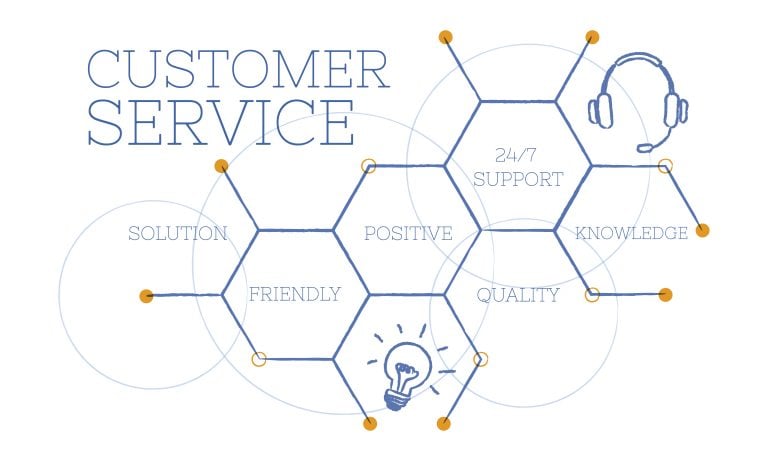


[…] If you are new to AI tools, read our complete guide to AI tools for business, productivity, and ever… […]
[…] Read our complete guide to AI tools for business, productivity, and everyday work. […]
[…] data, and organize your research more efficiently. If you’re new to AI tools, read our complete guide to AI tools for business, productivity, and everyday work to understand how AI can be used across different […]
[…] Want to explore more AI tools beyond customer service? Read our complete guide to AI Tools: The Complete Guide for Business, Productivity & Everyday Work for business, productivi… […]