

Best ERP Software for Small Business: Features, Pricing & How to Choose

Choosing the best ERP software for small business can be challenging. Small businesses need software that is affordable, easy to use, scalable, and capable of managing essential operations without unnecessary complexity.
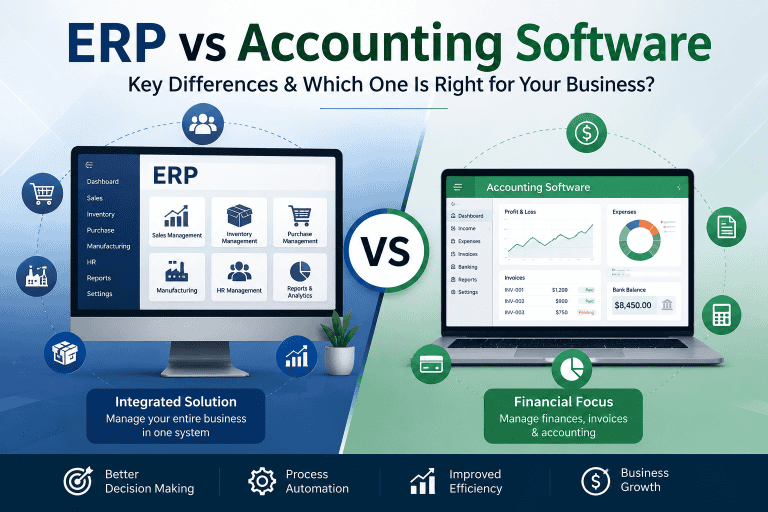
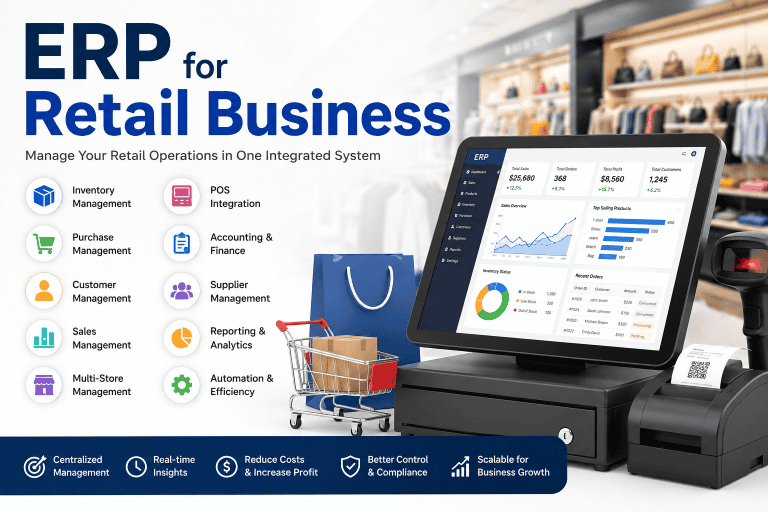
A good ERP system can bring accounting, sales, inventory, purchasing, CRM, HR, and reporting into one centralized platform. Instead of managing different business processes through spreadsheets and separate applications, businesses can use an integrated ERP system to improve efficiency and make better decisions.
This guide explains what small businesses should look for in ERP software, the most important ERP features, common pricing considerations, and how to choose the right solution.
What Is ERP Software for Small Business?
ERP software for small business is an integrated business management system designed to connect and automate multiple business operations from a single platform.
Depending on the business, an ERP system can manage:
- Accounting and finance
- Sales
- Purchasing
- Inventory
- Customer management
- Human resources
- Payroll
- Manufacturing
- Point of Sale
- Reporting
- Expenses
For a small company, the main advantage of ERP is centralization. Employees can work with the same business data instead of maintaining separate spreadsheets and disconnected software.
Why Do Small Businesses Need ERP Software?
Many small businesses start with Excel, accounting software, POS systems, and other individual tools. This can work initially, but problems often appear as the business grows.
Common problems include:
- Duplicate data entry
- Inventory inaccuracies
- Manual reporting
- Disconnected departments
- Difficult financial tracking
- Limited visibility into sales
- Poor customer data management
- Time-consuming administrative work
An ERP system can connect these processes and reduce unnecessary manual work.
Key Features of the Best ERP Software for Small Business
The best ERP software should provide the features a business actually needs rather than simply offering the largest number of modules.
1. Accounting and Financial Management
Accounting is one of the most important ERP functions for small businesses.
Useful features include:
- Invoicing
- Customer payments
- Vendor bills
- Accounts receivable
- Accounts payable
- Expense tracking
- Financial reports
- Tax management
- Bank reconciliation
Integrating accounting with sales and purchasing can reduce duplicate data entry and improve financial visibility.
2. Inventory Management
For businesses that sell physical products, inventory management is essential.
A good ERP should help businesses track:
- Products
- Stock quantities
- Stock movements
- Warehouses
- Purchase orders
- Sales orders
- Stock adjustments
- Reordering
- Inventory valuation
Real-time inventory information can help reduce stockouts and excess inventory.
3. Sales Management
ERP software can connect the entire sales process.
Common sales features include:
- Quotations
- Sales orders
- Customer information
- Invoices
- Payment tracking
- Sales reports
This allows businesses to manage customer transactions from quotation to payment.
4. Purchase Management
A small business can use ERP software to manage suppliers and purchasing activities.
Important features include:
- Supplier management
- Purchase requests
- Purchase orders
- Vendor bills
- Purchase history
- Approval workflows
Integrating purchasing with inventory can make stock replenishment more efficient.
5. CRM
Customer Relationship Management features help businesses organize customer information and sales opportunities.
A CRM module may include:
- Customer database
- Leads
- Opportunities
- Follow-ups
- Sales activities
- Customer communication
For small businesses that depend heavily on customer relationships, integrated CRM can be particularly valuable.
6. HR and Payroll
As the number of employees increases, managing employee information manually becomes difficult.
ERP HR features can include:
- Employee profiles
- Attendance
- Leave management
- Payroll
- Recruitment
- Employee expenses
Businesses should check whether the ERP supports their specific payroll and local compliance requirements.
7. Reporting and Business Analytics
ERP software should provide useful reports without requiring employees to manually combine data from multiple systems.
Common reports include:
- Sales reports
- Profit and loss
- Inventory reports
- Purchase reports
- Expense reports
- Customer reports
- Financial dashboards
Good reporting helps business owners understand what is happening across the organization.
Best ERP Software Options for Small Businesses
There is no single ERP system that is best for every small business. The right choice depends on industry, budget, users, required modules, customization needs, and future growth.
Odoo
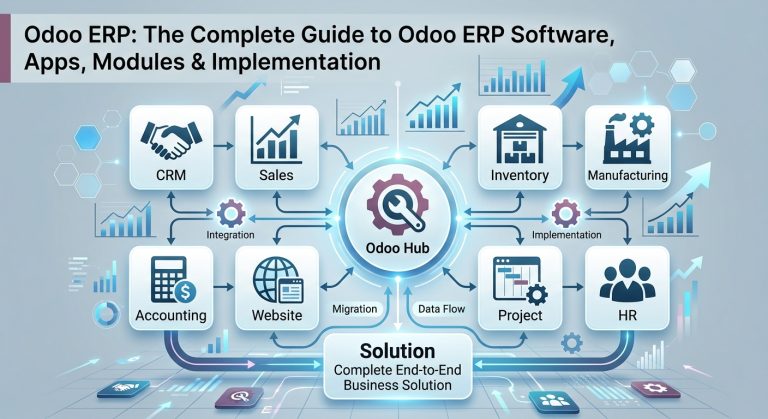
Odoo is a widely used business management platform offering modules for accounting, sales, CRM, inventory, purchasing, manufacturing, HR, POS, websites, and other business processes.
Best for: Small and growing businesses that want a modular ERP platform with room for customization and expansion.
Key strengths:
- Modular architecture
- Broad range of business applications
- Inventory management
- Accounting
- CRM
- Manufacturing
- Sales and purchasing
- Customization possibilities
ERPNext
ERPNext is an open-source ERP platform designed to manage areas such as accounting, inventory, sales, purchasing, manufacturing, projects, and HR.
Best for: Small and medium-sized businesses looking for an open-source ERP with broad business functionality.
Key strengths:
- Open-source platform
- Accounting
- Inventory
- Sales
- Purchasing
- Manufacturing
- HR
- Reporting
Zoho Business Applications
Zoho offers a broad ecosystem of cloud business applications covering areas such as accounting, CRM, sales, HR, and other business operations.
Best for: Small businesses that prefer cloud-based business applications and want to connect multiple functions within one software ecosystem.
The important point is to compare the actual modules and integrations you need rather than choosing a platform simply because it has many applications.
How Much Does ERP Software Cost for Small Businesses?
ERP software pricing for small businesses can vary significantly.
The total cost may depend on:
- Number of users
- ERP modules
- Subscription or license model
- Implementation
- Customization
- Hosting
- Data migration
- Integrations
- Training
- Technical support
A basic ERP implementation may cost considerably less than a highly customized system with multiple integrations and advanced workflows.
For businesses in Bangladesh, it is especially important to compare the total cost of ownership rather than looking only at the monthly software subscription.
Cloud ERP vs On-Premise ERP for Small Business
Small businesses generally have two major deployment choices: Cloud ERP and On-Premise ERP.
Cloud ERP
Cloud ERP is hosted on remote servers and accessed through the internet.
Advantages:
- Lower upfront infrastructure costs
- Remote access
- Easier scalability
- Less server maintenance
- Reduced hardware requirements
On-Premise ERP
On-Premise ERP is installed on infrastructure controlled by the business.
Advantages:
- Greater infrastructure control
- Local server operation
- More direct control over the IT environment
- Suitable for businesses with internal IT capabilities
For many small businesses, cloud ERP can be attractive because it reduces the need to purchase and maintain dedicated server infrastructure.
What Should Small Businesses Consider Before Choosing ERP?
Before choosing an ERP system, answer these questions:
Business Requirements
What problems do you actually want the ERP to solve?
Number of Users
How many employees will use the system?
Required Modules
Do you need only accounting and inventory, or do you also need CRM, HR, manufacturing, and other modules?
Customization
Can the ERP support your existing workflows without expensive customization?
Scalability
Can you add users, branches, modules, and transactions as the business grows?
Integration
Does the ERP integrate with your website, payment systems, POS, eCommerce platform, or other software?
Support
Does the provider offer reliable technical support and implementation services?
Total Cost
What will you pay for software, implementation, hosting, customization, training, and maintenance?
Common Mistakes Small Businesses Make When Choosing ERP
Choosing Based Only on Price
The cheapest ERP is not necessarily the most cost-effective.
A low-cost system that cannot support your business processes may require expensive changes later.
Buying Too Many Modules
Small businesses should avoid purchasing unnecessary features.
Start with the modules that solve the most important problems.
Ignoring Implementation
Installing ERP software is only one part of an ERP project.
Configuration, data migration, customization, testing, and employee training can significantly affect the project’s success.
Not Planning for Growth
Your ERP should support future business growth.
Consider whether the system can handle:
- More users
- More products
- More transactions
- Multiple branches
- Additional modules
How to Choose the Best ERP Software for Your Small Business
A practical selection process is:
Step 1: Identify your business problems.
Step 2: List the ERP modules you actually need.
Step 3: Set a realistic total budget.
Step 4: Shortlist suitable ERP platforms.
Step 5: Compare features and workflows.
Step 6: Request a demonstration.
Step 7: Calculate implementation and customization costs.
Step 8: Check scalability and support.
Step 9: Test the system with real business scenarios.
Step 10: Choose the ERP that provides the best long-term value.
Final Thoughts
The best ERP software for small business is not necessarily the software with the most features or the lowest price. It is the system that fits the company’s current requirements while providing enough flexibility to support future growth.
Small businesses should prioritize essential features such as accounting, inventory, sales, purchasing, CRM, reporting, ease of use, scalability, and reliable support.
Platforms such as Odoo and ERPNext can be suitable for businesses that need a broader integrated ERP system, while other business software ecosystems may be better for companies with simpler requirements.
Before making a decision, compare features, implementation costs, customization, scalability, integrations, support, and total cost of ownership.